Sharing a TikTok profile or video usually means sending a link, copying a URL, or asking someone to search for the account manually. A QR code makes that process a lot simpler: scan it with a phone, and the associated TikTok URL can open directly.
With a TikTok QR code, you can turn a TikTok profile, video, or other valid TikTok URL into a scannable QR code for sharing online or offline. LinkToQR.org provides a simple way to generate the QR code from the URL you provide.
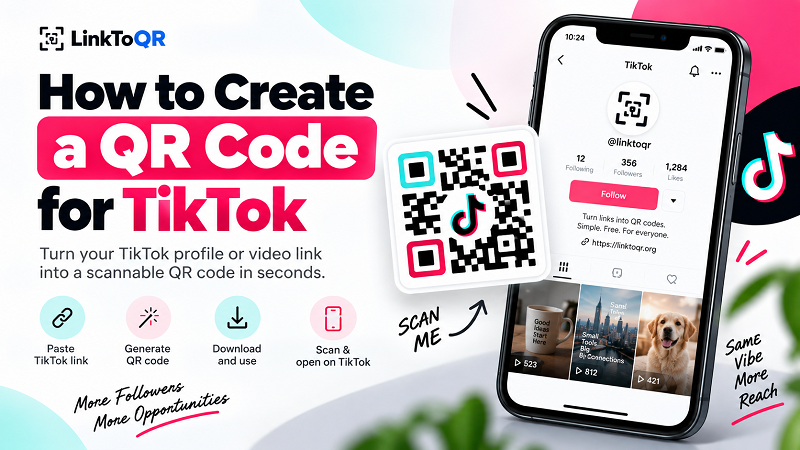
1. How to Create a QR Code for TikTok
Creating a QR code for a TikTok link only takes a few steps. The important part is starting with the correct TikTok URL and testing the finished code before you share or print it.
1. Copy Your TikTok Link
First, open TikTok and find the profile, video, or page you want people to access. Copy its URL using TikTok's sharing options or your browser's address bar.
Make sure you copy the complete URL. A QR code can only take someone to the destination represented by the information encoded in it.
2. Paste the Link Into the QR Code Generator
Paste your TikTok URL into the QR code generator on this page. You don't need to manually convert the URL into a special QR format—the generator handles that part for you.
3. Generate Your TikTok QR Code
Create the QR code and check the result. The QR code represents the URL you entered, so it's worth taking a moment to confirm that the destination is the one you intended.
4. Scan and Test the QR Code
Before putting the code on a poster, business card, package, menu, or other printed material, scan it with a phone.
A quick test can catch simple problems such as an incorrect URL, a code that is too small, poor contrast, or a damaged print. It is much easier to fix a QR code on your screen than to reprint hundreds of flyers.
2. What Is a TikTok QR Code?
A TikTok QR code is simply a QR code that contains a TikTok URL.
When someone scans the code with a compatible smartphone or QR scanner, their device can open the encoded URL. Depending on the URL you use, that destination might be a TikTok profile, a specific video, or another TikTok page.
There isn't a separate type of QR technology that only works with TikTok. The QR code follows the same basic principle as any other URL QR code: it stores information that can be read by a scanner and used to open a destination.
That distinction is useful because it also explains why the quality of the original link matters. The QR code doesn't create or host the TikTok content. It simply provides another way to access the URL you choose.
3. What Can You Use a TikTok QR Code For?
A QR code can be especially useful when the people you want to reach are looking at something that isn't convenient for typing or clicking a link.
Share a TikTok Profile
If you're promoting a TikTok account in a physical location, a QR code can give people a quick way to open the profile without manually searching for the username.
This can work well on business cards, signs, promotional materials, event displays, or other places where a clickable link isn't available.
Share a TikTok Video
You can also create a QR code from the URL of a particular TikTok video. This is useful when the goal is to direct people to one specific piece of content rather than the entire profile.
For example, a creator might place a QR code on printed material that leads to a tutorial, product demonstration, event video, or other relevant TikTok post.
Promote TikTok Offline
One of the most useful things about QR codes is that they connect offline materials with online content.
A TikTok QR code can be placed on:
- Business cards
- Flyers and posters
- Product packaging
- Store displays
- Event materials
- Printed menus
- Signage
- Promotional handouts
Instead of asking someone to type a long URL, you give them a simple scanning option.
Share TikTok at Events
QR codes can also be useful at conferences, markets, workshops, performances, and other events where people are already using their phones.
A clearly displayed code can provide a quick path from a physical event to a TikTok profile or specific piece of content.
4. How Does a TikTok QR Code Work?
The process is straightforward:
TikTok URL → QR code → Scan → TikTok URL opens
When you create a static QR code, the URL is encoded directly into the QR code itself. The QR code does not become a copy of the TikTok page, and it doesn't store the video, profile, comments, followers, or other TikTok content.
This is an important distinction.
If the destination URL changes or is no longer available, the QR code does not automatically update itself. The QR code can only point to the information that was encoded when it was created.
5. Static QR Codes for TikTok
A static QR code does not have an expiration date built into the QR code itself. Once generated, the encoded information remains part of the QR code.
However, that does not mean every destination is guaranteed to remain available forever.
For example, if a TikTok profile, video, or URL is removed, restricted, changed, or otherwise becomes unavailable, scanning the QR code may no longer lead to the expected content.
In other words, the QR code can remain valid while its destination changes or becomes unavailable.
This is why it's a good idea to test important QR codes periodically, especially when they are printed on materials that will be used for a long time.
6. Tips for Using a TikTok QR Code
A QR code is only useful if people can actually scan it. A few simple design and testing practices can make a big difference.
Test the Code Before Printing
Always scan the finished QR code before distributing it. If you're printing thousands of copies, test the actual printed version as well—not just the digital version on your screen.
Keep Enough Contrast
QR scanners generally work best when there is clear contrast between the QR code and its background. Avoid placing a QR code over a busy photograph or using colors that make the individual modules difficult to distinguish.
Choose an Appropriate Size
A QR code needs enough physical size for a phone camera to recognize its pattern comfortably. The ideal size depends on the scanning distance and the environment.
A code displayed across a large poster can be different from one printed on a small business card.
Leave Some Space Around the Code
Don't crowd the QR code with text, graphics, borders, or other elements. The clear area surrounding the code helps scanners identify its boundaries.
Check the Destination
The QR code can only do what the encoded URL tells it to do. Before publishing or printing it, make sure the destination is correct and appropriate for the people who will scan it.
7. TikTok QR Code Generator vs. a TikTok Link
Both methods can lead people to the same destination, but they are useful in different situations.
A normal TikTok URL works particularly well in digital environments where people can tap or click the link. A QR code becomes more useful when the URL needs to be shared through something physical, such as a poster, product package, business card, or event display.
The QR code doesn't replace the original URL. It provides another way to access it.
That makes QR codes particularly useful when your audience is moving between the physical and digital world.
8. About TikTok and LinkToQR.org
LinkToQR.org is a third-party website that provides QR code generation tools. The service can be used to create QR codes from URLs, including URLs that lead to third-party websites and platforms.
TikTok is a separate service operated by its respective entities. LinkToQR.org does not operate TikTok, control TikTok accounts or content, or represent TikTok.
References to TikTok on this page are descriptive. They help explain how users can use a QR code with a TikTok URL.
Nothing on this page should be interpreted as a statement that LinkToQR.org has a partnership, sponsorship, authorization, endorsement, or other official relationship with TikTok.
9. Legal and Trademark Notice
LinkToQR.org is an independent third-party service. TikTok is not a LinkToQR.org product, service, or brand.
The name TikTok and any associated trademarks, logos, designs, names, and other brand assets belong to their respective rights holders. LinkToQR.org does not claim ownership of those marks.
LinkToQR.org uses the term “TikTok” on this page in a descriptive and referential manner to identify the platform whose URLs may be encoded into a QR code. This reference is not intended to suggest that LinkToQR.org is TikTok, represents TikTok, or has been authorized, sponsored, endorsed, or approved by TikTok.
LinkToQR.org Does Not Provide TikTok Content
LinkToQR.org's QR code generator does not host, copy, reproduce, modify, or distribute the TikTok content associated with a URL merely because that URL is entered into the QR code generator.
The service creates a QR code based on information supplied by the user. The resulting QR code provides a way to access the destination represented by that information.
The content at the destination remains subject to the rights, terms, policies, and restrictions applicable to that destination.
Users Are Responsible for the URLs They Submit
When creating a QR code, users are responsible for the URL they choose to encode and for how they subsequently use the resulting QR code.
Creating a QR code does not give a user ownership or permission to use copyrighted works, trademarks, logos, images, videos, music, usernames, or other protected material associated with the destination.
For example, creating a QR code that points to another person's TikTok video does not by itself give you permission to reproduce that video, download it, redistribute it, use it in advertising, or otherwise exploit intellectual property belonging to someone else.
A QR Code Does Not Grant Intellectual Property Rights
A QR code is a technical means of encoding information. It does not transfer copyright, trademark rights, publicity rights, privacy rights, or any other intellectual property or legal rights.
If you use a QR code in connection with a commercial campaign, advertisement, product, event, publication, or other project, you are responsible for ensuring that your use of the destination, associated content, and any third-party marks complies with applicable laws and the relevant rights holders' terms.
Using a QR code to access third-party content does not by itself provide permission to reproduce, distribute, modify, publicly display, commercially exploit, or otherwise use that content beyond what is permitted by the applicable rights and terms.
Avoid Misleading Brand Associations
Do not design, label, or present a QR code in a way that could reasonably suggest that LinkToQR.org or your organization is an official TikTok service, partner, sponsor, representative, or authorized provider when no such relationship exists.
This is particularly important when using the TikTok name, logo, or other brand elements in marketing materials.
Accordingly, LinkToQR.org does not describe its TikTok QR code generator as an official TikTok QR code generator, TikTok-approved QR generator, or similar wording that could imply an official relationship.
Use of the TikTok Logo
This page does not grant permission to use TikTok's logos, icons, brand artwork, or other protected visual assets.
If you choose to use TikTok brand assets in your own marketing materials, you are responsible for determining whether you have the necessary permission or other legal basis to do so.
The mere fact that a QR code points to TikTok does not grant permission to reproduce TikTok's logo or other protected brand assets.
Destination Content Can Change
LinkToQR.org does not control third-party destinations.
A TikTok profile, video, account, URL, or other destination may become unavailable or change after a QR code has been created. This can happen for reasons outside the control of the QR code generator, including changes made by the platform, account owner, content owner, or applicable policies.
For this reason, LinkToQR.org does not guarantee the continued availability of any third-party TikTok destination.
No Affiliation or Endorsement
For clarity:
LinkToQR.org is not affiliated with TikTok or ByteDance and is not sponsored, endorsed, authorized, or officially connected with either company.
The QR code generator is a general-purpose third-party tool. TikTok is mentioned solely because users may choose to encode TikTok URLs.
If you need legal advice regarding trademark use, copyright, commercial use, advertising, or another specific legal issue, consult a qualified legal professional familiar with the applicable jurisdiction and circumstances.