Have an Amazon link you want to share without asking people to type a long URL? A QR code can make that much easier. With LinkToQR, you can turn an Amazon URL into a QR code that people can scan with their phone and use to open the linked page. Whether you're sharing a product page, a search result, or another publicly accessible Amazon URL, the process is straightforward: copy the link, paste it into the QR code generator, create your code, and test it before sharing or printing.
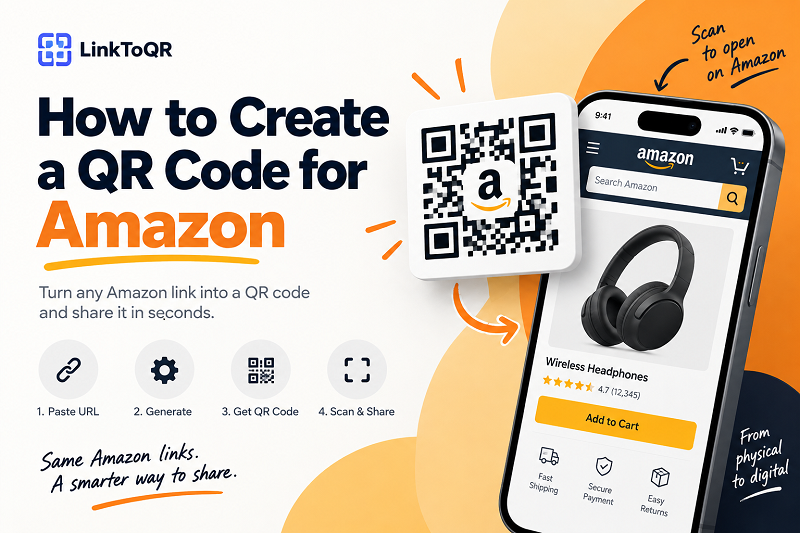
1. How to Create a QR Code for Amazon
Creating a QR code for an Amazon link only takes a few steps. First, open the Amazon page you want people to visit and copy its URL from your browser or sharing options. This could be a product page, a search page, or another Amazon page that you want to make easier to access. Before creating your QR code, make sure you've copied the complete URL and that the link opens the page you actually want to share.
1. Copy your Amazon link
Open the Amazon page you want to share and copy its URL. If you're using a phone, you can usually find the link through the browser's address bar or the page's sharing options. Take a quick look at the URL before moving on and make sure it points to the page you actually want people to visit.
2. Paste your Amazon URL
Paste the URL into the QR code generator above. The QR code uses the URL you provide as its destination, so it doesn't contain the Amazon product or page itself. Instead, it provides a convenient, scannable way for someone to access the URL you've selected.
3. Generate your QR code
Once you've entered the Amazon URL, generate your QR code. The resulting code can be used as a visual shortcut to the destination link, which is especially useful when you're connecting something physical, such as a poster, flyer, package, or display, with an online page.
4. Scan and test your QR code
Don't skip the testing step. Scan the QR code with your phone and confirm that it opens the intended page. If you're planning to print the code on a poster, flyer, package, display, or other physical material, test the final version before producing it in large quantities. A few seconds of testing can save you from discovering a scanning problem after hundreds of copies have already been printed.
2. What Is an Amazon QR Code?
An Amazon QR code is simply a QR code that contains an Amazon URL. When someone scans the code, their device can use that URL to open the corresponding Amazon page. There isn't a special QR format required just because the destination happens to be Amazon. Think of it as a simple shortcut: Amazon URL → QR code → scan → linked Amazon page.
This can be useful when an Amazon URL is too long or inconvenient to type, particularly when you're sharing a link through something physical. The QR code itself doesn't control the Amazon page or its content; it simply provides a machine-readable way to access the URL that was encoded into it.
3. What Can You Use an Amazon QR Code For?
An Amazon QR code can be useful anywhere you want to connect something people can see or hold with a web page they can open on their phone. For example, you could place one next to a product reference on a flyer, printed information sheet, display, or other physical material. Someone can scan the code instead of manually typing a potentially long web address.
Share Amazon product pages
If you want to make a particular Amazon product page easier to access from printed material, a QR code provides a convenient alternative to typing the URL manually. This can be useful for product information sheets, printed references, displays, or other situations where the audience is looking at something offline.
Connect printed materials to Amazon
QR codes are particularly useful when your audience is interacting with physical content. A printed page might contain a short description and a QR code that lets someone open the corresponding Amazon URL on their phone. This creates a simple bridge between an offline experience and an online destination without requiring users to type the address themselves.
Share an Amazon page at events or in stores
QR codes can also be placed on displays, signage, promotional materials, or other physical communications where people may want to access an online page quickly. The important part is to make the destination clear. A short label such as Scan to view this page can give people useful context before they decide to scan.
Make long Amazon URLs easier to share
Amazon URLs can be lengthy and aren't always pleasant to type or read. A QR code doesn't replace the URL; it simply gives people another way to access it. That's particularly useful when the link needs to appear in a physical environment where typing a web address would be inconvenient.
4. What Amazon Links Can You Turn Into a QR Code?
You can create a QR code from an Amazon URL that you want to share, provided the URL is valid and accessible. This could be a product page, a search page, or another publicly accessible Amazon destination. The key is to check the URL before creating the code and make sure it leads to the page you intend to share.
Amazon product URLs
Have a specific product page you want people to visit? Copy its URL and use it as the QR code destination. Keep in mind that the availability of the product page is controlled by Amazon and other relevant parties, not by the QR code generator. A QR code can provide access to the URL, but it cannot guarantee that a particular product or listing will remain available.
Amazon search URLs
You can also create a QR code from an Amazon search URL if you want to direct people to a particular search page rather than a single product. This can be useful when the destination is intended to show a broader selection rather than one specific item.
Other Amazon URLs
Other publicly accessible Amazon URLs may also be suitable for QR codes. The basic principle is simple: if you have a URL you want to share, you can use that URL as the QR code destination. However, a QR code cannot bypass requirements imposed by the destination website. A page may require a login, have regional restrictions, become unavailable, redirect elsewhere, or change over time.
5. Is an Amazon QR Code Free?
Creating a QR code for an Amazon URL can be a simple and free way to share a link. LinkToQR provides a free QR code generation tool that lets you turn a URL you provide into a QR code. There is an important distinction, though: free QR code generation does not mean that LinkToQR provides or controls the Amazon service behind the link. LinkToQR generates the QR code from the URL you submit, while the destination remains subject to the availability, functionality, and policies of the website associated with that URL.
6. Does an Amazon QR Code Expire?
A static QR code does not have an expiration date simply because its destination is an Amazon URL. However, that doesn't mean the destination will remain available forever. The Amazon URL you encoded could later redirect to another page, become unavailable, point to a product that is no longer listed, behave differently depending on the user's region or account, or require additional access or authentication.
The QR code and the destination page are two separate things. If the URL itself is no longer valid or accessible, scanning the QR code cannot fix the problem. The QR code will continue to encode the URL that was originally created, while what happens at that URL is controlled by the destination website.
7. How to Test Your Amazon QR Code
Before putting your QR code on something important, give it a real-world test. Scan it with a smartphone and make sure the code scans quickly, the expected URL opens, the destination is the page you intended to share, and the page loads correctly on a mobile device. If you're using the QR code for a physical campaign, test the actual printed version rather than relying only on the digital preview.
A QR code that looks perfectly fine on your monitor can behave differently when it's printed too small, distorted, blurry, or surrounded by a busy design. Testing the final version is a simple way to catch those problems before your audience does.
8. Tips for Using an Amazon QR Code in Print
Planning to put your QR code on a flyer, poster, package, sign, or display? A little preparation goes a long way. There isn't one universal QR code size that works in every situation because scanning distance, printing quality, lighting, and the device being used can all affect the experience. As a general rule, the farther away someone is from the QR code, the larger it should be.
Keep enough space around the QR code
Avoid crowding the QR code with text, images, borders, or other design elements. The clear space around the code helps scanning devices distinguish it from the surrounding content, so giving the code some breathing room is usually a good idea.
Don't distort the QR code
Avoid stretching, squeezing, or placing graphics over important parts of the code. If you want to customize its appearance, always scan-test the final design afterward. A QR code only helps if people can actually scan it.
Test before printing in bulk
If you're printing hundreds or thousands of copies, test the exact design before committing to the full print run. Check the QR code from the distances and angles at which people are likely to encounter it, and make sure the destination still opens as expected.
Tell people what the QR code does
A QR code with no explanation can leave people wondering where it leads. A simple label such as Scan to open the product page or Scan to view online can make the experience clearer and give users a little more confidence before scanning.
9. Important Things to Know Before Sharing an Amazon QR Code
Creating the QR code is only part of the job. It's also worth understanding what a QR code can—and cannot—do. The person creating the code should verify that the URL is the intended destination before publishing or distributing it. LinkToQR provides the QR generation tool, but it does not determine which URL a user chooses to encode or control what happens on the destination website.
Amazon pages can change
Online product pages and other web pages can change over time. A product may become unavailable, a page may be removed, a URL may redirect, or access may vary by location or account. Because of this, a QR code should not be treated as a guarantee that a particular product, price, inventory status, offer, or page will remain available.
A QR code does not guarantee the availability of the destination
The QR code can remain readable while the destination changes or becomes unavailable. The QR code is simply a mechanism for encoding and accessing the URL. It does not control the content, availability, pricing, inventory, policies, or functionality of the website at that destination.
Check links before distributing printed materials
If a QR code will remain in circulation for a long time, periodically checking the destination can be a sensible part of your own content or campaign management process. This is especially useful when the QR code is printed on materials that are expensive or difficult to replace.
10. Amazon Trademark and Brand Disclaimer
Amazon and related names, logos, trademarks, and service marks belong to their respective owners. LinkToQR is an independent QR code generation service and is not affiliated with, endorsed by, sponsored by, or officially connected with Amazon or its affiliates.
The term Amazon QR code on this page is used descriptively to refer to a QR code created from an Amazon URL supplied by the user. It does not indicate that Amazon created, operates, endorses, sponsors, or recommends the LinkToQR service. LinkToQR does not claim ownership of Amazon trademarks, product listings, website content, or other materials belonging to Amazon or third parties.
Amazon URLs are provided and selected by users. LinkToQR does not control the content, availability, pricing, inventory, offers, policies, or functionality of the destination pages. Users are responsible for ensuring that their use of any Amazon URL, QR code, marketing material, or other content complies with applicable laws, regulations, platform rules, intellectual property rights, and the terms applicable to the destination website.
Nothing on this page should be interpreted as creating a partnership, sponsorship, endorsement, agency relationship, or other official relationship between LinkToQR and Amazon.