Sharing a Facebook profile or Page doesn't have to involve typing a long link, searching for a username, or hoping someone finds the right account.
With a QR code, people can simply scan your code with their phone and open the Facebook URL behind it.
LinkToQR makes the process simple. Paste your Facebook profile, Page, or other Facebook URL into the QR code generator above, create your code, and download it for use online or in printed materials.
LinkToQR is an independent third-party QR code generator. It is not affiliated with, sponsored by, or endorsed by Facebook or Meta Platforms, Inc.
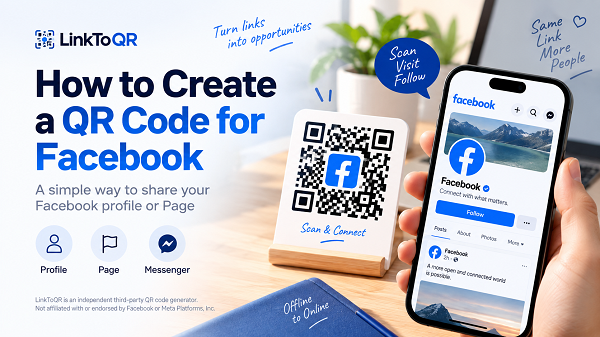
1. What Is a Facebook QR Code?
A Facebook QR code is a QR code that contains a Facebook URL.
That URL might lead to your personal profile, a Facebook Page, a post, or another publicly accessible Facebook destination. When someone scans the code, their phone can open the corresponding URL in the Facebook app or a web browser, depending on their device and settings.
Think of it as a shortcut.
Instead of telling someone:
Search for our Facebook Page, then make sure you pick the right one.
You can simply show them a QR code.
One scan, one tap, and they're on the destination you shared.
A QR code doesn't change the Facebook URL itself. It simply provides another, more convenient way to access it.
2. How to Create a QR Code for Facebook
Creating a QR code from a Facebook link takes only a few steps.
1. Copy your Facebook URL
First, open Facebook and go to the profile, Page, or destination you want people to visit.
Copy its URL.
For example, a business might use the URL of its Facebook Page, while an individual could use their profile link.
2. Paste your Facebook URL into LinkToQR
Return to LinkToQR and paste the URL into the QR code generator.
You don't need to manually enter a Facebook username or recreate the link. Just use the URL you want the QR code to open.
3. Generate your QR code
Select Generate QR Code.
LinkToQR converts the URL into a scannable QR code. The resulting code represents the exact destination you entered.
4. Download and test your QR code
Download your QR code and scan it with a phone before sharing or printing it.
This small step can save you from a surprisingly annoying problem later.
Make sure the QR code opens the intended Facebook destination and that the link is accessible to the people you expect to scan it.
3. Create a QR Code for a Facebook Page
For businesses, organizations, creators, restaurants, stores, and community groups, a Facebook Page QR code can be a handy bridge between offline and online audiences.
Instead of asking customers to search for your Page by name, you can place a QR code where people are already looking.
For example, you could put your QR code on:
- Business cards
- Store signs
- Flyers
- Posters
- Menus
- Event materials
- Product packaging
- Printed promotional materials
To create one, simply copy your Facebook Page URL and paste it into LinkToQR.
The process is the same whether you think of it as a QR code for a Facebook Page, a Facebook Page QR, or simply a QR code that opens your Page.
The important part is the destination URL.
4. Create a QR Code for Your Facebook Profile
A QR code can also make it easier to share a personal Facebook profile.
This can be useful when meeting people at an event, networking, exchanging contact information, or sharing a profile without asking someone to search for your name.
Imagine you're at a conference.
Instead of spelling out your name and waiting while someone searches Facebook, you can show them your QR code. They scan it, and the profile URL opens on their phone.
It's a small convenience, but those small conveniences add up.
5. Why Use a QR Code for Facebook?
The biggest advantage is simple: less typing, less searching, less friction.
- Make your Facebook link easier to access: A Facebook URL isn't always something people want to type manually, especially when you're dealing with printed materials. A QR code turns that process into a quick scan.
- Connect offline and online: QR codes are particularly useful when your audience first encounters you offline. A person sees your poster, business card, storefront, or printed material and can move from that physical experience to your Facebook Page with a phone.
- Share a Facebook destination quickly: Whether you're sharing a business Page or personal profile, a QR code gives people a simple way to access the link you've chosen.
- Reduce mistakes: URLs can be mistyped. Names can be misspelled. Search results can contain multiple accounts with similar names. A properly generated QR code removes much of that manual work.
6. Where Can You Use a Facebook QR Code?
The nice thing about QR codes is that they don't really care whether you're standing in a store, sitting at a conference, or holding a stack of business cards. If someone can see the code and their phone can scan it, you've got a potential connection point.
- Business Cards: Add a QR code alongside your contact information so people can quickly visit your Facebook profile or Page.
- Flyers and Posters: A printed promotion can do more than communicate information. A QR code can give readers a direct path to your Facebook presence.
- Store Signage: Restaurants, retailers, local businesses, and other physical locations can display a QR code near a counter, entrance, or checkout area.
- Events: Event organizers can use QR codes on signs, programs, badges, or other printed materials to make their Facebook presence easier to find.
- Product Packaging: If your brand uses Facebook as part of its customer communication, a QR code can provide another way for customers to reach your Page after purchasing a product.
- Social and Digital Materials: You can also display a QR code in presentations, digital graphics, PDFs, or other materials where someone may be using a second device to scan it.
7. Is This Facebook QR Code Generator Free?
Yes. You can use LinkToQR to create a QR code from a Facebook URL for free.
The basic idea is straightforward: provide the URL, generate the QR code, and use the resulting code wherever you need it.
There is no need to turn a simple link into a complicated project.
Whether you call it a Facebook QR code generator, an FB QR code generator, or a free QR code generator for Facebook, the underlying process is the same: LinkToQR converts the URL you provide into a scannable QR code.
Important: LinkToQR is an independent third-party service. It does not represent or operate Facebook's services.
8. How Does a Facebook QR Code Work?
A QR code doesn't contain a miniature version of a Facebook Page.
It contains data representing the URL you provide.
The process looks like this:
- Your Facebook URL
- LinkToQR generates a QR code
- Someone scans the QR code
- Their device reads the URL
- The Facebook destination opens
That's it.
The QR code acts as a convenient doorway to the URL.
This also means you should always check the URL before generating your code. If you accidentally paste the wrong Facebook address, the QR code will faithfully point to the wrong destination. QR codes are wonderfully obedient like that.
9. Is LinkToQR an Official Facebook Tool?
No.
LinkToQR is an independent third-party QR code generator. It is not affiliated with, sponsored by, or endorsed by Facebook or Meta Platforms, Inc.
The term Facebook is used on this page to identify the platform associated with the URL that users may convert into a QR code.
LinkToQR does not claim to be a Facebook product, Facebook service, or official Facebook QR code generator.
This distinction matters because the purpose of this page is simply to help you create a QR code from a Facebook URL.
10. Important Information About Your QR Code
Before downloading or printing your QR code, there are a few things worth knowing.
- The QR code points to the URL you provide: LinkToQR generates the QR code based on the destination URL you enter. Make sure the URL is correct before generating and publishing the code.
- LinkToQR does not control the Facebook destination: The Facebook profile, Page, post, or other destination behind your QR code belongs to the platform and account associated with that URL. LinkToQR does not control the content, availability, visibility, or policies of that destination.
- Changes to the destination can affect the result: If the destination URL changes, becomes unavailable, is deleted, or has access restrictions, scanning the QR code may no longer produce the result you originally expected. For that reason, it's a good idea to test important QR codes periodically.
- Test before printing: If you're about to print 5,000 flyers, don't wait until flyer number 4,999 to discover that the QR code doesn't go where you thought it did. Scan it first. Seriously.
11. Tips for Using a Facebook QR Code
A QR code can be technically correct and still be frustrating to use. A few simple design choices can make a big difference.
- Test the code before publishing it: Scan the QR code using a phone and confirm that it opens the correct Facebook destination.
- Give the QR code enough space: Don't squeeze a QR code into a tiny corner just because there happens to be room there. The code needs to be large enough for the intended scanning distance and environment.
- Keep a clear area around the code: Avoid placing text, graphics, or other elements directly against the QR code. A clean surrounding area makes scanning easier.
- Consider the scanning environment: A QR code displayed on a bright store window, a dark poster, a glossy package, and a phone screen may all behave differently. Think about where people will actually scan it.
- Use the correct destination: If your goal is to promote a Facebook Page, use the Page URL. If you want to share a specific profile, use that profile's URL. The QR code can only take people where its underlying URL tells it to go.
- Test after printing: Printing can introduce unexpected issues with size, contrast, cropping, or image quality. Always test a printed sample before producing a large batch.
12. Trademark Notice
Facebook is a trademark of Meta Platforms, Inc.
LinkToQR is an independent third-party service and is not affiliated with, sponsored by, or endorsed by Facebook or Meta Platforms, Inc.
The name Facebook is used on this page solely to identify the platform associated with URLs that users may choose to convert into QR codes. LinkToQR does not claim ownership of Facebook trademarks or represent that its service is an official Facebook product or service.