A full attendance sheet looks great on paper. Everyone showed up, the supervisor covered the safety rules, and the meeting ended on time. Job done, right? Not so fast. When employees return to the floor, can they actually apply what they just learned?
- The Blind Spot in Workplace Training
- Build a Three-Minute Knowledge Check
- What Should You Ask After a Safety Briefing?
- Put the Check-In Where Training Actually Happens
- A QR Code Won't Fix a Bad Training Process
- Turn Responses Into the Next Training Decision
- Make Every Briefing Count
That’s the blind spot in workplace training. Showing up doesn’t automatically mean understanding, and nodding along during a briefing isn’t proof that someone can make the right call under pressure. For HR managers, safety coordinators, and team supervisors, the real challenge is figuring out what employees have absorbed before a misunderstanding turns into a costly mistake.
The good news? You don’t need a complicated training platform or another stack of paperwork to get a clearer picture. A short knowledge check, delivered at the right moment, can help you identify gaps while the information is still fresh.
The Blind Spot in Workplace Training
Traditional safety briefings often focus on delivering information rather than measuring what employees take away from it. A supervisor explains the procedure, answers a few questions, and asks whether everyone understands. Most people say yes, and the team moves on.
The problem is that employees may hesitate to admit confusion in front of coworkers. Others genuinely believe they understand the instructions until they face a situation that requires them to use that knowledge. Meanwhile, paper quizzes can take time to distribute, collect, and review, especially when several shifts or work locations are involved.
Three things deserve separate attention: attendance, knowledge, and practical performance. Attendance tells you who was present. A knowledge check gives you clues about what employees remember and understand. Practical observation helps determine whether they can follow the procedure correctly in real working conditions. These measures complement one another; none should be treated as a complete substitute for the others.
Build a Three-Minute Knowledge Check
Forget the idea that every training session needs a lengthy exam. For a routine briefing, a few carefully chosen questions can reveal more than a dozen generic ones. The goal is to test the information that matters most, not to make employees jump through hoops.
Start by identifying three to five essential learning points. These might include recognizing a hazard, reporting an incident, selecting the correct protective equipment, or knowing when equipment must remain out of service. Turn each point into a short question that requires employees to recall or apply the relevant instruction.
Next, make the questions specific. Instead of asking, “Did you understand today's safety briefing?”, describe a realistic situation and ask what the employee should do. Multiple-choice questions can work well for quick checks, while a short written response may be more useful when employees need to explain their reasoning.
Finally, review the responses promptly. If several employees miss the same question, treat that as a signal to revisit the explanation. The purpose isn't to catch people out or embarrass anyone. It's to find weak spots in the training process while there's still time to address them.
What Should You Ask After a Safety Briefing?
Good questions connect the training material to decisions employees may face during an ordinary shift. They should be clear, relevant, and consistent with your organization's approved procedures.
For example, a briefing about hazard reporting might include questions such as:
- Spotting a hazard: “You notice a spill in a walkway. What should you do first according to your workplace procedure?”
- Using equipment: “A machine appears to be malfunctioning. What steps must you follow before anyone attempts to use it again?”
- Reporting an incident: “Who must be notified when a workplace incident or near miss occurs?”
- Protective equipment: “Which protective equipment is required before beginning this specific task?”
- Emergency response: “Where can you find the approved emergency instructions for your work area?”
These examples are starting points, not universal safety instructions. Adapt every question to the actual hazards, equipment, applicable regulations, and approved procedures at your workplace. For high-risk tasks, a short quiz should never replace hands-on instruction, competency assessments, or required certifications.
One more tip: avoid trick questions. If employees repeatedly misunderstand a question, the problem might be the wording rather than their knowledge. Clear questions produce more useful feedback and make it easier to decide what needs to change.
Put the Check-In Where Training Actually Happens
Timing can make or break your feedback process. Send a survey several hours after a briefing, and employees may forget about it. Ask them to log into another system, search through old messages, or type a long web address, and even a motivated team can lose momentum.
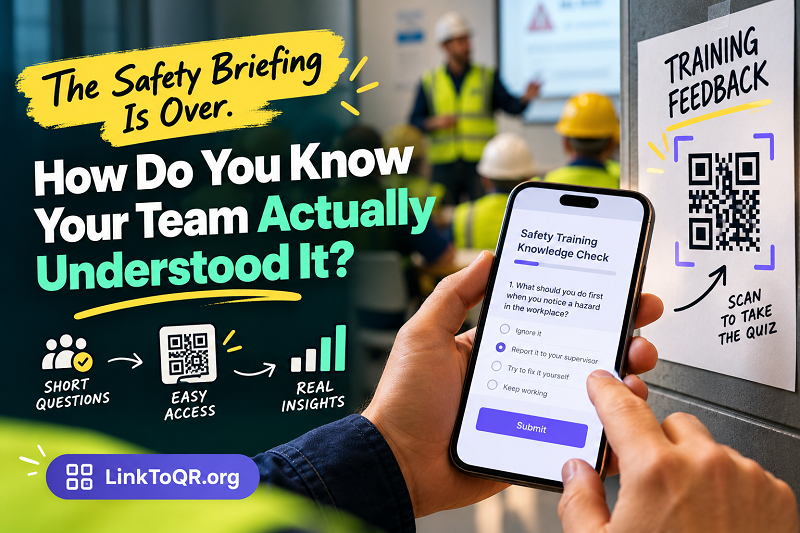
A QR code offers a straightforward alternative. Place it on the training handout, a presentation slide, or an appropriate notice in the briefing area. Employees can scan it with their phones and open the knowledge check while the material is still fresh. Keep the form short, test it before the session, and make sure employees have an accessible way to participate if they cannot use a smartphone.
If your questions are already organized in Google Forms, you can generate qr code for google form and make the form easier to access at the point of training. The important part isn't the technology itself; it's removing unnecessary steps between the instruction and the response.
Before distributing the code, open the destination on a phone and complete a test submission. Confirm that the form has the correct sharing permissions and doesn't require employees to sign in with an account they cannot access. A perfectly designed training check is useless if half the team gets blocked at the first screen.
Also consider placement and privacy. Make the code large enough to scan comfortably, use a clear label explaining what employees will find, and avoid collecting personal information you don't need. If responses must be associated with particular employees for compliance or follow-up, explain that requirement and handle the information according to your organization's policies.
A QR Code Won't Fix a Bad Training Process
Digital tools make collecting answers easier, but they don't automatically make training effective. A confusing briefing remains confusing even when the follow-up form looks polished.
Watch out for a few common mistakes. First, don't overload the form with questions just because it's easy to add them. A quick knowledge check should focus on the session's most important learning objectives. Second, don't assume a high completion rate means employees have mastered the material. People can finish a form without fully understanding the subject.
Third, don't treat every incorrect answer as an individual failure. If many employees struggle with the same concept, investigate whether the instructions were unclear, the examples were unrealistic, or the training moved too quickly. Sometimes the right fix is a better demonstration or clearer documentation, not another quiz.
Finally, don't let digital participation become a barrier. Provide an alternative for employees without suitable devices, reliable connectivity, or the ability to use the form independently. The process should make training easier to evaluate, not exclude people from participating.
Turn Responses Into the Next Training Decision
Collecting answers is only half the job. The real payoff comes from what you do with them.
After each session, review the questions employees answered incorrectly, look for recurring patterns, and decide whether a short clarification or a more substantial refresher is needed. If the same gap appears across multiple teams, consider whether the training materials, demonstrations, or standard operating procedures need improvement.
Over time, you can compare results across sessions to see whether targeted explanations are helping employees understand the material. Keep the comparisons fair: differences in question difficulty, employee experience, and working conditions can affect the results. Use the numbers as evidence to investigate, not as an automatic verdict on an individual employee.
For safety-critical tasks, follow up with observation or a practical assessment whenever appropriate. An employee who selects the right answer on a phone may still need supervised practice before performing the task independently. Keep records in line with your company's training and compliance requirements, and make sure any required formal assessments are completed separately.
Most importantly, close the feedback loop. Tell employees what you learned, clarify any misunderstood procedures, and explain what will change in the next session. When people see that their answers lead to useful improvements rather than pointless paperwork, they're more likely to take future training seriously.
Make Every Briefing Count
A safety briefing shouldn't end when the supervisor puts down the presentation remote. It should end when the team has a reasonable opportunity to demonstrate what it learned and the organization has a plan for addressing any gaps.
Start small: choose a few essential questions, make them easy to access, review the answers promptly, and follow up where necessary. A simple QR-based workflow can reduce friction, but thoughtful questions and meaningful action are what make the process worthwhile.
The goal isn't to prove that training happened. It's to make training work.