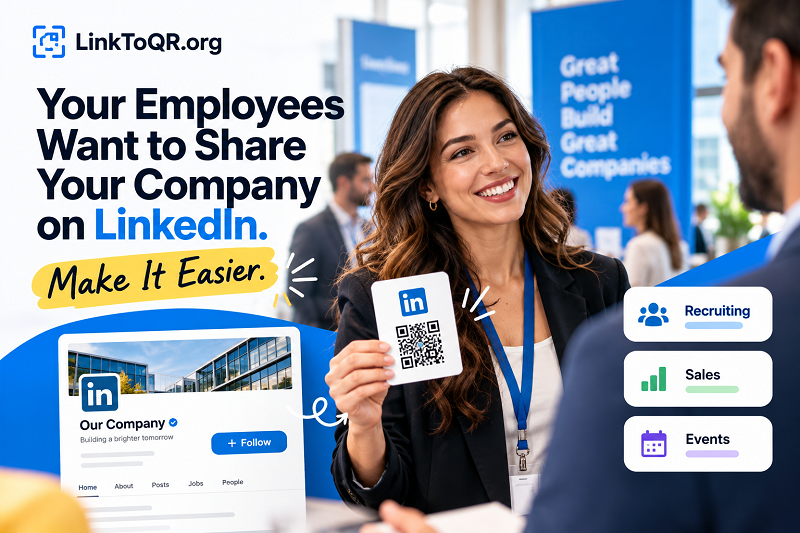
Your company has a LinkedIn page. Your employees know what you do. Some of them regularly meet potential customers, attend industry events, talk to job candidates, or build relationships with business partners. So why is it still surprisingly difficult to get people from those conversations to your company's LinkedIn presence?
- The Awkward Gap Between “Check Us Out” and Finding Your Company
- First, Decide What You Actually Want People to Discover
- When Company Visibility Is the Goal
- When Personal Credibility Matters More
- When a Specific Opportunity Deserves Attention
- Turn Employee Advocacy Into a Repeatable Habit
- Where a LinkedIn QR Code Fits Into the Workflow
- Give Employees a Sharing System, Not Another Marketing Task
- Measure Meaningful Outcomes, Not Just QR Scans
- Make Your Company Easier to Discover
The problem isn't always a lack of interest. Sometimes, it's friction. Someone asks where they can learn more about your business, and your employee has to search for the right page, find the correct link, and send it over. The conversation moves on, the moment passes, and a potentially valuable connection never gets the attention it deserves.
Employee advocacy works best when sharing your company feels like a natural part of the job, not another marketing assignment. And that starts with making the next step ridiculously simple.
The Awkward Gap Between “Check Us Out” and Finding Your Company
Think about the last time you met someone interesting at a networking event. You exchanged a few words, discovered a shared business interest, and wanted to stay connected. Then came the familiar routine: open LinkedIn, search for a name, scroll through similar results, double-check the company, and hope you've found the right page.
Now imagine that happening dozens of times across a sales team, recruiting department, or group of employees attending a trade show. Each interaction creates an opportunity, but every unnecessary step adds another chance for that opportunity to disappear.
This is especially relevant for businesses with names that resemble other companies, recently updated branding, or multiple regional pages. Employees may share different links simply because they found different results. Potential customers and candidates can end up on personal profiles when they intended to visit the company page, or land on an outdated destination that no longer reflects the brand.
The takeaway is simple: don't make people work harder than necessary to discover your business. Your employees already have the conversations. Give them a smoother way to continue those conversations online.
First, Decide What You Actually Want People to Discover
Before creating any QR code or distributing links, answer one important question: What should happen after someone expresses interest in your company?
Not every interaction calls for the same destination. Sending everyone to the company homepage on LinkedIn might sound convenient, but it won't always serve the person standing in front of your employee.
When Company Visibility Is the Goal
If you're introducing your business to prospective customers, suppliers, or industry peers, your official LinkedIn company page is usually the most logical destination. It gives visitors a place to learn about your organization, review its public updates, and decide whether they want to follow its activity.
The page should look active and credible before you start directing more people to it. Make sure the company description explains what you do, the branding is consistent, and recent posts offer something worth exploring. A faster route to an unconvincing page won't solve the underlying problem.
When Personal Credibility Matters More
In consulting, recruitment, sales, and other relationship-driven industries, the employee may be the most relevant starting point. A prospective client might want to connect with the account manager, while a job candidate may want to learn more about the recruiter they've just met.
In these cases, an employee's LinkedIn profile may be the better destination. The company page and personal profile serve different purposes, so choose the one that best matches the conversation rather than forcing every interaction into the same funnel.
When a Specific Opportunity Deserves Attention
Sometimes, the goal isn't to promote the company in general. You might be recruiting for a particular position, announcing an upcoming event, or sharing a useful industry resource. A relevant LinkedIn post or other appropriate destination can make more sense than a generic profile.
The rule is straightforward: match the destination to the audience's immediate interest. A clear next step beats a vague invitation to explore everything.
Turn Employee Advocacy Into a Repeatable Habit
Employee advocacy doesn't need to become a complicated internal campaign. In fact, the more rules, tools, and approvals you introduce, the easier it is for employees to ignore the whole thing.
Instead, build a lightweight system around three essentials: a clear destination, an easy way to share it, and a message that sounds natural.
Start with a shared resource. Give employees access to the correct company page, approved profile links where appropriate, and any campaign-specific destinations they may need. A simple internal resource sheet can eliminate the endless “Can someone send me the right link?” conversation.
Make sharing fit the moment. Your sales team may need a quick way to introduce the company during client meetings. Recruiters may want to help candidates discover the employer's culture. Employees at conferences may need a convenient way to continue conversations after a brief introduction. The underlying resource can be consistent without making every interaction feel scripted.
Let employees sound like themselves. People are more likely to trust a genuine recommendation than a copy-and-paste corporate announcement. Provide optional talking points, not mandatory speeches. Give employees the information they need, then let their own experience and personality do the work.
The goal isn't to turn everyone into a full-time brand ambassador. It's to remove the small obstacles that prevent willing employees from sharing something useful.
Where a LinkedIn QR Code Fits Into the Workflow
A QR code can connect a physical interaction to a digital destination without requiring someone to type a URL or search manually. That makes it useful in situations where employees and audiences are already face-to-face.
For example, a sales representative could include a QR code linking to the company's LinkedIn page on a presentation handout. A recruiter could add one to a hiring event display so candidates can discover the employer after speaking with the team. At a trade show, a company could place a code on booth materials, giving visitors a direct route to its LinkedIn presence even after the conversation ends.
The important detail is choosing the right destination before generating the code. If the purpose is to promote the organization, link to its official company page. If the purpose is to continue a one-to-one relationship, a personal profile may be more appropriate.
You can use a linked in qr solution to turn the relevant LinkedIn URL into a scannable code for printed materials and in-person interactions. Before distributing it, scan the code with a phone and confirm that it opens the intended destination. Test it on the actual materials whenever possible, since size, contrast, print quality, and placement can affect scanning reliability.
Keep the surrounding message equally clear. A short line such as “Find us on LinkedIn” tells people what to expect before they scan. A QR code without context may look like a random square, and nobody wants to play guessing games with marketing materials.
One more thing: a QR code is a shortcut, not a magic engagement machine. It can reduce the effort required to reach a page, but it cannot guarantee that someone will follow your company, engage with a post, or become a customer. Those outcomes still depend on relevance, trust, and the quality of what happens after the scan.
Give Employees a Sharing System, Not Another Marketing Task
The best employee advocacy system is one people can use without attending a training session every time they want to share a link.
Start by identifying the teams that interact most frequently with external audiences. Sales, recruiting, customer success, business development, and event teams are natural candidates. Ask them where sharing currently becomes inconvenient and what information people most often request.
Next, create a small collection of approved resources. Include the official company LinkedIn URL, relevant employee profiles where appropriate, campaign-specific destinations, and QR codes for physical materials. Assign someone to review the links periodically so old campaign pages or outdated destinations don't remain in circulation.
Give each resource a clear purpose. A QR code on a recruiting poster should lead somewhere relevant to candidates. One on a sales presentation should support the business conversation. Avoid placing several unrelated codes side by side without explaining the difference.
Finally, keep the process flexible. Some employees will prefer sending a direct link in a message. Others will find a QR code more convenient during face-to-face conversations. The objective is to make sharing easier, not to force every employee to use the same method in every situation.
Measure Meaningful Outcomes, Not Just QR Scans
It's tempting to judge a QR campaign by how many times the code gets scanned. That number can be useful, but it doesn't tell the entire story.
A scan shows that someone interacted with the code. It doesn't automatically mean that person followed the company, read a post, started a conversation, or became a qualified lead. Treating scans as the final measure of success can make an underperforming campaign look more impressive than it really is.
Instead, begin with the result you want to achieve. If the objective is brand awareness, monitor relevant company-page activity and follower growth over time. If you're supporting recruitment, examine whether the campaign contributes to meaningful candidate engagement. If you're helping sales teams build relationships, look at the quality of subsequent conversations and opportunities.
Use tracking methods that are appropriate for the destination and available analytics. Depending on the platform and setup, you may be able to use campaign-specific URLs or other attribution methods to understand traffic sources. Don't assume that LinkedIn will reveal the identity of every visitor or attribute every action to an individual QR scan.
For physical campaigns, you can also compare different placements or messages. A code on a trade show display may perform differently from one on a sales handout, even when both lead to the same page. Just change one meaningful variable at a time when practical, and collect enough data to avoid drawing conclusions from a handful of scans.
Most importantly, share the results with participating teams. If employees can see that a simple change helped generate relevant conversations or improve campaign engagement, the process becomes easier to maintain because its value is visible.
Make Your Company Easier to Discover
Your employees don't need another complicated platform or a dozen new marketing rules. They need the right resources, a clear reason to share them, and a convenient way to help people take the next step.
Start by choosing the LinkedIn destinations that matter most to your business. Make sure those pages are ready for visitors, equip relevant teams with simple sharing materials, and use QR codes where they genuinely reduce friction. Then evaluate what happens after people arrive instead of celebrating scans alone.
Employee advocacy isn't about turning everyday conversations into sales pitches. It's about making it easier for interested people to discover your company, learn what you stand for, and continue the relationship when the moment is right.
Your employees are already creating opportunities through their conversations. Give those opportunities a better path forward.