Someone walks into your store, notices a new product, sees your promotion, or stops by your booth at an event. You already have their attention. Maybe they even like what they see. Then comes the familiar instruction: “Follow us on Facebook.”
- The Missing Link Between Seeing and Following
- Think of a QR Code as a Shortcut, Not a Decoration
- Seven Places Where a Facebook QR Code Can Do the Heavy Lifting
- Store Counters
- Product Packaging
- Business Cards
- Event Posters
- Restaurant Tables
- Flyers and Brochures
- Receipts and Other Printed Materials
- What Happens After Someone Scans?
- Send People to the Right Destination
- Give People a Reason to Follow
- Match the CTA With the Destination
- Build the CTA Around the Scan
- Common Mistakes That Waste a Facebook QR Code
- When a Facebook QR Code Is Actually Worth Using
- The Goal Isn't More Scans. It's Better Connections.
Sounds simple, right? Not quite.
The customer has to open Facebook, search for your business, figure out which result is the right one, visit the page, and then decide whether to follow. None of those steps is particularly difficult, but together they create friction. And when people are busy, distracted, or simply not motivated enough to jump through a few extra hoops, the moment disappears.
The interesting question isn't how to get someone to notice your Facebook presence. It's how to make the transition from “I like this” to “I'll follow this” almost effortless.
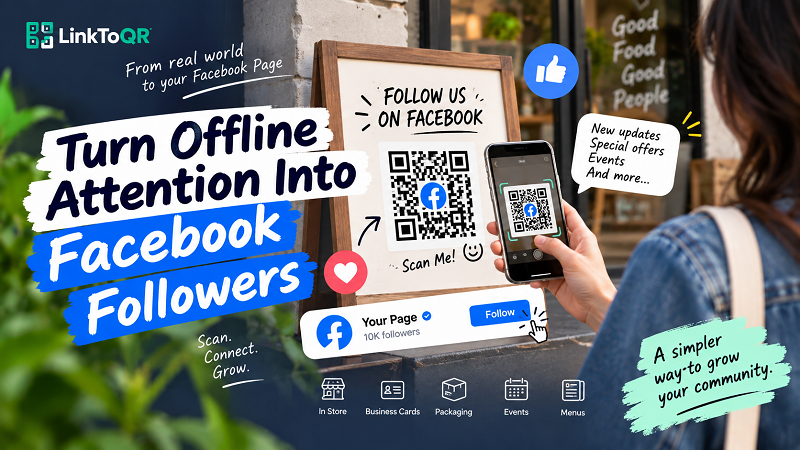
The Missing Link Between Seeing and Following
Offline marketing has one big advantage: it puts your brand directly in front of people. A storefront, product package, restaurant table, event poster, business card, or printed promotion can capture attention in a way a crowded social feed sometimes can't.
But there's a catch. Attention doesn't automatically become a digital connection.
A customer might see your latest promotion on a poster and think it looks interesting. They might want to see more products from your store. They might even want to follow your Facebook Page so they don't miss the next offer. But if the only instruction is “Find us on Facebook,” you've just handed the customer another task.
First they need to remember your name. Then they need to search for it. Then they need to identify the correct account. If several businesses have similar names, things get even messier. By the time they find the right page, the original excitement may already be gone.
This is the gap between seeing and following. A good offline-to-online experience is designed to close that gap.
Think of a QR Code as a Shortcut, Not a Decoration
QR codes sometimes get treated like visual accessories: put one in the corner of a poster, add a “Scan Me” label, and call it done.
That's missing the point.
A QR code is much more useful when it acts as a deliberate shortcut between a physical experience and a digital destination. Someone is already holding your flyer, standing in your store, looking at your product, or sitting at your restaurant table. Instead of asking them to remember something and search for it later, you can give them a direct path to the place you want them to visit.
The journey becomes much simpler:
See → Scan → Visit → Follow
Compare that with:
See → Remember the name → Open Facebook → Search → Find the right page → Visit → Follow
The difference isn't about technology for the sake of technology. It's about removing steps that don't add any value for the customer.
A well-placed QR code can turn a physical touchpoint into an instant entry point to your Facebook presence. The best part is that the customer doesn't need to memorize your page name or type anything manually.
Seven Places Where a Facebook QR Code Can Do the Heavy Lifting
The most interesting applications aren't necessarily huge advertising campaigns. Sometimes the best opportunities are sitting in places where your audience already has a reason to interact with your brand.
Store Counters
A checkout counter is a natural moment for a social connection. Customers have already chosen to buy from you, so they're familiar with the brand. A small QR display can invite them to follow your Facebook Page for upcoming promotions, new arrivals, or store announcements.
The timing matters. You're not interrupting a completely unrelated activity; you're adding a digital next step to an interaction that's already happening.
Product Packaging
Packaging can continue the relationship after the customer leaves your store. A QR code can invite buyers to follow your Facebook Page for product updates, new releases, usage ideas, promotions, or community content.
This works particularly well when the product itself creates a reason to stay connected. “Follow us” is generic. “Follow us for new product drops” gives the customer a much clearer reason.
Business Cards
A business card doesn't have to end the conversation. If your business relies on repeat interactions, local customers, events, or personal relationships, a QR code can make it easier for someone to find your Facebook presence without manually searching for the business later.
Keep the design clean, though. A QR code should support the card, not swallow it.
Event Posters
Events are built around attention. People see the poster, become curious, and want more information. That's an ideal moment for a direct digital bridge.
Instead of printing a complicated URL or simply telling people to search for your Facebook Page, a QR code can take them there while the event is still fresh in their minds.
Restaurant Tables
Restaurants have a particularly useful advantage: customers often have a few minutes while waiting for food. A QR code on the table can connect that waiting time with your Facebook Page.
But again, give people a reason. “Follow us on Facebook for weekly specials” is much more compelling than simply “Follow us.”
Flyers and Brochures
Printed promotional materials have limited space and limited attention. You don't want to cover an entire flyer with instructions explaining how to find your business online.
A QR code can handle the transition while the printed copy focuses on the offer itself.
Receipts and Other Printed Materials
Even something as ordinary as a receipt can become another touchpoint. If customers have a reason to stay connected with the business, a small QR code can turn a transactional document into the beginning of another interaction.
The larger idea is simple: look for physical moments where customers already have a reason to care about your brand.
What Happens After Someone Scans?
This is where many QR campaigns quietly fall apart.
Getting someone to scan is only half the job. What happens next determines whether that scan actually has value.
Imagine a poster that says:
Scan to get our latest offers.
The customer scans the code and lands on a Facebook Page with no obvious promotion, no recent update, and no indication of what they're supposed to do next.
The QR code worked. The campaign didn't.
The destination needs to match the promise made before the scan. If the message says “Follow us for weekly deals,” the Facebook Page should make that proposition believable. If the QR is attached to an event poster, the destination should help people learn about the event or stay connected to future updates.
Think about the entire journey rather than the square code sitting in the middle of your design.
Send People to the Right Destination
Not every Facebook campaign has the same destination. Depending on your objective, you might want people to reach a business Page, a specific piece of content, or another relevant Facebook destination.
The closer the destination matches the context, the less confusion there is after scanning.
Give People a Reason to Follow
Nobody owes a brand a follow.
If your only message is “Follow us,” you're asking for attention without explaining why it's worth giving.
A stronger proposition might be:
- Follow for weekly promotions.
- Follow for new product announcements.
- Follow for event updates.
- Follow for behind-the-scenes content.
- Follow for special offers.
The specific incentive depends on the business. The principle doesn't: make the benefit obvious.
Match the CTA With the Destination
Your QR code, headline, and destination should feel like parts of the same conversation.
If the poster says “See today's menu,” don't send people somewhere they have to search for the menu. If the sign says “Get our latest offers,” don't make visitors dig through an old Facebook post to find them.
A smooth experience feels almost boring because nothing gets in the way.
And that's exactly what you want.
Build the CTA Around the Scan
One of the easiest ways to improve a QR campaign is to stop using vague instructions.
“Scan Me” technically tells people what to do, but it doesn't tell them why.
Instead, think in three parts:
Action + Destination + Benefit
For example:
Scan to follow our Facebook Page and get the latest offers.
Or:
Scan to see what's new on Facebook.
Or:
Scan for upcoming events and promotions.
The QR code handles the action. Your copy handles the motivation.
This tiny distinction can change how the entire design feels. The customer isn't being asked to interact with a mysterious square. They're being offered a clear next step.
Common Mistakes That Waste a Facebook QR Code
A QR code can be technically perfect and still produce disappointing results if the surrounding experience is poorly designed.
One common mistake is giving people no reason to follow. If the poster simply says “Follow us on Facebook,” the customer has no obvious benefit to consider. The fix is to connect the follow with something relevant: offers, updates, events, useful content, or another genuine reason to stay connected.
Another problem is making the QR code too small. Designers sometimes try to squeeze everything onto one poster and leave the QR as an afterthought. If people have to stand unnaturally close to scan it, you've created unnecessary friction again.
Then there's poor contrast. A stylized QR code may look cool in a design mockup but perform badly when printed. Creativity is great; scan reliability comes first.
Placement matters too. A QR code hidden behind products, placed too close to the edge of a sign, or positioned where people can't comfortably point their phones at it isn't doing its job.
And perhaps the most overlooked mistake is not testing the final printed version. Don't test only the QR image on your computer. Test the actual poster, card, package, or display from the distance where a real customer will encounter it.
When a Facebook QR Code Is Actually Worth Using
A QR code isn't automatically useful just because you have a Facebook Page.
Ask yourself three simple questions.
- Are people encountering my brand offline? If your audience is already looking at a physical product, poster, sign, card, or display, you have an opportunity.
- Do I actually want them to visit Facebook? If your Facebook Page is active and provides useful content, it can make sense to create that bridge. If the Page hasn't been updated in months, adding a QR code probably won't solve the underlying problem.
- Do I have a reason for people to follow? This is the big one. The QR code makes access easier, but it can't manufacture interest. There needs to be something on the other side of the scan that makes the connection worthwhile.
If those pieces line up, using a facebook qr code generator can turn an ordinary physical touchpoint into a much more direct path to your Facebook audience.
The Goal Isn't More Scans. It's Better Connections.
It's tempting to measure a QR campaign by the number of scans alone. Scans are easy to count, and a big number looks satisfying. But a scan is only an action. It doesn't automatically mean someone became a follower, discovered your promotion, visited your store again, or developed a stronger relationship with your brand.
The more useful question is what happens after the scan.
Does the customer find what they expected? Is the Facebook Page active? Is there a clear reason to follow? Does the content continue the experience that started with the poster, package, table, or business card?
That's where a QR code becomes more than a square graphic.
The strongest offline-to-Facebook campaigns don't force people to make a digital connection. They simply make that connection ridiculously easy at the exact moment when the customer is already interested.
Don't make people search for you when you've already got their attention. Give them a shortcut.