“What's your TikTok?”
- Why Saying “Search My TikTok” Doesn't Always Work
- Turn a TikTok Profile Into Something People Can Scan
- The Offline Moments Where This Makes Sense
- You're running a business
- You're meeting people at an event
- You're a creator
- You're promoting something
- Don't Make the QR Code Do All the Work
- Give People a Reason to Scan
- Make the Physical Version Easy to Use
- Create a Direct Shortcut to Your TikTok Profile
- QR Gets People to Your Profile. Your Profile Does the Rest.
- Make the Journey Shorter
Easy question. Slightly annoying answer.
You say your username. They pull out their phone. They type it in. Maybe they get the right account. Maybe they don't. Maybe there's an underscore you forgot to mention, a dot in the middle, or three accounts with almost identical names. Five seconds later, you're both staring at a search screen wondering which profile is actually yours.
The problem isn't TikTok. It's the handoff.
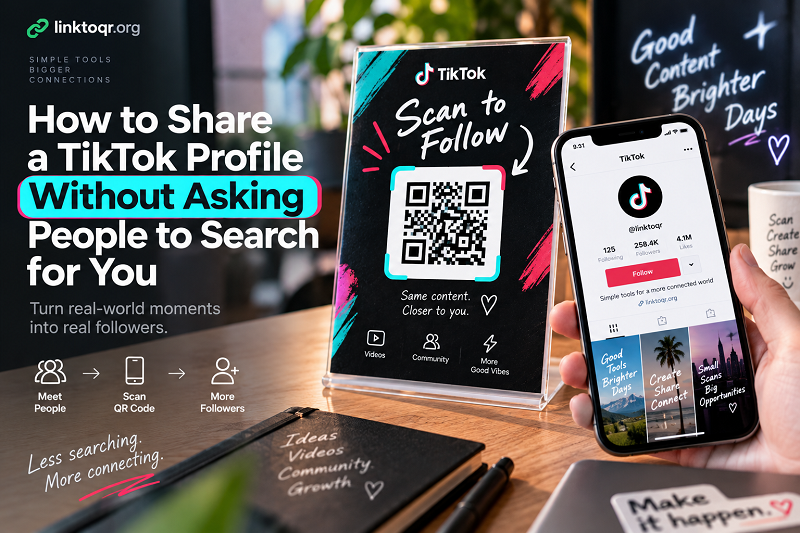
When you're talking to someone in the real world, asking them to remember and manually search for a username adds an unnecessary step between “I'd like to see your content” and actually getting to your profile. A QR code can remove that step entirely.
Why Saying “Search My TikTok” Doesn't Always Work
Usernames look simple until you have to say one out loud.
A creator might have numbers in their handle. A business account might use an abbreviation. Another account may have a similar name. Even when someone hears the username correctly, typing it on a small phone keyboard introduces another opportunity for a mistake.
Then there is the search result itself.
TikTok isn't just a giant directory of perfectly unique names. A person searching for a creator or business may see multiple results, profiles, videos, or accounts with similar names. If they aren't completely sure which one is yours, the moment can disappear.
This is especially noticeable during face-to-face interactions. You might meet someone at a networking event, hand a customer a product, talk to someone at a booth, or meet another creator at a conference. Saying “follow me on TikTok” is easy. Getting that person from the conversation to the correct profile is where friction starts creeping in.
A direct scan changes the equation.
Turn a TikTok Profile Into Something People Can Scan
Instead of asking someone to remember your username, give them a visual shortcut.
A QR code can point directly to your TikTok profile. The person scans it, their phone opens the destination, and the profile is right there.
No spelling bee. No guessing. No scrolling through search results.
That doesn't mean every TikTok interaction needs a QR code. If you're chatting with a friend who already follows you, obviously there's no problem to solve. The idea becomes useful when your profile needs to travel beyond the TikTok app itself.
And that's happening more often than you might think.
The Offline Moments Where This Makes Sense
You're running a business
A physical store can display a small QR code near the checkout counter, on a promotional card, or alongside product information. Customers don't have to remember the business username after leaving.
The same approach can work on packaging. A customer opens a product and sees a simple message such as “See us on TikTok.” The QR code provides a direct route rather than relying on memory.
You're meeting people at an event
Events are full of quick conversations. Someone asks what you do, you explain, and they say, “I'll follow you.”
Great.
Except they're probably going to forget the username five minutes later.
A QR code on a booth, tabletop sign, badge, or promotional card gives that conversation a much easier next step. They can scan while they're standing there instead of promising themselves they'll search for you later.
You're a creator
Creators spend a lot of time moving between digital and physical spaces. A camera setup, media kit, merchandise package, business card, event backdrop, or printed promotional material can all become another path toward the same TikTok profile.
The useful part is consistency. Instead of creating a different explanation every time someone asks where to find you, the physical material can simply point them there.
You're promoting something
If TikTok is part of a campaign, launch, event, product, or community, a QR code can connect printed promotion with your social presence.
A poster doesn't need to contain your entire TikTok identity. It can make one clear invitation: scan and see what's happening.
Don't Make the QR Code Do All the Work
Here's a detail that often gets overlooked.
A QR code can get someone to your profile. It cannot convince them that the profile is worth following.
That part is still your job.
Before putting a profile QR code on a large poster or printing thousands of cards, take a look at the profile from the perspective of someone who has never seen it before. Is it immediately obvious who you are? Does the profile picture look recognizable? Does the bio explain what the account is about? Do the recent videos give a new visitor a reason to stick around?
This is the difference between getting a visit and creating a follower.
Think of the QR code as the front door. Your TikTok profile is what happens after the visitor walks through it.
Give People a Reason to Scan
“Follow me on TikTok” is perfectly fine, but it doesn't always explain why someone should bother.
A more specific invitation can create a stronger connection between the physical material and the digital destination.
For example:
- Scan to see the latest videos.
- Scan to follow our TikTok.
- Scan for behind-the-scenes content.
- Scan to see what happens next.
The best wording depends on what the person will find after scanning. If your profile is focused on tutorials, say so. If you're sharing new products, make that clear. If you're documenting an event, give people a reason to expect something there.
The QR code gets attention. The message gives it a purpose.
Make the Physical Version Easy to Use
A QR code might be technically correct and still be a terrible user experience.
Don't shrink it until it's barely visible. Don't place it against a busy photograph. Don't cover part of it with decorative graphics. Don't put it somewhere nobody will naturally notice.
And always test the actual printed version.
Open your phone camera. Scan from the distance a real person is likely to stand. Try different lighting conditions. If the QR code is going on a large event backdrop, test it from several meters away. If it's going on a small business card, test it at the final printed size.
You are not designing the QR code for yourself. You're designing it for someone who has never seen it before and has absolutely no reason to fight with it.
Create a Direct Shortcut to Your TikTok Profile
Once your TikTok profile link is ready, you can turn that destination into a scannable code. A tool such as qr code for TikTok makes it possible to create the QR version and use it across physical materials where people need a quick route to your profile.
The important thing is to keep the destination simple. If the purpose of the code is to get people to your TikTok profile, it should take them there. Don't bury the intended destination behind unnecessary steps.
A good QR experience should feel almost boring.
Scan. Open. There it is.
That's exactly what you want.
QR Gets People to Your Profile. Your Profile Does the Rest.
There's a temptation to think of the QR code as the main attraction. It isn't.
Imagine someone sees your code at a coffee shop, event, store, conference, or product package. They scan it. TikTok opens. Your profile appears.
What happens next?
If the account looks active and immediately communicates what you do, the visitor has a reason to explore. If the profile is confusing, outdated, or unrelated to what they expected, the QR code hasn't solved much.
That's why the strongest setup is not necessarily the most elaborate one. A clear QR code, a short instruction, and a profile that delivers on the promise are enough.
You don't need to cover a poster with “SCAN ME” five times. You need to make the next action obvious.
Make the Journey Shorter
The real advantage of a TikTok QR code isn't that it looks modern. It's that it removes a small piece of friction.
Someone asks for your TikTok. Instead of spelling out a username, you point them toward the code. Someone sees your business at an event. Instead of hoping they remember your name later, they scan it. Someone receives your product. Instead of asking where to find your videos, they have a direct route.
Those are tiny moments, but they're exactly the moments where people either take action or move on.
A username asks someone to remember.
A search asks someone to type.
A QR code asks them to scan.
When the goal is simply to get from a real-world conversation to a TikTok profile, fewer steps usually mean a smoother experience.