Some songs belong on a screen. Others belong to a moment.
- The Problem With Sharing Music on Something You Can Hold
- Think of the QR Code as a Play Button for Physical Media
- What Can You Put Behind a Music QR Code?
- Five Places Where This Idea Actually Works
- Wedding invitations
- Greeting cards
- Posters
- Gifts and photo books
- Parties and events
- Make the Scan Feel Like Part of the Design
- How to Turn a Spotify Link Into Something People Can Scan
- Don't Let the QR Code Outlive the Idea Behind It
- A Physical Memory Can Have a Digital Soundtrack
Maybe it's the song playing during your first date. Maybe it's the track that reminds you of a trip, a wedding, a friend, or a particular summer you don't want to forget. You can send someone the Spotify link, of course. But what if the song is part of something physical—a greeting card, wedding invitation, photo book, gift, poster, or handwritten note?
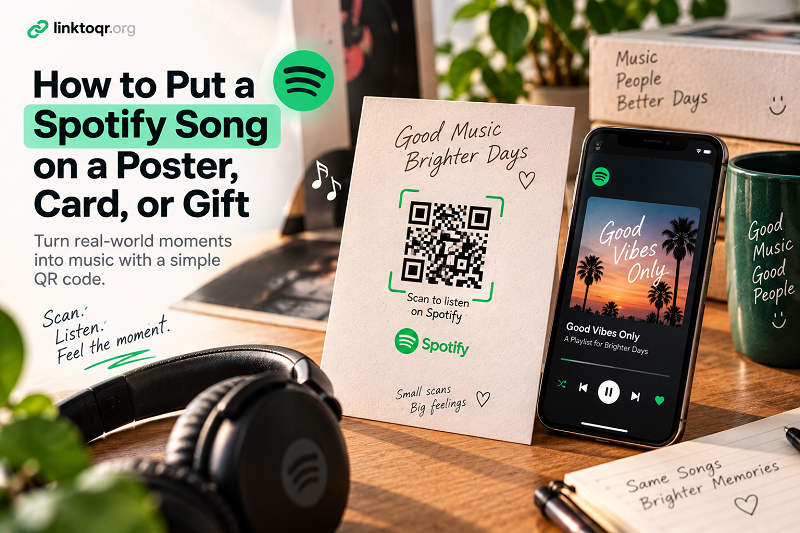
That's where things get interesting. You can't click a piece of paper, but you can scan it. A QR code turns a physical object into a doorway to the song you want someone to hear.
The Problem With Sharing Music on Something You Can Hold
Sharing music digitally is almost effortless. Tap the share button, send the link, and you're done. Physical objects don't work that way.
If you print the name of a song on a card, the recipient still has to open Spotify, search for the title, identify the right artist, and find the correct version. That's not particularly difficult, but it creates several little steps between the person and the experience you actually wanted to give them.
And sometimes the song title isn't enough. There might be multiple versions, live recordings, remixes, covers, or songs with nearly identical names. A handwritten note saying “Listen to this one” sounds personal. Telling someone to search Spotify for it afterward feels considerably less magical.
The goal isn't to make music more complicated. It's to remove the tiny bit of friction between a physical moment and the music attached to it.
Think of the QR Code as a Play Button for Physical Media
A printed QR code can act almost like a physical play button.
Someone sees a card. They notice a small instruction such as “Scan to listen.” They point their phone at the code, and the digital part of the experience begins.
That's the interesting thing about this approach: the QR code doesn't need to dominate the design. It can sit quietly in the corner of a wedding invitation, beneath a photograph in a memory book, on the back of a gift card, or beside a poster headline.
The physical object remains the main attraction. The QR code simply gives it another layer.
You could think of it as adding an invisible soundtrack to something people can hold.
What Can You Put Behind a Music QR Code?
A song is the obvious choice, but it isn't the only one. Depending on what you're creating, the destination could be an album, playlist, artist page, or podcast.
A wedding invitation could lead guests to a playlist chosen by the couple. A birthday card could open a song that has a personal meaning. A photo album could connect different chapters to different tracks. A small business could include a playlist recommendation alongside an event or campaign.
The important part is matching the destination to the story.
If you're giving someone a photograph from a memorable trip, for example, a playlist connected to that trip can add context that a caption simply can't. The QR code isn't the experience itself. It's the shortcut that lets the experience continue.
Five Places Where This Idea Actually Works
Wedding invitations
A wedding invitation already tells a story before the event begins. Adding a small “Listen to our playlist” section can give guests a glimpse of the atmosphere you're creating without adding another piece of paper to the envelope.
Greeting cards
A card with a handwritten message feels personal. Adding a song can make it even more personal because music carries memories in a way ordinary text sometimes can't. One carefully chosen track can say more than another paragraph of generic wishes.
Posters
For concerts, creative projects, events, or promotional campaigns, a poster normally asks people to look. A QR code gives them something to do. Instead of printing a long URL beneath the headline, you can invite them to scan and listen.
Gifts and photo books
This might be one of the most fun applications. A physical gift can have a digital soundtrack. Put a small QR code inside the packaging or alongside a photo and let the recipient discover the music after opening it.
Parties and events
A playlist can become part of the event itself. A QR code on a table, welcome sign, or event card can give guests an easy way to discover the music without passing around a phone or asking someone for the playlist name.
The common idea behind all five is simple: the QR code adds an interactive layer without taking over the physical design.
Make the Scan Feel Like Part of the Design
A QR code doesn't have to look like an alien object that was dropped onto your beautifully designed card at the last minute.
Give it some breathing room. Put it somewhere people can naturally notice it. Add a short instruction that explains what happens after scanning. “Scan to listen,” “Hear the song,” or “Our soundtrack” is often enough.
The instruction matters because not everyone automatically assumes what a QR code does. A code without context asks the user to guess. A code with a clear purpose creates an invitation.
Size matters too. A QR code that looks tiny and decorative may become frustrating when someone actually tries to scan it. Test the finished design on a real phone, preferably after printing it at the size you'll actually use.
And if you're designing something that will be kept for years—a wedding album, printed photograph, or keepsake—don't skip the testing stage. A beautiful design isn't very useful if the code only works when someone holds a phone two inches away from it.
How to Turn a Spotify Link Into Something People Can Scan
Once you've chosen the song, playlist, album, or other destination, you can convert its URL into a QR code and place the result wherever the physical experience happens.
A tool such as qr code for Spotify can turn that Spotify destination into a scannable format without requiring people to manually search for the content.
The key is to treat the QR code as part of the overall experience rather than as a standalone graphic. Decide what you want the person to discover, make the instruction obvious, and then make the scan as effortless as possible.
Don't Let the QR Code Outlive the Idea Behind It
There's another detail worth thinking about before printing hundreds of cards or posters: test the destination.
Open the Spotify link. Make sure it leads to the content you actually intend to share. Scan the finished QR code from the physical design. Try it from different distances and lighting conditions. If you're making a large batch, test an actual printed sample instead of relying entirely on the digital preview.
This matters even more for sentimental projects. A wedding invitation might be used for only a few weeks, but a photo book or keepsake could sit on a shelf for years. You want the digital part of the experience to make sense whenever someone eventually discovers it.
It's also worth remembering that a QR code itself doesn't magically preserve the music. It points somewhere. The quality of the experience depends on the destination behind it.
A Physical Memory Can Have a Digital Soundtrack
There is something surprisingly powerful about connecting music to a physical object.
A photograph captures what a moment looked like. A handwritten message captures what someone wanted to say. A song can bring back how that moment felt.
A QR code simply connects those worlds.
Instead of asking someone to remember a song title, search for an artist, or dig through a playlist, you can give them a tiny visual shortcut. Scan it, open the destination, and let the music do what music does best.
The technology is almost invisible. That's probably the best part.
The card is still a card. The gift is still a gift. The photograph is still a photograph. But now, when someone scans that little square, the memory has a soundtrack.