You know the moment: someone asks, “Where can I find that product?” You pull up Amazon, copy the link, and suddenly your clipboard is holding what looks like a tiny novel. The link works perfectly, but it is not exactly something you want to print on a product card, squeeze onto a poster, or ask someone to type into their phone. When a product needs to move from a physical space to a smartphone, there is a much cleaner way to make that transition.
- Amazon Links Work Online. That Doesn't Mean They're Great Everywhere.
- Stop Asking People to Type. Give Them Something to Scan.
- Where This Becomes Useful in the Real World
- Four Situations Where a QR Code Beats a Printed URL
- Before You Turn an Amazon Link Into a QR Code
- Turn the Product Link Into a Scannable Destination
- The Scan Is Only Half the Experience
- QR Codes Don't Make Links Better. They Make Links Easier to Reach.
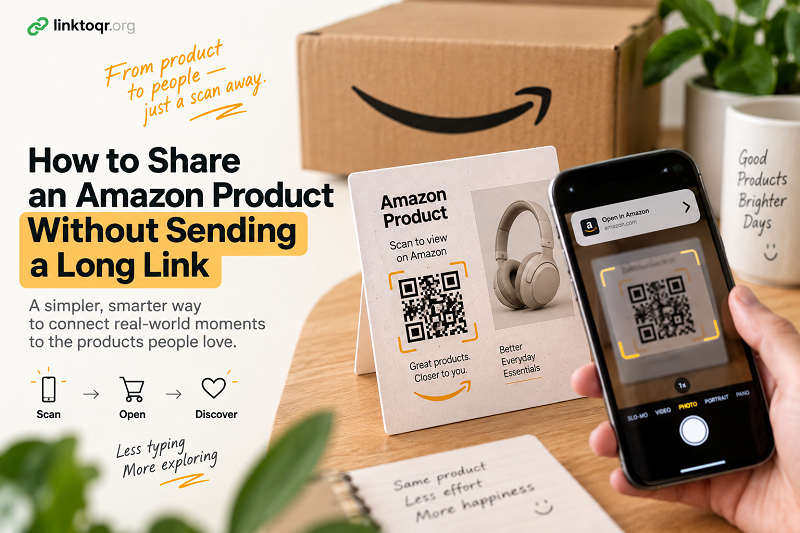
Amazon Links Work Online. That Doesn't Mean They're Great Everywhere.
An Amazon product URL is designed to get someone to a specific page, and that's exactly what it should do. The problem starts when you take that URL outside the browser. Sending it through a message is easy enough because the recipient can simply tap it. Printing it on a flyer is a different story. A long string of letters, numbers, and symbols is difficult to read, awkward to type, and visually distracting.
Even a short-looking product link can become inconvenient when you're standing in front of someone and trying to get them to the right product quickly. Maybe you're showing products at a local event, handing out product cards, creating printed marketing material, or putting recommendations inside a package. The person holding the card shouldn't have to become a human URL parser just to see what you're recommending.
That's where the humble QR code becomes surprisingly useful.
Stop Asking People to Type. Give Them Something to Scan.
A QR code creates a simple bridge between the physical world and a product page. Instead of telling someone to search for a product name, remember a URL, or type a complicated address, you give them something their phone can recognize immediately.
The idea is almost ridiculously simple: point a phone camera at the code, scan it, and open the destination.
That small change removes several unnecessary steps. There is no spelling a product name across a noisy room. No wondering whether the product is the first, third, or tenth result in Amazon search. No squinting at a tiny printed URL. The QR code handles the transition while the product page handles the rest.
And importantly, the QR code doesn't replace the Amazon product link. It simply gives that link a more practical physical format.
Where This Becomes Useful in the Real World
The obvious use case is printed marketing, but that's only the beginning. Imagine a product recommendation card sitting next to an item in a store. Instead of printing a long URL underneath the product description, you could place a QR code beside a simple instruction such as “Scan to view product.”
The same idea works for packaging inserts. A small card inside a shipment could recommend another product and give the customer a direct path to its Amazon page without forcing them to search for it later. A business card could include a recommended product alongside other contact information. A poster at an event could feature a product without turning the design into a wall of text.
Even something as simple as a handwritten recommendation can benefit. If you regularly recommend products to customers, clients, friends, or an online community, a scannable destination can make that recommendation much easier to act on.
The common thread is not Amazon itself. It's the moment when someone has a physical object in front of them but needs to reach something online.
Four Situations Where a QR Code Beats a Printed URL
- Product cards. A product card has limited space. You want the product name, image, price, and perhaps a short description—not half the card occupied by a URL. A QR code keeps the destination accessible without sacrificing the design.
- Posters and signage. Someone looking at a poster may be standing several feet away. A QR code gives them a practical next step without requiring them to write anything down.
- Packaging and inserts. Printed materials inside a package can introduce customers to related products, recommendations, or a specific product page. A scan makes that recommendation immediately actionable.
- Events and face-to-face conversations. This is where the difference becomes especially obvious. If someone asks about a product while you're talking to them, saying “I'll send you the link” creates another step. A scannable code can turn that conversation into an instant handoff.
None of these situations requires a complicated marketing campaign. Sometimes the best technology is the bit that quietly removes friction.
Before You Turn an Amazon Link Into a QR Code
There is one mistake worth avoiding: assuming that generating the QR code is the end of the job.
It isn't.
The destination matters just as much as the code itself. Before putting a QR code onto something you're going to print or distribute, open the Amazon URL yourself and make sure it points to the exact product you intend to share. If the link contains unnecessary parameters, consider whether you really need them. Most importantly, test the final QR code with an actual phone rather than assuming it works because the image looks correct.
Physical design matters too. A QR code squeezed into a tiny corner may technically exist but still be annoying to scan. Give it enough space, maintain strong contrast, and avoid placing text or decorative elements directly over the scanning area. If you're producing hundreds of printed pieces, test one before sending the entire batch to the printer. Five minutes of testing can save a surprisingly expensive reprint.
And don't forget the environment. A QR code that scans beautifully on your monitor may behave differently when printed on textured paper, placed behind glossy plastic, or viewed under dim lighting.
Turn the Product Link Into a Scannable Destination
Once the product URL has been checked, converting it into a QR code is straightforward. A tool such as qr code for Amazon can turn the product link into a scannable code that you can use on printed materials, product cards, packaging, signage, or other physical touchpoints.
The important part isn't simply creating another QR image. It's creating a useful path from where the person is now to where you want them to go.
That distinction matters. A QR code on a poster is not valuable because it is a QR code. It is valuable because someone can scan it and reach the right product without having to stop, search, type, or remember anything.
The Scan Is Only Half the Experience
Here's the part that's easy to overlook: getting someone to scan is not the finish line.
If the code opens the wrong product, the experience falls apart immediately. If it opens a confusing page, the user may leave. If the printed instruction says “Scan for details” but the destination doesn't actually provide useful details, the QR code becomes little more than decoration.
Think about the entire journey. Someone sees the product. They notice the QR code. They understand what happens when they scan it. Their phone opens the intended page. They immediately recognize that they're in the right place.
Every step should feel obvious.
That's why a simple label such as “Scan to view this product” can sometimes be more effective than clever copy. You don't need to explain QR technology. You just need to tell people what they'll get.
QR Codes Don't Make Links Better. They Make Links Easier to Reach.
There is nothing inherently wrong with an Amazon URL. In a browser or message, it does its job perfectly well. The problem appears when that same link has to cross from a screen into the physical world.
A QR code solves that particular problem elegantly. It takes something designed for clicking and gives it a format designed for scanning.
So if you're putting an Amazon product recommendation on a poster, card, package, display, or any other physical surface, don't make your audience do the typing. Give them a shortcut. Sometimes a tiny square is all it takes to turn a clumsy link into an effortless next step.