- What Is a Link-to-QR Code?
- Why Turn a Link Into a QR Code?
- How to Turn a Link Into a QR Code
- 1. Choose the URL
- 2. Use a QR Code Generator
- 3. Generate the QR Code
- 4. Scan the QR Code Yourself
- 5. Download and Use It
- Where Can You Use a Link QR Code?
- Websites and Blogs
- Business Cards
- Restaurants and Cafes
- Events
- Products and Packaging
- Static vs. Dynamic QR Codes
- Tips for Making QR Codes Easy to Scan
- A QR Code Is Only as Useful as Its Destination
- Make Your URL Easier to Access
QR codes have become one of the easiest ways to connect something people see in the real world with something they can access online. Instead of typing a long website address into a browser, someone can simply point their phone camera at a QR code and open the page in seconds.
That makes QR codes useful for everything from business cards and restaurant menus to event invitations, product packaging, posters, and social media campaigns. And if you already have a webpage or URL you want people to visit, creating a QR code for it is surprisingly simple.
What Is a Link-to-QR Code?
A link-to-QR code is a QR code that contains a website URL. When someone scans it with a smartphone, the QR code directs them to that specific web address.
For example, a restaurant could create a QR code that opens its digital menu. A business could use one to send customers to its website, while an event organizer could link directly to a registration page.
The idea is simple: instead of asking someone to remember, type, or search for a URL, you give them a visual shortcut.
Why Turn a Link Into a QR Code?
The biggest advantage of a QR code is convenience. A URL may be easy to copy and share digitally, but it becomes much less convenient when it appears on something printed.
Imagine putting a website address on a flyer. A person who wants to visit the page has to take out their phone, open a browser, and type the address manually. A QR code removes most of that friction.
This is why link-based QR codes work particularly well for:
- Printed flyers and posters
- Business cards
- Product packaging
- Restaurant menus
- Event invitations
- Retail displays
- Brochures and signage
- Social media promotions
- Presentations and slide decks
They are especially useful when your audience is already holding a smartphone but is looking at information that exists somewhere else.
How to Turn a Link Into a QR Code
Creating a QR code from a URL usually takes only a few steps. You don't need to understand how QR codes work technically, and in most cases you don't need to install any software.
1. Choose the URL
Start with the exact webpage you want people to visit.
It could be your homepage, a product page, an online menu, a registration form, a social media profile, or any other publicly accessible webpage.
Before generating the QR code, open the URL yourself and make sure it leads to the correct destination. If the address is wrong, the QR code will faithfully send people to the wrong page.
2. Use a QR Code Generator
Once you have your URL, enter it into an online QR code generator.
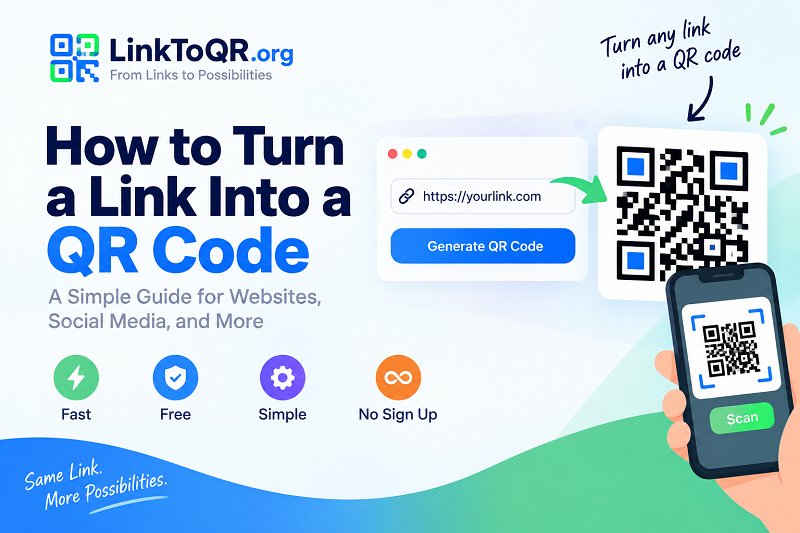
If you're specifically looking for a simple link to qr code solution, LinkToQR.org can be used to turn a website URL into a scannable QR code directly from your browser.
The basic process is straightforward: enter your link, generate the QR code, and then prepare the resulting image for use.
3. Generate the QR Code
After entering the URL, generate the QR code.
The generator converts the information in your URL into the pattern of squares that you see in a QR code. Your phone can then recognize that pattern and decode the URL when it is scanned.
For a normal website link, there is no need to manually create or configure the individual squares. The generator handles that part automatically.
4. Scan the QR Code Yourself
Don't skip this step.
Before printing a QR code on hundreds of flyers or adding it to product packaging, scan it with a phone and confirm that it opens the intended webpage.
Ideally, test it under the conditions in which people will actually use it. A QR code displayed on a computer screen is different from one printed on a small card or viewed from several feet away.
A quick test can catch problems before they become expensive ones.
5. Download and Use It
Once you've confirmed that the QR code works, you can use the image wherever your audience needs access to the URL.
For printed materials, make sure the QR code is large enough to scan comfortably. For digital materials, leave enough space around it so the phone camera can distinguish the code from the surrounding content.
Where Can You Use a Link QR Code?
The flexibility of URL-based QR codes is one of the reasons they are so popular.
Websites and Blogs
A QR code can make it easier for someone viewing printed material to visit your website. For example, a magazine advertisement could include a QR code leading to a landing page with additional information.
Business Cards
Instead of filling a business card with multiple URLs, you can use a QR code to send people directly to your website, portfolio, LinkedIn profile, or contact page.
Restaurants and Cafes
Digital menus are a common use case. A QR code on a table or storefront can take customers directly to the current online menu.
This can also be useful when menus change frequently because the printed QR code can continue pointing to the same webpage.
Events
Event organizers can place QR codes on invitations, posters, tickets, or signs. Depending on the event, the destination could be a registration page, schedule, venue information, or event website.
Products and Packaging
Brands can use QR codes to connect physical products with digital information. A package might include a code leading to instructions, a product page, warranty information, or additional resources.
Static vs. Dynamic QR Codes
Not every QR code works in exactly the same way.
A static QR code contains the destination information directly. If you create a static QR code for a particular URL, that QR code points to that URL.
A dynamic QR code generally works through an intermediary URL, allowing the destination to be changed later depending on the service being used. Some dynamic QR platforms also provide additional tracking and management features.
This distinction matters if you are planning to print a QR code on something that will remain in use for a long time.
If the destination URL is unlikely to change, a straightforward static QR code may be all you need. If you expect to update the destination or need advanced campaign tracking, you may want to look at the features offered by different QR code platforms.
Tips for Making QR Codes Easy to Scan
Generating the code is only part of the job. You also need to make sure people can actually scan it.
First, avoid making the QR code unnecessarily small. The amount of information encoded in the code and the scanning distance can affect how large it needs to be.
Second, maintain strong contrast between the QR code and its background. A dark code on a light background is generally easier for cameras to recognize than a low-contrast design.
You should also leave some clear space around the QR code. This empty area helps scanning systems identify where the code begins and ends.
Most importantly, test the final version before publishing or printing it.
A QR Code Is Only as Useful as Its Destination
It is easy to focus on the QR code itself and forget about the webpage behind it.
A perfectly generated QR code won't help much if it sends visitors to a slow, confusing, or mobile-unfriendly page.
Before sharing your QR code, check the complete experience. Does the page load quickly? Is the important information easy to find? Does it work properly on a phone? Is the URL still active?
Remember that the QR code is simply the bridge. The destination is where the actual user experience happens.
Make Your URL Easier to Access
Turning a link into a QR code doesn't have to be complicated. Once you have the correct URL, an online generator can handle the technical part and give you a code that is ready to test and share.
Whether you're creating a QR code for a business card, a restaurant menu, an event, a marketing campaign, or a personal project, the same basic workflow applies: choose the right URL, generate the code, test it, and make sure the final design is easy to scan.
For a straightforward way to convert a website link into a QR code, LinkToQR.org provides an online option that keeps the process simple and focused on getting from URL to QR code quickly.