- Can You Really Create a QR Code for Free?
- What Do You Need Before Creating a QR Code?
- How to Create a QR Code for Free
- 1. Choose the Information You Want to Share
- 2. Open an Online QR Code Generator
- 3. Enter Your URL
- 4. Generate the QR Code
- 5. Scan It Before Sharing
- Are Free QR Codes Safe to Use?
- Common Mistakes When Creating a Free QR Code
- Making the QR Code Too Small
- Using Poor Contrast
- Removing the Empty Space Around the Code
- Not Testing the Final Version
- Free QR Codes for Personal and Business Use
- Do Free QR Codes Expire?
- How to Make Sure Your QR Code Keeps Working
- When a Free QR Code Is All You Need
- Create a QR Code Without Making It Complicated
QR codes are everywhere. You see them on restaurant tables, product packaging, business cards, event posters, receipts, and even television screens. They provide a simple way to connect people with digital information without asking them to type a long URL.
The good news is that creating a QR code doesn't have to cost anything. For a basic website link, there are free online tools that can generate a scannable QR code in just a few seconds.
However, "free" can mean different things depending on the service. Before creating a QR code, it's worth understanding what you actually need, how the process works, and what to check before putting your code on a poster or printed material.
Can You Really Create a QR Code for Free?
Yes. If you simply want to turn a website URL into a QR code, you can do so without paying for the basic generation process on many online QR code tools.
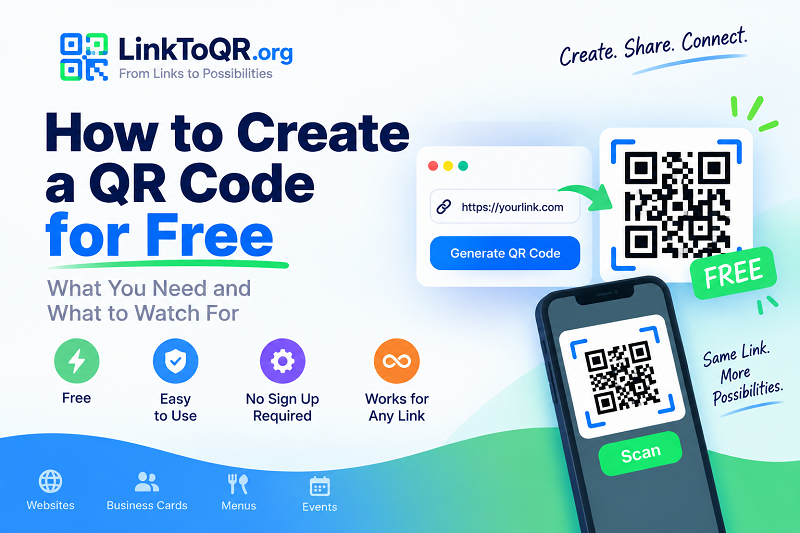
For example, if you search for a way to gen qrcode free, you'll find services that let you enter a URL and generate a QR code without purchasing a subscription.
For a straightforward use case, you usually don't need advanced design features, campaign management, or detailed analytics. You need a working QR code that reliably sends people to the right destination.
The important distinction is between creating a QR code for free and using premium features around that QR code. Some platforms may offer free generation while charging for additional features such as advanced customization, dynamic destination management, or detailed scanning analytics.
Understanding that difference can help you choose a tool that actually matches your needs.
What Do You Need Before Creating a QR Code?
Creating a QR code is simple, but you should decide what the code needs to do before generating it.
If you're creating one for a website, the most important thing you need is the exact URL.
For example, you might want your QR code to open:
- A company website
- An online store
- A product page
- A blog article
- A digital menu
- An event registration page
- A social media profile
- An online form
- A portfolio or personal website
The destination matters because the QR code is essentially a bridge between the physical world and that online resource.
Before generating your code, open the URL in your browser and make sure it works correctly. Check that there are no unnecessary redirects, spelling mistakes, or outdated pages.
How to Create a QR Code for Free
Once you have your destination URL, the actual process is quite quick.
1. Choose the Information You Want to Share
Start by deciding exactly what you want someone to see after scanning the QR code.
For a website QR code, copy the complete URL from your browser. If the address contains important parameters or tracking information, make sure you copy the complete link rather than manually typing it.
It's also a good idea to use the final destination rather than a temporary or unfinished webpage.
2. Open an Online QR Code Generator
Next, use an online QR code generator that supports the type of information you want to share.
For a simple URL, you don't need a complicated setup. A browser-based tool can be enough to generate the code without requiring you to install an application.
This can be particularly convenient when you need a QR code quickly for a presentation, flyer, website, or personal project.
3. Enter Your URL
Paste your URL into the generator.
Take a moment to check the address before generating the code. A QR code will send users exactly where you tell it to go, so an incorrect URL can create a problem later.
This is especially important when the QR code is going to be printed. Fixing a URL on a digital document is easy. Reprinting hundreds of flyers is considerably less fun.
4. Generate the QR Code
After entering your URL, generate the QR code.
The tool converts your URL into a pattern that smartphone cameras and QR scanning applications can recognize.
For a basic URL, the process usually takes only a few seconds.
5. Scan It Before Sharing
This step is easy to overlook, but it can save you a lot of trouble.
Use your phone to scan the QR code and confirm that it opens the correct page. If possible, test it from the actual format you'll be using.
For example, if the QR code will appear on a printed poster, don't only test a tiny image on your computer screen. Make sure the printed version is large enough and clear enough for a phone camera to recognize.
Are Free QR Codes Safe to Use?
The fact that a QR code is free doesn't automatically make it good or bad. What matters is where the QR code leads and how the service generating it works.
For a website QR code, always inspect the destination URL before publishing the code.
You should also understand whether the QR code is static or dynamic.
A static QR code contains the destination information directly. Once generated, the destination generally cannot be changed without creating a new QR code.
A dynamic QR code typically points to an intermediary address that can redirect visitors to a destination. Depending on the service, this can make it possible to change the destination later or collect scanning information.
Neither approach is automatically right for every situation. If you're printing a QR code permanently, understanding how it works before committing to the design is important.
Common Mistakes When Creating a Free QR Code
A QR code may look simple, but a few small mistakes can make it difficult to scan.
Making the QR Code Too Small
A QR code needs enough physical space for a camera to recognize its pattern.
The right size depends on factors such as the amount of information encoded, scanning distance, printing quality, and the environment where it will be used.
If people will scan a code from several feet away, a tiny QR code on a poster is unlikely to be a great experience.
Using Poor Contrast
QR codes generally work best when there is clear contrast between the code and its background.
Decorative designs can look attractive, but don't sacrifice readability just to make the QR code more visually interesting.
A simple, high-contrast design is often more practical than an elaborate one that requires several attempts to scan.
Removing the Empty Space Around the Code
QR codes need a clear area around their edges to help scanning systems distinguish the code from surrounding elements.
If you're placing a QR code inside a busy graphic, leave sufficient space around it instead of pushing other design elements right up against the code.
Not Testing the Final Version
One of the most common mistakes is testing the QR code before designing the final material and assuming everything will work afterward.
Always scan the actual version you're going to publish or print.
A QR code can work perfectly as a large digital image but become difficult to scan after being resized, compressed, printed, or placed against a complicated background.
Free QR Codes for Personal and Business Use
Free QR codes can be useful for both personal and professional projects.
Someone might create a QR code for a wedding invitation that leads to an event website. A freelancer might put one on a business card to open their portfolio. A restaurant might use one to send customers to an online menu.
Businesses can also use QR codes in marketing campaigns, packaging, storefront displays, and printed advertising.
The right approach depends on how the QR code will be used.
If the code simply needs to open a permanent webpage, a basic QR generator may be all you need. If you need to change the destination later or analyze scanning activity, you'll want to examine whether the QR service provides those capabilities.
Do Free QR Codes Expire?
This is an important question, and the answer depends on how the QR code was created.
A static QR code itself doesn't have a built-in expiration date. If it contains a URL directly, the code can continue to work as long as the URL remains accessible.
However, some services use their own redirect URLs for QR codes. In that situation, the QR code may depend on the provider's service continuing to operate.
That's why it's useful to understand what is actually encoded in your QR code before using it for something that will remain in place for a long time.
How to Make Sure Your QR Code Keeps Working
Creating the QR code is only the beginning. If you're using it for an important project, think about the entire lifespan of the code.
First, make sure the destination URL is reliable. A QR code cannot compensate for a webpage that disappears or changes unexpectedly.
Second, keep a copy of the original QR code image in a safe place. This makes it easier to reproduce your printed materials if necessary.
Finally, scan the code periodically if it is being used for a long-term campaign or permanent display. A quick test can confirm that the destination is still working as expected.
When a Free QR Code Is All You Need
Not every QR code project requires a paid platform.
If your goal is simply to take a website URL and turn it into a QR code that people can scan, a free online generator can often handle the job perfectly well.
The key is to focus on the actual requirements rather than choosing a service based solely on the number of features it advertises.
You need a reliable destination, a readable QR code, and a quick test before sharing it. Everything else depends on your particular use case.
Create a QR Code Without Making It Complicated
QR codes are meant to make access to information easier, and creating one should be just as straightforward.
Start with a working URL, use a reliable online generator, create the code, and scan it before publishing. Pay attention to size, contrast, and the space around the code, especially when you're planning to print it.
For a simple website URL, LinkToQR.org offers a straightforward way to generate a QR code online without turning the process into a complicated project.
Whether you're creating a code for a business card, event, menu, product, or personal website, the goal is the same: make it easy for people to go from a physical or digital prompt to the information they need.