A LinkedIn QR code can solve a surprisingly annoying problem: getting someone from a real-world conversation to your professional profile without making them search your name, spell it correctly, or scroll through five people with the same first name. One scan, and they’re there.
- The Scan Is Only the Introduction
- What Does a Stranger Understand in Five Seconds?
- Fix the “Who Is This Again?” Problem
- Your Profile Needs a Next Step
- Don't Underestimate Your Featured Section
- Your LinkedIn QR Code Should Match the Situation
- When a Dedicated QR Generator Makes Sense
- Try the 10-Second Profile Test
- Make the Profile Continue the Conversation
But here’s the part people often overlook: the QR code is not the finish line. It’s the front door.
Once someone scans it, your LinkedIn profile has a few seconds to answer a very simple question: Why should I care about this person? If the profile feels vague, outdated, or difficult to understand, the convenience of the QR code doesn’t matter much. You successfully delivered the visitor to the destination—but the destination gave them no reason to stay.
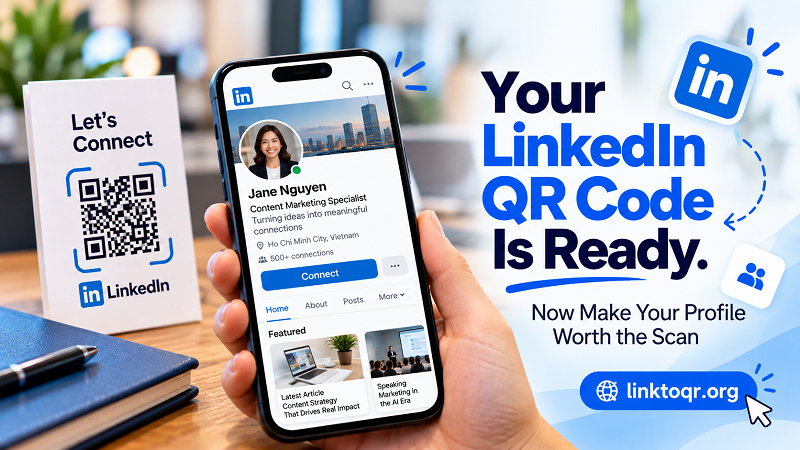
The Scan Is Only the Introduction
Imagine meeting someone at a conference. You have a good conversation, exchange a few words about your work, and before leaving, they scan the LinkedIn QR code on your badge or business card.
That interaction feels effortless. No typing. No searching. No “Wait, how do you spell your last name?”
Then your profile opens.
The visitor sees your photo, headline, current position, and the rest of your profile. At that moment, the QR code has done its job. Now your profile takes over.
This distinction matters because easy access and persuasive presentation are two different things. A QR code removes friction from the connection process, but it cannot create credibility, context, or curiosity on its own.
What Does a Stranger Understand in Five Seconds?
Your LinkedIn profile probably makes perfect sense to you because you already know your career story. A new visitor doesn't have that advantage.
They may have met you briefly. They may have scanned your code several hours after the conversation. They may remember your face but forget exactly what you do. They might even be checking your profile alongside several other people they met at the same event.
So look at your profile as if you've never seen it before.
Can someone quickly understand what you do? Is your current role obvious? Does your headline explain more than simply giving a job title? Does your profile photo look current and professional enough for the situations where you're sharing your QR code?
You don't need to turn your LinkedIn profile into a personal sales page. You simply need to remove unnecessary detective work.
Fix the “Who Is This Again?” Problem
This is especially important when QR codes are used at conferences, networking events, workshops, trade shows, or business meetings.
People meet a lot of people in those environments. Even if your conversation went well, memory gets messy once the event is over.
Your profile should help rebuild the context.
A clear headline can reinforce what you discussed. A useful About section can provide additional background. Your current position can confirm where you work. Relevant Featured content can give the visitor something concrete to explore.
Think of the profile as the digital continuation of the conversation you just had.
If you talked about content marketing, but your profile gives no indication that you work in that area, the connection becomes harder to place. If you discussed a project and your Featured section contains something related to it, suddenly the profile feels much more relevant.
That small bit of continuity can make a big difference.
Your Profile Needs a Next Step
Another common problem is that a profile answers the question “Who are you?” but stops there.
That's fine if your only goal is to be found. But a QR code is often used because you want something to happen after the scan.
Maybe you want someone to connect with you. Maybe you want a potential customer to understand your expertise. Maybe you want a recruiter to see your experience. Maybe you're trying to turn a quick event conversation into a longer professional relationship.
The visitor shouldn't have to guess what to do next.
That doesn't mean plastering your profile with aggressive calls to action. It means making useful information easy to discover. A strong Featured section, relevant work examples, recent posts, or a clear professional summary can naturally guide the visitor deeper into your profile.
The best next step doesn't always need to be “Connect.”
Sometimes the best next step is simply: “Oh, this person actually knows what they're talking about.”
Don't Underestimate Your Featured Section
For someone arriving through a QR code, the Featured section can be particularly useful because it gives the visitor somewhere to go beyond your basic profile information.
Instead of asking a new visitor to dig through your entire work history, you can highlight material that represents what you do today.
That might include a portfolio project, article, case study, presentation, company initiative, interview, or another piece of work that gives your profile more substance.
The goal isn't to fill the section with everything you've ever created. Quite the opposite.
Think of it as a small display window. Put the things there that you would actually want a new professional contact to notice.
Your LinkedIn QR Code Should Match the Situation
The same profile may be shared in completely different environments.
A QR code printed on a business card might be scanned by a potential client. One displayed at a conference could be scanned by another professional. A QR code on a presentation slide might reach an audience that has just heard you speak.
That context changes what the visitor expects to find.
If your QR code appears next to a presentation about your work, your profile should reinforce that expertise. If it appears on a networking card, the profile should make your professional identity immediately clear. If it appears alongside a portfolio or personal brand, the profile should connect naturally with that broader identity.
The QR code doesn't need to change every time. But your thinking about the visitor's reason for scanning should.
When a Dedicated QR Generator Makes Sense
LinkedIn already provides its own QR functionality, which is useful when you simply want a quick way for people to reach your profile. But marketers, freelancers, event organizers, and businesses may also want more control over how a QR code appears in printed or branded materials.
That's where a qr code generator for linkedin can become useful. Instead of treating the QR as an isolated technical element, you can incorporate it into a business card, presentation, poster, badge, flyer, or other branded material while keeping the destination focused on your LinkedIn presence.
The important thing is not to make the QR visually complicated just for the sake of being different. It still needs to scan reliably. A beautiful QR that refuses to cooperate with a phone camera is basically a tiny piece of modern art with terrible customer service.
Try the 10-Second Profile Test
Here's a simple experiment.
Open your LinkedIn profile and pretend you are someone who has never met you. Give yourself ten seconds.
Then ask:
What do I do?
Who might benefit from working with me?
What makes my experience relevant?
What should I look at next?
If the answers aren't obvious, don't immediately start rewriting your entire career history. Start with the top of the profile. Your photo, headline, current role, and opening information carry a disproportionate amount of the first impression.
Then look at the content you've chosen to feature. Remove outdated material. Replace generic information with evidence of what you actually do.
You aren't trying to impress everyone. You're trying to make the right visitor understand you faster.
Make the Profile Continue the Conversation
A QR code is one of those rare marketing tools where the technology itself can become almost invisible. Someone points their phone at it, taps, and suddenly they're looking at your professional profile.
That's great—but convenience only gets you through the door.
The real opportunity begins after the scan. Your LinkedIn profile should remind the visitor who you are, reinforce why the interaction mattered, and give them a natural reason to explore further.
So before putting your LinkedIn QR code on another business card, event badge, presentation, or printed asset, scan it yourself.
Don't ask whether the QR code works.
Ask the more interesting question:
“If I were a stranger, would this profile make me want to know more?”
If the answer is yes, you're not just creating an easy connection. You're creating a better one.