- The Real Challenge Is Connecting the Right Product to the Right Instructions
- Where QR Codes Fit Into a Recall Communication Plan
- Connect product packaging to a dedicated recall page
- Give retailers and support teams one reliable information source
- Use social channels to extend the reach
- Design the Recall Page Around Decisions, Not Marketing
- Start with a clear identification checklist
- Put the required action before background information
- Make updates visible
- Choose the Right QR Code Setup for the Product
- When a standard URL QR code is enough
- When product-level traceability is necessary
- Keep the destination dependable
- Prepare the Workflow Before a Recall Occurs
- Measure Whether Customers Can Complete the Recall Process
- A QR Code Is the Starting Point, Not the Recall Strategy
A product recall changes the game overnight. One day, your team is shipping products and answering routine customer questions. The next, you may need to identify affected batches, coordinate with retailers, publish safety instructions, and help customers figure out whether an item they already purchased is part of the problem.
The hardest part isn't always announcing the recall. It's making sure the right information reaches the people who need it, in a format they can understand and act on.
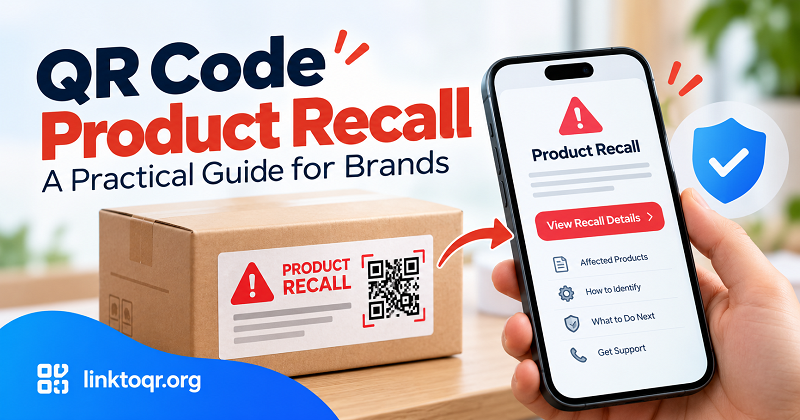
QR codes can help bridge that communication gap. A code printed on packaging, included in a product insert, or displayed at a retail location can connect customers to a dedicated recall information page. But a QR code is only one part of the process. It cannot identify every affected customer or automatically notify everyone who purchased a product. To make it useful, brands need a clear communication plan, accurate product information, and a reliable way to keep instructions current.
The Real Challenge Is Connecting the Right Product to the Right Instructions
A recall announcement may be published on a company website, distributed to retailers, and shared through social media. Yet customers can still miss it, especially if they bought the product weeks or months earlier.
Three practical problems often make recall communication difficult.
First, customers may not know whether their particular product is affected. A recall might apply only to certain production batches, date ranges, model numbers, or expiration dates. A general announcement that says a product has been recalled may leave buyers wondering whether they need to take action.
Second, information can become fragmented. A retailer may share one notice, a customer service representative may refer to another document, and an older social media post may remain visible after instructions change. Conflicting messages create confusion at exactly the wrong time.
Third, customers need more than an announcement. They need to know what to do next. Should they stop using the product? Return it to the store? Request a replacement? Contact the manufacturer? The correct instructions depend on the product and the circumstances of the recall.
A well-designed recall communication process addresses all three problems: identifying the affected product, delivering consistent information, and guiding customers toward the appropriate next step.
Where QR Codes Fit Into a Recall Communication Plan
QR codes work best as a direct route to useful information, not as a substitute for a recall management system.
Connect product packaging to a dedicated recall page
A QR code on a product label, insert, or package can direct customers to a page containing recall details and current instructions. The page should explain which products are affected, how customers can identify them, and what action they should take.
If the same packaging is used across multiple production batches, the destination must make it easy for customers to distinguish affected items from unaffected ones. A generic product page that simply repeats the brand's usual marketing message will not solve that problem.
For existing products already in customers' homes, a newly created QR code cannot magically appear on packaging that has already been distributed. Brands should therefore consider additional channels, such as retailer notices, email, customer service, and relevant public announcements.
Give retailers and support teams one reliable information source
A recall may involve manufacturers, distributors, retail stores, and customer service teams. Each group needs access to the same approved instructions.
A dedicated recall page can act as a shared reference point. Instead of asking every team to maintain separate copies of the announcement, the organization can direct them to the current published information.
This approach is especially useful when the recall covers multiple products or when instructions differ by batch. The page should clearly display the products covered, the date of the latest update, and a contact method for customers who need additional assistance.
Use social channels to extend the reach
QR codes can also support recall communication on posters, printed notices, and other materials that direct customers to official online updates. For example, a retailer could display a notice near the affected product category and include a code linking to the relevant recall page.
Social media can play a complementary role. Brands that use Facebook to communicate with customers may find it useful to generate qr code facebook for appropriate promotional or informational materials. However, the destination and message must fit the situation: a Facebook QR code should not replace a direct link to urgent safety instructions or an official recall notice.
The objective is to make trustworthy information easier to find, regardless of where customers first encounter the announcement.
Design the Recall Page Around Decisions, Not Marketing
A recall page is not the place for a lengthy company introduction, promotional banners, or vague reassurance. Customers arrive because they need answers and may be concerned about their safety.
Organize the page around the decisions they must make.
Start with a clear identification checklist
Explain how customers can determine whether their product is affected. Depending on the product, relevant details may include:
- Product name and model number.
- Lot or batch number.
- Manufacturing or expiration date.
- Packaging characteristics that help distinguish affected items.
- Photographs showing where customers can find the relevant information.
Do not assume customers know the technical terminology used by the manufacturer. Show them where to look and provide an example when doing so will reduce ambiguity.
If the recall affects only certain batches, make that distinction prominent. If the available information cannot determine whether an individual item is affected, tell customers how to obtain clarification rather than presenting an uncertain answer as definitive.
Put the required action before background information
After helping customers identify the product, explain what they should do. The instructions should be specific to the recall and consistent with applicable guidance from the responsible authorities.
Depending on the situation, this may include stopping use, isolating the product, returning it, requesting a replacement, or contacting an appropriate support channel. Do not invent safety advice or assume the same procedure applies to every product category.
Keep the process easy to follow. If customers must complete a form, provide the correct link and explain what information they need. If they need to contact a retailer, state which retailer or support channel is appropriate.
Make updates visible
Recall instructions may need clarification as more information becomes available. A QR code that points to a maintained web page can continue directing customers to updated information without requiring the printed code itself to change.
Include a visible last-updated date and retain clear version information where appropriate. When a major instruction changes, highlight the change rather than silently replacing the previous text.
This distinction matters: a QR code can provide access to the latest published information, but it cannot guarantee that customers will revisit the page or see an update. Brands may need additional notification channels for people who have already interacted with the recall process.
Choose the Right QR Code Setup for the Product
Not every recall requires a sophisticated traceability platform. The right setup depends on the product, the packaging, the available data, and the level of identification required.
When a standard URL QR code is enough
A standard QR code that opens a dedicated recall page may be sufficient when the page provides instructions for a clearly defined product or when customers can identify the relevant batch using information printed on the product.
This is a straightforward option for printed notices, retailer signage, product inserts, and other materials where the main goal is to direct people to a reliable source.
For a static QR code, the encoded destination is fixed. If the code points to a URL on a website you control, you can generally update the content published at that address without changing the code itself. The underlying URL must remain available, and the page must be maintained correctly.
When product-level traceability is necessary
A single generic QR code is not enough when the system must determine whether a specific unit belongs to an affected batch.
That requires a suitable identification method and access to accurate product records. Depending on the use case, each code may identify a product type, a batch, or an individual item. The system then needs to connect that identifier to the relevant product data.
The distinction is important. Scanning a QR code does not automatically verify manufacturing history, establish ownership, or confirm that a product is safe. Those capabilities depend on the information encoded in the code and the systems that interpret it.
Brands should evaluate their traceability requirements before deciding whether a basic QR code or a more advanced product identification solution is appropriate.
Keep the destination dependable
Whatever setup you choose, test the entire journey. Scan the code using different devices, confirm that the page loads, verify that the product information is accurate, and make sure the instructions remain readable on a mobile screen.
A recall page should not depend on a customer installing an application or creating an account unless that requirement is genuinely necessary. The fewer unnecessary steps customers encounter, the easier it is for them to access important information.
Also provide a non-QR alternative. Not every customer has a smartphone, reliable internet access, or the ability to scan a code. A visible web address and a customer support contact can make the process more accessible.
Prepare the Workflow Before a Recall Occurs
The worst time to decide who owns a recall page is after the recall has started.
A practical plan should establish responsibility, approval procedures, and communication channels in advance.
Assign clear ownership. Determine who can publish recall information, who approves safety-related instructions, and who is responsible for updating the page. Marketing teams may help with presentation and distribution, but technical and safety claims must be reviewed by the appropriate people.
Prepare a reusable page structure. Create a template with fields for affected products, identification details, required actions, customer support information, and update dates. A reusable structure helps teams publish consistent information without treating every recall as an entirely new project.
Coordinate with retail partners. Agree on how recall notices will be distributed, where customers can obtain assistance, and how changes will be communicated. Retailers should know which version of the instructions is current and how to escalate questions they cannot answer.
Plan for customers who cannot be reached through QR codes. Use suitable alternatives, which may include direct customer notifications where contact information is available and can lawfully be used, retailer communications, email, official recall announcements, or other relevant channels.
Test the process. Run a hypothetical recall exercise. Ask someone unfamiliar with the product to identify an affected item, understand the instructions, and find the appropriate support channel. Confusion during a test is a useful signal that the process needs improvement.
A prepared workflow gives teams a starting point when time matters. It also reduces the risk of publishing inconsistent information across multiple channels.
Measure Whether Customers Can Complete the Recall Process
QR scan counts can show whether people are accessing a page through a particular code, but they do not tell the whole story. A scan does not prove that a customer read the instructions, identified the product correctly, or completed the required action.
A more useful measurement plan looks at the full customer journey.
Track visits to the recall page and compare them with other communication channels where reliable data is available. Monitor the questions customers ask, the points where they become confused, and the reasons they contact support. If the recall process includes a return or replacement request, measure those outcomes using the appropriate operational records.
Interpret the results carefully. A low scan count may reflect limited visibility, but it may also mean customers received the information through another channel. Likewise, a high number of visits does not necessarily indicate that the affected customers have been reached.
Use these findings to improve the next communication cycle. If customers repeatedly struggle to locate batch numbers, improve the identification instructions. If support teams receive the same question repeatedly, make the answer easier to find on the recall page. If customers abandon a form, examine whether the process asks for unnecessary information.
The goal is not to maximize scans for their own sake. It is to help affected customers find accurate information and complete the appropriate next step.
A QR Code Is the Starting Point, Not the Recall Strategy
When a product recall happens, brands need more than a code printed on a package. They need accurate product identification, clear instructions, coordinated communication, and a process for updating information as circumstances change.
QR codes can make that information easier to access, particularly when customers encounter a notice in a store or return to a product long after purchase. Their value comes from the experience behind the scan: a dependable destination, relevant details, and an obvious next step.
Build that experience before you need it. When the pressure is on, a well-prepared communication process can help your team respond more clearly and give customers a better path from uncertainty to action.