- How QR Code Scams Actually Work
- Fake Stickers on Legitimate QR Codes
- Phishing Through Email and Text Messages
- Fake Payment Requests and Unexpected Packages
- How to Check a QR Code Before Opening Its Link
- Preview the Destination URL
- Be Careful With Shortened or Unfamiliar Links
- Question Unexpected Requests for Personal Information
- What to Do If You Scan a Suspicious QR Code
- If You Opened the Website but Entered Nothing
- If You Entered a Password or Verification Code
- If You Shared Payment Details or Sent Money
- If You Downloaded an App or Granted Device Permissions
- How Businesses Can Make QR Code Campaigns More Trustworthy
- Make the Destination Obvious
- Inspect Printed Codes and Control Access
- Avoid Unnecessary Requests for Data
- Build a Safer QR Code Habit
QR codes make everyday tasks ridiculously convenient. Scan a restaurant menu, pay for parking, download an app, or open a website without typing a single character. But that convenience comes with a catch: you cannot tell whether a QR code is safe just by looking at its pattern.
Cybercriminals take advantage of that blind spot. They can replace a legitimate QR code with a malicious sticker, send a fake code through email, or direct people to a convincing copy of a trusted website. Security professionals call QR-based phishing quishing, and the goal is often the same as traditional phishing: trick someone into handing over credentials, financial details, or other sensitive information.
The solution isn't to stop scanning QR codes altogether. It's to stop treating every black-and-white square as trustworthy. Here's how to recognize suspicious codes, inspect their destinations, and respond if something goes wrong.
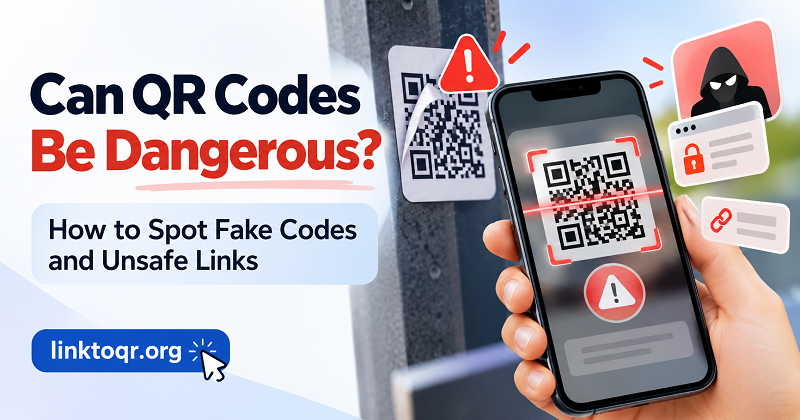
How QR Code Scams Actually Work
A QR code is a way to encode information, not a guarantee that the information is legitimate. Depending on its contents, scanning one may open a website, initiate an email, display contact information, or prompt another action. The danger usually comes from what the code directs you to do next.
Fake Stickers on Legitimate QR Codes
Imagine stopping at a parking meter and finding a QR code labeled “Pay Here.” It looks official, the instructions make sense, and you're in a hurry. What you might not notice is a sticker placed over the original code.
A scammer can use this simple trick to redirect payments to a fraudulent website. Similar tampering can happen on restaurant menus, event posters, public notices, and other printed materials. The surrounding sign may be completely legitimate even when the QR code itself isn't.
What to do: Look for stickers that appear layered, damaged, misaligned, or inconsistent with the rest of the printed material. If a payment code seems questionable, use the official payment app or website, or confirm the correct method with staff.
Phishing Through Email and Text Messages
Not every QR scam requires a physical sticker. Some arrive directly on your phone or computer.
A message might claim that a package couldn't be delivered, an account needs verification, or a payment has failed. It then asks you to scan a QR code to resolve the problem. The urgency is deliberate: scammers want you to act before checking whether the request is genuine.
The QR code may lead to a fake login page that imitates a delivery company, bank, employer, or other familiar organization. Enter your password or payment details, and you've handed that information to the wrong person.
The Federal Trade Commission warns consumers about malicious QR codes used to steal information and recommends checking destinations before opening them. Read its guidance on QR code scams for additional examples.
Fake Payment Requests and Unexpected Packages
Some scams use QR codes to make unusual payment requests appear routine. You might be told to pay an unexpected fee, resolve a supposed account problem, or scan a code associated with a package you never ordered.
Pause whenever a stranger or unsolicited message asks you to send money, disclose financial information, or take urgent action through a QR code. A familiar logo, official-looking design, or convincing explanation does not prove that the request is legitimate.
If a message claims to come from a government agency, delivery company, or financial institution, verify it through a website or phone number you obtain independently. Don't use the contact details supplied in the suspicious message.
How to Check a QR Code Before Opening Its Link
You don't need advanced cybersecurity skills to make a safer decision. A few deliberate checks can help you catch many suspicious destinations before you interact with them.
Preview the Destination URL
When your phone's camera recognizes a QR code, it will commonly display a link or prompt before opening the destination. Read that preview instead of tapping automatically.
Look carefully at the domain name. A fraudulent address may use a misspelling, an extra word, a different domain extension, or a name designed to resemble a legitimate brand. For example, a domain containing the name of a bank is not necessarily owned by that bank.
Pay attention to the actual registered domain rather than familiar words elsewhere in the address. A URL can contain a brand name in a subdomain or path while pointing to a completely unrelated website.
Also remember that HTTPS and a padlock indicate an encrypted connection, not that the website itself is honest. A phishing site can use HTTPS too.
Be Careful With Shortened or Unfamiliar Links
Some QR codes lead to shortened URLs or redirect through another service before reaching the final destination. Short links are not automatically malicious, but they can make it harder to understand where you're going.
If the destination is unclear, don't proceed just because the link looks neat or familiar. When possible, navigate to the organization's official website manually and find the relevant service there.
If you create QR codes for your own website, you can make a link a qr code to provide a convenient route to a destination you control. Before publishing or distributing the code, verify that the encoded URL is correct and that the destination behaves as expected.
Question Unexpected Requests for Personal Information
A QR code that opens a public menu or informational page usually requires little interaction. A code that suddenly asks for your bank password, email credentials, payment card details, or one-time verification code deserves much more scrutiny.
Ask yourself three questions:
- Was I expecting this request?
- Does the information requested make sense for the service?
- Can I reach the same service through its official app or website instead?
If anything feels inconsistent, stop. You don't have to complete a suspicious process just because you've already scanned the code.
What to Do If You Scan a Suspicious QR Code
First, don't panic. Scanning a suspicious code does not automatically mean your device has been compromised. Your next steps depend on what happened after the scan.
If You Opened the Website but Entered Nothing
Close the suspicious page and avoid interacting with its buttons, forms, downloads, or permission prompts. Don't assume that a page is safe because it closes normally or looks like a legitimate website.
If you only opened the page, did not enter information, approve a download, grant permissions, or perform another action, the risk may be lower. However, the exact risk depends on the site, your device, and any browser or software vulnerabilities.
Keep your operating system and browser updated. If the page downloaded a file automatically, don't open it. Review your downloads and remove anything you don't recognize.
If You Entered a Password or Verification Code
Act quickly, especially if you entered credentials for email, banking, work, or another important account.
- Open the real service through its official app or a trusted address, not through the suspicious link.
- Change the compromised password. If you reused it elsewhere, change it on those accounts too.
- Enable multifactor authentication if available, preferably using a phishing-resistant method when supported.
- Review recent sign-ins, account recovery settings, and active sessions. Sign out unfamiliar sessions and revoke suspicious access.
- Contact the relevant service provider if you can no longer access your account or notice unauthorized activity.
If you entered a one-time code or approved a login request, tell the service provider what happened. Some attacks use stolen credentials and verification codes together, so changing a password alone may not resolve every form of unauthorized access.
If You Shared Payment Details or Sent Money
Contact your bank, card issuer, or payment provider immediately using an official phone number or app. Explain what happened and ask what steps are available to block transactions, secure the account, or dispute unauthorized charges.
Monitor your statements for unfamiliar activity. If you supplied sensitive identity information, consider the appropriate identity-protection measures available in your country.
Keep relevant evidence, such as the suspicious URL, message, transaction details, and screenshots, if you can collect it safely. Report the incident to the appropriate consumer protection or cybercrime authority. The sooner you notify the relevant provider, the sooner it can help limit further damage.
If You Downloaded an App or Granted Device Permissions
Don't open an unfamiliar downloaded file or continue installing an app simply because a QR code instructed you to do so.
If you installed something suspicious, disconnect the affected device from sensitive work or business systems if appropriate, remove the suspicious app where possible, and use trusted security tools to assess the device. Revoke unnecessary permissions and seek professional support if the device continues behaving abnormally.
For a work-managed phone or computer, contact your IT or security team promptly. Avoid trying random cleanup tools from unfamiliar websites; that can turn one problem into two.
How Businesses Can Make QR Code Campaigns More Trustworthy
QR code security isn't just the user's responsibility. Businesses that place codes on menus, packaging, advertisements, payment terminals, or event materials should make the destination clear and give people a reason to trust it.
Make the Destination Obvious
Label the code with a straightforward explanation, such as “View the menu,” “Open the event schedule,” or “Visit our official website.” Avoid vague calls to action that leave people guessing about what will happen after scanning.
Where practical, print the destination domain or provide an alternative route to the same content. People should be able to verify the destination without relying entirely on the QR code.
Inspect Printed Codes and Control Access
Before distributing printed materials, scan every code and confirm that it points to the intended destination. After installation, periodically inspect public-facing codes for stickers, damage, or other signs of tampering.
Businesses should also limit who can change the destination page, QR configuration, or associated account credentials. Keep administrative accounts secure, and use a documented process for replacing compromised signs and notifying customers if a code has been tampered with.
Avoid Unnecessary Requests for Data
A QR code campaign should collect only the information required for its purpose. If a customer scans a menu code, for example, asking for unrelated personal details creates friction and can undermine trust.
Explain why information is needed, protect any data collected, and provide a clear privacy notice when appropriate. A safer, more transparent experience benefits both the customer and the business.
Build a Safer QR Code Habit
QR codes aren't inherently dangerous, and their convenience is worth keeping. The important distinction is between trusting the technology and trusting the destination. A code can be perfectly readable while directing you somewhere you never intended to go.
Before scanning, consider where the code came from. Before opening a link, inspect its destination. Before entering personal information, verify that the request makes sense and that you're using the genuine service. If you've already interacted with a suspicious code, respond according to what you actually did rather than assuming the worst or ignoring the warning signs.
For businesses, the same principle applies in reverse: clear labels, verified destinations, routine inspections, and responsible data collection make QR campaigns easier to trust.
Convenience should save people time, not make them lower their guard. A few seconds of verification can help you enjoy the benefits of QR codes without handing control of your information to the wrong person.