Planning an event usually means dealing with a surprising amount of information.
- Why QR Codes Make Sense for Events
- Before the Event: Make Registration Easier
- Event Invitations
- Posters and Flyers
- Social and Digital Promotion
- During the Event: Put Information One Scan Away
- Event Schedules
- Venue Maps and Directions
- Speaker and Session Information
- QR Codes for Check-In
- Use QR Codes to Reduce Information Overload
- How to Create a QR Code for an Event Link
- Think Carefully About Changing Event Information
- Make the Call-to-Action Obvious
- Don't Make the QR Code Your Only Source of Important Information
- Test the Code Before the Event
- Test the destination
- Test on multiple phones
- Test the physical version
- Test from realistic distances
- Test under realistic lighting
- QR Codes After the Event
- Feedback Forms
- Photos and Recordings
- Future Events
- Where Should You Put Event QR Codes?
- Keep Printed QR Codes Useful for the Long Term
- A Practical Event QR Code Checklist
- QR Codes Should Make Events Simpler, Not More Complicated
There is the invitation, registration page, event schedule, venue details, speaker information, tickets, directions, updates, and follow-up materials. Traditionally, all of that information gets squeezed into emails, printed documents, social posts, and signs.
QR codes offer a simple way to connect those physical and digital pieces.
Instead of printing every detail on an invitation or poster, you can use a QR code to send attendees to the information they need online.
And the best part is that the same idea can be useful before, during, and after an event.
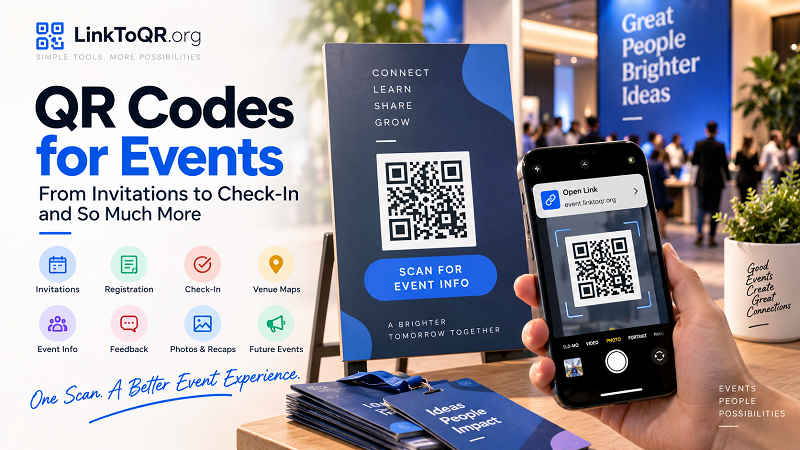
Why QR Codes Make Sense for Events
Events are naturally built around moments when people need information quickly.
Someone receives an invitation and wants to register.
An attendee arrives at the venue and needs directions.
A guest wants to check the schedule.
Someone wants to find a speaker's profile.
After the event, attendees may want access to photos, presentations, or a feedback form.
In each situation, manually typing a website address is unnecessary friction.
A QR code turns that printed or displayed message into a direct path to a digital destination.
The trick is not to use QR codes everywhere simply because you can. The goal is to put them where they solve an actual information problem.
Before the Event: Make Registration Easier
The first opportunity usually appears before anyone walks through the door.
Event Invitations
Whether you are sending printed invitations, postcards, or promotional materials, a QR code can lead directly to the event registration page.
For example:
Scan to reserve your spot
The attendee scans the code and goes directly to the registration form.
This can be particularly useful when the invitation is distributed offline.
Instead of asking someone to remember a website address and type it later, the invitation can provide an immediate path to registration.
Posters and Flyers
Event posters often need to communicate several things at once:
- Event name
- Date
- Time
- Location
- Main attraction
- Registration information
There may not be enough room for a long URL.
A QR code can handle the digital part while the poster focuses on the information people need to see immediately.
A simple call-to-action such as “Scan to register” tells people exactly what the code is for.
Social and Digital Promotion
QR codes are not limited to paper.
They can also appear in digital graphics, presentations, videos, or screens at other events.
However, consider the context before using one.
If someone is already viewing the information on a smartphone, clicking a normal link may be easier than scanning a QR code with that same device.
QR codes are particularly useful when the viewer is looking at a screen with another device available, or when the code will eventually be displayed or printed in a physical environment.
During the Event: Put Information One Scan Away
Once attendees arrive, their information needs change.
They may no longer care about registration. Now they want to know where to go and what happens next.
Event Schedules
A printed event schedule can become outdated quickly.
A speaker changes their presentation time. A session moves to another room. A workshop is canceled.
A QR code can connect the printed schedule to an online version where attendees can find the latest information.
The printed material can remain simple while the website carries the more detailed and changeable information.
Venue Maps and Directions
Large venues can be confusing, especially for first-time visitors.
A QR code can lead to:
- An online venue map
- Building directions
- Parking information
- Public transportation details
- A specific room location
- A map application
Instead of trying to fit a detailed map onto every sign, you can provide a digital destination for people who need more information.
Speaker and Session Information
A conference badge or session sign could include a QR code leading to a speaker's biography, presentation information, or additional resources.
For workshops, the code might lead to downloadable materials or instructions participants need during the session.
This keeps the physical environment cleaner while still giving attendees access to deeper information.
QR Codes for Check-In
Check-in is another obvious use case.
Instead of asking every attendee to provide information manually, an event can use a QR code as part of a digital check-in process.
For example, a ticket or confirmation email might contain a QR code connected to an attendee's registration.
At the venue, staff can scan the code and verify the registration.
The exact implementation depends on the event platform being used, but the underlying principle is simple:
Give attendees something they can scan instead of making them type information again.
For smaller events, even a QR code leading to a simple confirmation or registration page can make the process easier.
Use QR Codes to Reduce Information Overload
There is an important design principle behind all of this:
Not everything needs to be printed.
A physical invitation does not need to contain an entire event agenda.
A poster does not need a paragraph explaining every registration detail.
A table sign does not need to include every menu item or instruction.
Instead, print the essential information and let the QR code provide access to the rest.
This creates a useful hierarchy:
Printed material:
What people need to know immediately.
QR code:
Where they can find everything else.
That distinction can make event materials much easier to read.
How to Create a QR Code for an Event Link
The process itself can be simple.
First, determine exactly which page you want attendees to visit.
It might be:
- Registration
- Event schedule
- Venue map
- Speaker information
- Digital ticket
- Feedback form
- Photo gallery
Then verify that the page works properly on mobile devices.
Once the destination is ready, you can create qr code with link and place the resulting code on the appropriate event material.
But don't stop at generating the image.
The QR code should be tested in the environment where attendees will actually use it.
If it will appear on a printed invitation, print a sample.
If it will be displayed on a large screen, test it from the expected viewing distance.
If it will be placed on a small badge, make sure it remains large enough to scan comfortably.
Think Carefully About Changing Event Information
Events are rarely as static as they look on the original invitation.
A venue can change.
A registration deadline can move.
A speaker can cancel.
A session can be added.
The website can be redesigned.
This creates an important distinction between the QR code and the destination it leads to.
A static QR code directly encodes its destination. If that destination needs to change later, the physical QR code may need to be replaced.
A dynamic QR setup can provide more flexibility by using an intermediate URL that redirects visitors to the current destination.
For temporary events, a static QR code may be perfectly sufficient.
For long-running conferences, recurring events, permanent venue signage, or printed materials distributed well in advance, destination flexibility may be worth considering.
The right choice depends on how much the information is expected to change.
Make the Call-to-Action Obvious
A QR code without explanation leaves attendees guessing.
They may wonder:
What does this code do?
Don't make them guess.
Add a short description beside the code.
Instead of:
[QR CODE]
Try:
Scan to register
Or:
Scan for the event schedule
Or:
Scan for venue directions
The wording should describe the benefit of scanning.
That makes the QR code feel like part of the event experience rather than a random graphic placed on the page.
Don't Make the QR Code Your Only Source of Important Information
QR codes are useful, but they should not become a barrier.
If someone cannot scan the code, they should still be able to understand the basic event information.
For example, an invitation should still display the event date and location.
A sign should still provide enough information to understand where people are being directed.
A QR code should supplement the experience, not make the physical material useless without a smartphone.
This is especially important when designing materials for a broad audience with different devices, accessibility needs, or comfort levels with QR technology.
Test the Code Before the Event
A QR code that fails on event day is more than a technical inconvenience.
It can create queues, confusion, and unnecessary work for staff.
Test every important QR code before materials are finalized.
Test the destination
Make sure the URL is correct and the page loads properly.
Test on multiple phones
Different devices and camera apps can behave differently.
Test the physical version
If the code is going on a printed item, test the actual printed item.
Test from realistic distances
A code that scans from six inches away may not work well from six feet away.
Test under realistic lighting
Outdoor events, dim conference rooms, bright exhibition halls, and reflective surfaces can all create different conditions.
The closer your testing environment is to the real event, the more useful the test will be.
QR Codes After the Event
The QR code strategy does not have to end when the last attendee leaves.
Post-event engagement can be another opportunity.
Feedback Forms
A QR code on a thank-you card or event sign can send attendees directly to a feedback form.
Instead of asking them to search for the survey later, you can provide an immediate route.
Photos and Recordings
If the event includes photography or video, a QR code can provide access to the finished gallery.
For conferences and workshops, it could lead to:
- Presentation slides
- Session recordings
- Downloadable resources
- Speaker materials
Future Events
The same audience may be interested in your next event.
A post-event QR code can connect attendees to:
- Future event announcements
- Newsletter signup
- Community pages
- Upcoming registration
- Additional resources
The important thing is to make the next action relevant.
Do not send someone to a generic page simply because you have a QR code available.
Where Should You Put Event QR Codes?
Placement matters almost as much as the code itself.
Think about where attendees naturally pause.
Good opportunities may include:
- Invitation cards
- Registration posters
- Entrance signs
- Check-in desks
- Name badges
- Event programs
- Table tents
- Booth displays
- Presentation slides
- Exit signs
- Thank-you cards
The physical context should determine the destination.
A QR code on an entrance sign might provide directions.
A QR code on a session poster might provide speaker information.
A QR code on a feedback card should lead to the survey.
The more closely the destination matches the context, the more useful the QR code becomes.
Keep Printed QR Codes Useful for the Long Term
One of the biggest mistakes is thinking only about event day.
Some event materials disappear immediately after the event.
Others can remain online or in circulation for months.
Consider what happens if someone finds the printed material after the event has ended.
If a poster says:
Scan to register for our event
but the event ended three months ago, the destination should ideally provide a useful next step rather than simply displaying an error.
Depending on your setup, that could mean directing visitors to the organization's website, the next event, a recording, or another relevant resource.
The goal is to avoid creating dead ends.
A Practical Event QR Code Checklist
Before your event materials go live, check the following:
Destination
- Is the URL correct?
- Does the page work on mobile?
- Does the content match the message next to the QR code?
Design
- Is the QR code large enough?
- Is there enough contrast?
- Is the surrounding area uncluttered?
- Is there enough space around the code?
Context
- Is it obvious why someone should scan?
- Does the destination make sense for that particular location?
- Is essential information still available without scanning?
Testing
- Has the code been tested on multiple phones?
- Has the printed version been tested?
- Has it been tested from a realistic distance?
- Has it been tested under realistic lighting?
Long-term planning
- What happens after the event?
- Could the destination change?
- Will the physical material remain in circulation?
- Do you need a static or dynamic QR approach?
QR Codes Should Make Events Simpler, Not More Complicated
The most useful event QR codes have one thing in common: they solve a specific problem.
They help someone register.
They provide directions.
They show the latest schedule.
They make check-in easier.
They provide access to resources.
They collect feedback.
They connect attendees with what comes next.
That is a much better approach than putting a QR code on every available surface simply because the technology makes it possible.
Start with the attendee's question:
"What information do they need right now?"
Then decide whether a QR code is the easiest way to provide it.
When the answer is yes, keep the destination relevant, make the code easy to scan, explain what happens after scanning, and test everything before the event begins.
A QR code may only take up a few inches of physical space, but when it is placed thoughtfully, it can connect an entire event experience—from the first invitation to the final follow-up.