QR codes look simple.
- 1. Start With the Type of QR Code You Actually Need
- Static QR codes make sense when:
- Dynamic QR codes may make sense when:
- 2. Check What Happens to Your URL
- 3. Make Sure the Generated Code Is Actually Scannable
- 4. Look at the Download Options
- 5. Don't Confuse Customization With Better Performance
- 6. Decide Whether You Need Analytics
- 7. Think About What Happens Six Months From Now
- A QR Code Generator Doesn't Need to Be Complicated
- A Simple Way to Evaluate Different Generators
- What am I linking to?
- Where will the QR code appear?
- How long will it be used?
- Do I need to change the destination later?
- Do I need to measure scans?
- Common QR Generator Mistakes to Avoid
- Choosing a tool before deciding on the use case
- Assuming every QR code is permanent
- Making the QR code too small
- Overdesigning the code
- Skipping the final test
- The Right Generator Depends on the Job
You enter a URL, generate a square image, and put it wherever you need it. At least, that is how it seems.
But once you start looking for a QR code generator, you quickly discover that they are not all designed the same way. Some focus on customization. Others offer analytics, dynamic QR codes, templates, account features, or marketing tools. Some are built for quick one-time use, while others are designed for businesses managing hundreds of QR codes.
So how do you know what actually matters?
The answer depends on what you are trying to accomplish.
For someone who simply wants to connect a printed flyer to a website, a complicated platform may be unnecessary. For a marketing team running campaigns across multiple locations, tracking and destination management may be much more important.
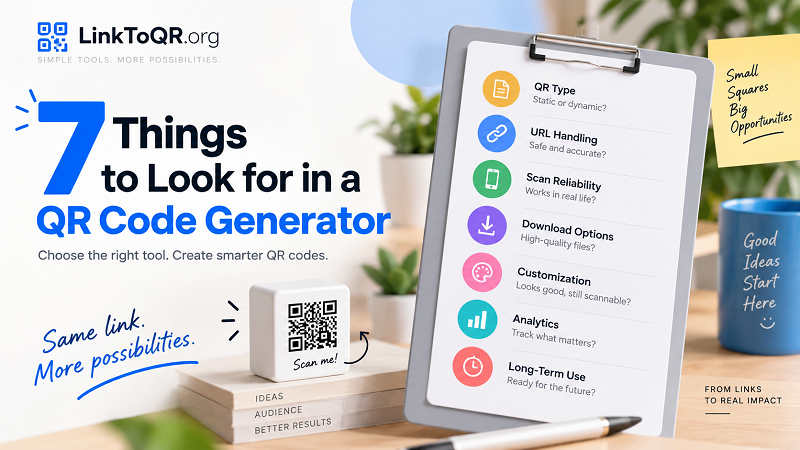
Here are seven things worth checking before choosing a QR code generator.
1. Start With the Type of QR Code You Actually Need
Before comparing features, understand the basic distinction between static and dynamic QR codes.
A static QR code contains the destination information directly. If you encode a website URL into it, that URL becomes part of the QR code itself.
That makes static QR codes useful for straightforward, long-term destinations that are unlikely to change.
A dynamic QR code works differently. The QR code points to an intermediate URL, which can then redirect visitors to the final destination.
This can provide additional flexibility.
For example, imagine you print a QR code on product packaging. Six months later, you want the same code to send customers to a new support page.
With a static QR code, changing the destination generally means creating and distributing a new QR code.
With a dynamic setup, the destination can potentially be changed without replacing the physical code.
Neither option is automatically better. The right choice depends on the project.
Static QR codes make sense when:
- The destination is unlikely to change
- You need a simple QR code
- You do not need ongoing campaign management
- The printed material has a straightforward purpose
Dynamic QR codes may make sense when:
- The destination could change
- You need campaign tracking
- The QR code will be used for a long-running campaign
- Multiple campaigns need to be managed
Understanding this distinction can save you from choosing a tool with features you will never use—or discovering later that your QR code does not work the way you expected.
2. Check What Happens to Your URL
The QR code is only the doorway.
The destination URL is what actually matters to the person scanning it.
Before generating a code, check that the tool handles normal website URLs correctly.
A good workflow should make it easy to take an existing web address and turn it into a scannable QR code without unnecessary complexity.
For example, if you search for a link to qr code generator, you should be able to understand what happens between entering your link and downloading the resulting code.
Pay attention to whether the service:
- Accepts standard HTTPS URLs
- Preserves the intended destination
- Uses redirects
- Requires an account
- Adds limitations to the destination
- Allows you to test the final result
This becomes particularly important when the QR code is going onto something that cannot easily be changed later, such as packaging, signage, or printed marketing materials.
3. Make Sure the Generated Code Is Actually Scannable
A QR code can be technically valid and still provide a poor user experience.
For example, aggressive customization can make individual QR modules difficult for a camera to distinguish. Low contrast, insufficient spacing, or excessive visual effects can also create problems.
This is why a generator should prioritize reliability before decoration.
After creating a QR code, test it with an actual smartphone.
Do not assume that because the image was generated successfully, it will automatically scan perfectly everywhere.
Test it:
- On different phones
- Under different lighting conditions
- From the intended scanning distance
- After downloading the final image
- After printing, if it will be printed
If the QR code is going on a poster, test the poster.
If it is going on a business card, test the business card.
The final physical product is what your audience will interact with—not the preview inside the generator.
4. Look at the Download Options
Once you generate a QR code, you need to use it somewhere.
That means the output file matters.
A generator might offer several image formats, but they are not equally useful for every situation.
For digital use, a standard raster image may be perfectly adequate.
For professional printing, however, you may need a higher-resolution output or a format suitable for your design workflow.
Think about where the QR code will go:
Website or social post:
A standard image may be sufficient.
Business card:
You need enough resolution for a small printed code.
Large poster:
A low-resolution image can become problematic when enlarged.
Packaging:
The final dimensions and printing process deserve extra testing.
Do not choose a generator based only on how quickly it creates the QR code. Check whether its output fits the way you actually intend to use it.
5. Don't Confuse Customization With Better Performance
Many QR code generators offer customization.
You may be able to change:
- Colors
- Shapes
- Frames
- Patterns
- Logos
- Text
- Corners
- Backgrounds
Customization can be useful, especially when the QR code needs to fit an established brand identity.
But more customization does not necessarily mean a better QR code.
A heavily decorated QR code can become harder to scan if the design interferes with the underlying structure.
The safest approach is to treat customization as a secondary layer.
First, make sure the QR code works.
Then make it look good.
This is particularly important for printed materials where lighting, paper texture, ink quality, and viewing distance can introduce additional variables.
A beautiful QR code that nobody can scan is essentially decorative artwork.
6. Decide Whether You Need Analytics
Not everyone needs QR code analytics.
If you are putting a QR code on a personal business card that points to your portfolio, you may only care that it works.
A company running a national campaign has a different set of questions.
They might want to know:
- How many people scanned the code?
- When were scans happening?
- Which campaign generated the most activity?
- Which printed location performed better?
- Is the QR code still being used?
That is where analytics can become valuable.
If measurement matters to your project, look carefully at what a generator actually tracks.
"Analytics" can mean very different things from one service to another.
Before relying on a platform, find out what information is available and whether tracking applies to the type of QR code you are creating.
It is also worth considering privacy and disclosure requirements when tracking user activity.
7. Think About What Happens Six Months From Now
This is perhaps the most overlooked question.
People often choose a QR code generator based on what happens in the first 30 seconds:
Enter URL → click generate → download.
But QR codes are frequently used on physical objects that remain in circulation for months or years.
A better question is:
What happens after I have already printed this code?
Imagine putting a QR code on:
- Product packaging
- A restaurant sign
- A trade show display
- A business card
- A permanent information board
- A brochure
- A vehicle
If the destination changes, will you need to replace the physical material?
If you use an account, can you manage the code later?
If you stop using the service, what happens to the QR code?
If the QR code uses a redirect, does that redirect remain active?
These questions may seem unnecessary when you are generating your first code. They become very important once a QR code is printed thousands of times.
A QR Code Generator Doesn't Need to Be Complicated
There is a tendency to assume that more features automatically mean a better tool.
That is not always true.
If your goal is simply to turn a website URL into a QR code for a flyer, you may not need a complete marketing platform with dozens of dashboards and settings.
In fact, too many options can make a simple task feel unnecessarily complicated.
For a basic project, the essentials may be:
- Enter the URL.
- Generate the QR code.
- Download it.
- Test it.
- Use it.
That's it.
The more advanced features become useful when your project actually requires them.
A Simple Way to Evaluate Different Generators
Rather than comparing every feature on every QR platform, start with your own requirements.
Ask yourself five questions:
What am I linking to?
A website, menu, registration page, product guide, social profile, or something else?
Where will the QR code appear?
On a screen, business card, poster, package, sign, or another physical surface?
How long will it be used?
For a few days, several months, or potentially years?
Do I need to change the destination later?
If yes, look carefully at how the generator handles dynamic destinations.
Do I need to measure scans?
If this is part of a marketing campaign, analytics may be important. If it is a personal project, they may not be necessary.
These questions will usually tell you more than a long feature comparison.
Common QR Generator Mistakes to Avoid
Even with a good generator, there are several mistakes worth avoiding.
Choosing a tool before deciding on the use case
Do not start with:
Which QR generator has the most features?
Start with:
What do I need this QR code to do?
The answer should determine the tool.
Assuming every QR code is permanent
A QR image may remain on your computer forever, but that does not necessarily mean the destination will remain available.
The lifespan of the physical code and the lifespan of the destination are two different things.
Making the QR code too small
Especially on printed materials, size matters.
Always consider where and how people will scan it.
Overdesigning the code
Branding is useful, but readability comes first.
Skipping the final test
Never send a QR code to the printer without testing the final version.
The Right Generator Depends on the Job
There is no single feature that makes a QR code generator suitable for everyone.
For some users, simplicity is the most important thing.
For others, the ability to change destinations or measure scans may matter more.
A useful generator should match the job rather than force every user into the same workflow.
If you only need a quick connection between a website and a physical piece of content, keep the process simple.
If you are managing a long-term campaign, think beyond the initial download and consider destination management, analytics, and the future life of the QR code.
Ultimately, the best QR code is not the one with the most impressive-looking dashboard.
It is the one that reliably gets people from where they are to where you want them to go—with as little friction as possible.