Music has a strange superpower. Put the right song in the right place and suddenly a room feels different. A wedding becomes more personal, a café feels more memorable, a road trip gets its soundtrack, and a random Tuesday can become slightly less boring.
- Music Is Digital. Your Audience Isn't Always Online
- A Song Isn't the Only Thing You Can Share
- Five Real-World Ideas for Sharing Spotify Music Offline
- Give a Wedding Its Own Soundtrack
- Let Your Café Playlist Leave the Building
- Create an Official Playlist for an Event
- Give Artists Another Way to Be Discovered
- Put a Playlist Inside a Gift
- Tell People What They'll Hear
- Design for the Place Where People Will Actually Scan
- Where a Spotify QR Code Works Best — and Where It Doesn't
- Don't Forget About the Moment After the Scan
- Turn Music Into Something People Can Discover
- Before You Put Music Behind a QR Code
Sharing that music, however, isn't always as effortless as pressing “Share.”
Online, sending a Spotify link takes seconds. Offline, things get more interesting. Maybe you're hosting a wedding and want guests to discover the playlist. Maybe you're running a café and want customers to hear the music you've carefully chosen. Maybe you're an artist promoting a new release at an event. Or perhaps you've created a playlist for a friend and want to put it inside a physical gift.
In situations like these, a QR code can turn something people can see into something they can hear.
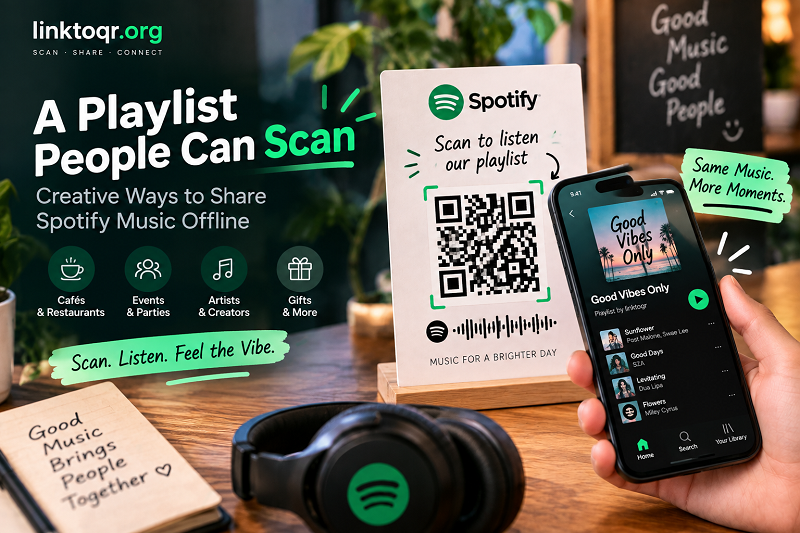
Music Is Digital. Your Audience Isn't Always Online
Think about the places where people encounter music in real life.
A wedding venue. A restaurant table. A concert poster. A record store. A café counter. A gift box. A business card. A festival entrance.
These environments are physical, but the music you want people to discover lives somewhere else.
That's the interesting part.
You don't necessarily need to bring the music into the physical space. You just need to create an easy bridge between the two.
Someone sees a sign, scans it with their phone, and lands on the song or playlist you've chosen. No searching for the artist name. No trying to remember the playlist title. No asking someone, “Hey, what song is playing right now?”
The distance between discovering the idea and actually listening to it becomes much shorter.
A Song Isn't the Only Thing You Can Share
One common mistake is thinking about QR-based music sharing as a way to promote a single track.
Spotify gives you much more to work with.
Depending on the experience you're trying to create, you could direct people to a single song, an entire playlist, an album, an artist profile, or even another type of audio content available on the platform.
That opens up some fun possibilities.
A wedding could have a playlist containing the couple's favorite songs. A café could share the playlist playing throughout the week. A DJ could use a printed card to introduce a set. A musician could place a scan point next to promotional material for a new release.
The technology stays the same. The story around it changes.
And that's where things get interesting.
Five Real-World Ideas for Sharing Spotify Music Offline
Give a Wedding Its Own Soundtrack
Weddings are full of tiny details designed to make the day feel personal. A playlist fits naturally into that idea.
Instead of simply telling guests the name of the couple's favorite songs, place a QR code on the welcome table, wedding program, thank-you card, or reception table.
The message could be simple:
Scan to hear our wedding soundtrack.
Guests can discover the songs before, during, or after the celebration. It also gives the playlist a life beyond the event itself.
Months later, someone can scan the card again and instantly return to that collection of memories.
Let Your Café Playlist Leave the Building
Music is part of the atmosphere in cafés, restaurants, bars, and other hospitality spaces.
If customers regularly ask what you're playing, there's an obvious opportunity hiding in plain sight.
Instead of writing down song titles one by one, place a small, well-designed QR code somewhere visible and invite customers to discover the playlist.
Something as simple as:
Like the music? Scan for today's playlist.
Suddenly, the soundtrack becomes part of the experience rather than background noise.
Create an Official Playlist for an Event
Events often have their own identity, and music can reinforce it.
A conference might have a playlist for breaks. A festival could publish its official soundtrack. A brand event could create a collection of songs that matches the campaign. A workshop could share focus music with attendees.
Put the QR code on the event schedule, entrance signage, name badge, or printed guide.
It gives attendees something they can take with them after the event is over.
Give Artists Another Way to Be Discovered
For musicians, DJs, producers, and creators, physical promotional materials have always had a problem: they can tell people about the music, but they can't actually play it.
A QR code closes that gap.
Imagine a poster that says:
Hear the new single
followed by a QR code.
Or a business card that says:
Listen to my latest release
The important thing isn't the code itself. It's the reduced distance between seeing an artist and hearing the artist.
That's a pretty useful bridge.
Put a Playlist Inside a Gift
Here's one of the more personal uses.
Imagine giving someone a physical gift accompanied by a playlist you've created specifically for them.
Instead of sending the playlist separately in a message, place a QR code inside a card or on the packaging.
It could lead to a collection of songs connected to a trip, a friendship, a birthday, a relationship, or simply a particular mood.
The physical gift is something they can hold. The playlist adds another layer to the experience.
That's much more memorable than a random link buried somewhere in a chat history.
Tell People What They'll Hear
A QR code sitting by itself doesn't communicate much.
If someone sees a mysterious square on a table, they may wonder what it does, where it goes, or whether scanning it is worth the effort.
Give the code a reason to exist.
Instead of:
SCAN QR
try something more specific:
Scan to listen
Scan for the playlist
Hear the event soundtrack
Scan to discover our music
Like this song? Hear the full playlist
The difference is tiny, but the second approach gives the user an expectation.
And expectations matter.
People are much more comfortable taking an action when they understand what happens next.
Design for the Place Where People Will Actually Scan
A QR code that looks great on your computer screen can behave very differently in the real world.
A tiny code printed on a table card may be difficult to scan. A large poster might need a code that can be recognized from several feet away. A code printed on packaging could be partially hidden by folds or labels.
Think about the physical environment before deciding how the QR code should look.
Give it enough space. Keep strong contrast between the code and its background. Don't squeeze it into a tiny corner simply because the design has run out of room.
And if you're customizing its appearance to match your brand, test the finished version before printing hundreds of copies.
A beautiful QR code that refuses to scan isn't beautiful for very long.
Where a Spotify QR Code Works Best — and Where It Doesn't
QR codes are especially useful when the person is moving from a physical environment into a digital one.
Posters are a natural fit. So are menus, table cards, event materials, business cards, packaging, merchandise, flyers, and printed invitations.
But if you're already communicating with someone digitally, another format might make more sense.
For example, if you're posting on Instagram, sending an email, or publishing a webpage, you can usually provide a direct link. Asking someone to scan a QR code displayed on the same phone they're holding would be unnecessarily complicated.
The best format depends on the situation.
QR codes shine when there is a physical surface standing between the user and the digital destination.
Don't Forget About the Moment After the Scan
The QR code is only the beginning.
What happens after someone scans it should match the promise you made next to the code.
If the sign says “Scan to hear our wedding playlist,” the destination should take people to that playlist—not somewhere they have to search around to find it.
If the sign says “Hear our latest release,” don't make people hunt through an artist profile to locate the song.
This sounds obvious, but it's an easy detail to overlook when you're focused on the design.
Think of the whole journey:
See → Scan → Open → Listen
Every step should make sense.
Turn Music Into Something People Can Discover
One of the coolest things about sharing music this way is that you're not really sharing a link.
You're sharing a moment.
A guest discovers a song at a wedding. A customer finds a playlist at a café. Someone hears an artist they've never encountered before. A friend opens a playlist tucked inside a birthday card.
The QR code simply makes those moments easier to create.
A Spotify QR code can turn a printed card, poster, package, menu, or event sign into an invitation to listen. It takes something physical and gives it a digital second life.
And unlike a traditional promotional message that says “Find us on Spotify,” it doesn't require people to remember what to search for.
They just scan.
Before You Put Music Behind a QR Code
Give the whole experience one final test.
Scan the code yourself. Check that it opens the intended Spotify destination. Try it from the distance where your audience will actually encounter it. Look at the printed version rather than relying only on the digital preview.
Then ask one simple question:
Would I know what to do if I saw this for the first time?
If the answer is yes, you're probably on the right track.
Because the best music-sharing experience doesn't make people think about QR technology at all.
They see something interesting.
They scan.
And the music starts.