“Message us” sounds easy. And online, it usually is. Click a button, open Messenger, type something, done.
- The Few Seconds That Can Kill a Conversation
- What Changes When the Conversation Starts With a Scan?
- Five Places Where “Scan to Message” Makes Sense
- 1. At a Store Counter
- 2. On a Business Card
- 3. On Product Packaging
- 4. At Events
- 5. At a Service Point
- Don't Put a QR Code Somewhere People Have No Reason to Scan
- Tell People Why They Should Start the Chat
- Messenger QR Code vs. a Normal Link
- The Destination Still Matters
- Give the QR Code a Job
- Before You Print, Test the Entire Journey
- The Best QR Code Is the One That Removes a Step
But what happens when the person you want to reach is standing in front of a store, holding a business card, looking at a poster, or checking out a product package?
Suddenly, “just message us” isn't quite so simple.
They may need to remember your Facebook page name, search for it, figure out which result is the right one, open the page, find Messenger, and finally start typing. None of those steps is particularly difficult. Together, though, they create enough friction to make someone think, “I'll do it later.”
And “later” has a funny habit of becoming “never.”
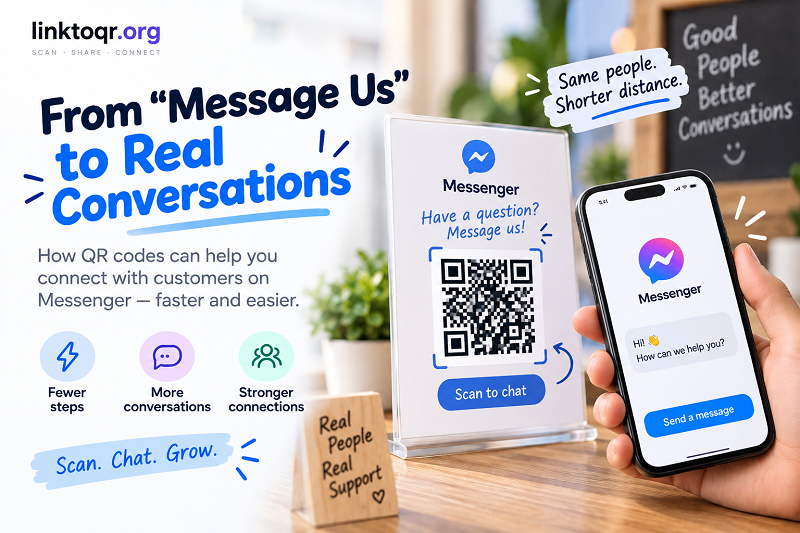
A QR code can turn that awkward offline-to-online journey into something much shorter: see it → scan it → start the conversation.
The Few Seconds That Can Kill a Conversation
People rarely abandon an action because one individual step is impossibly difficult. More often, they abandon it because there are too many little steps stacked together.
Imagine a customer sees a sign saying:
Need help? Message us on Facebook.
Then they have to search for the business.
Which page is the real one?
Is it the official page or a similarly named account?
Where is the Messenger button?
Do they need to log in?
By the time they've answered those questions, the original reason for contacting you may already feel less important.
This is why reducing friction matters.
A QR code doesn't make Messenger itself faster. It simply removes some of the unnecessary navigation between the physical message and the digital conversation.
What Changes When the Conversation Starts With a Scan?
Think of a QR code as an entry point rather than a destination.
The printed poster, product package, counter sign, or business card gives someone the context. The QR code gives them a shortcut. Messenger becomes the place where the actual interaction happens.
That distinction is useful because it changes how you design the experience.
Instead of thinking:
“Where can I put a QR code?”
think:
“Where does someone already have a reason to talk to us?”
That's the spot where the QR code starts making sense.
A restaurant might want customers to ask about reservations. A retailer might want shoppers to contact staff. An event organizer might need attendees to ask for support. A business card might give prospects a direct way to continue a conversation after a meeting.
The QR code is simply the bridge.
Five Places Where “Scan to Message” Makes Sense
1. At a Store Counter
A customer has a question, but the employee is busy with another customer. A small sign can provide another route:
Have a question? Scan to message us.
Instead of asking the customer to search for the business later, the conversation can begin while the need is still fresh.
2. On a Business Card
Business cards are great at carrying contact information, but they have an obvious limitation: they're static.
Adding a QR code can turn that physical card into an entry point for a digital conversation. Someone can keep the card and scan it when they're ready to ask a question or follow up.
The important thing is to avoid making the QR code compete with ten other contact options. Give it a clear purpose.
3. On Product Packaging
Packaging can continue the customer relationship after the purchase.
A QR code could invite customers to ask about the product, request support, learn more, or contact the brand. This can be particularly useful when the package itself is the most visible touchpoint the customer has with the business.
Again, context matters. “Scan to message us” is much more useful when the customer understands what kind of help or information they can expect.
4. At Events
Events generate plenty of questions.
Where is the next session? How do I get support? Where can I find this speaker? Can I contact the organizer?
Instead of printing a generic “Contact us” message, an event organizer can create a direct communication point that sits exactly where attendees need it.
A QR code on a sign, badge, event guide, or information desk can make that connection much more immediate.
5. At a Service Point
Consider places where customers naturally need assistance: reception desks, waiting areas, service counters, consultation spaces, or pickup points.
These are high-context environments. The person already knows why they're there.
That's precisely when a shortcut to a conversation can be useful.
Don't Put a QR Code Somewhere People Have No Reason to Scan
Here's an easy mistake to make: adding QR codes simply because they look modern.
A QR code sitting in the corner of a poster with no explanation isn't automatically useful. In fact, it can create the opposite reaction: “What am I supposed to do with that?”
Good QR placement follows user intent.
If someone is looking at a restaurant menu, a QR code that says “Need help choosing? Message us” has a clear purpose.
If someone is holding a business card after meeting a salesperson, “Questions? Start a chat” makes sense.
If someone is standing at a customer service desk, “Scan for support” needs almost no explanation.
The code works because the context does half the communication for you.
Tell People Why They Should Start the Chat
“Scan to Messenger” is functional, but it isn't particularly compelling.
People aren't interested in Messenger for its own sake. They're interested in what happens after they open the conversation.
That's why the call-to-action should focus on the outcome.
Try:
- Scan to ask a question
- Scan to get support
- Scan to place an order
- Scan to talk to our team
- Scan to find out more
The QR code gets attention. The words around it create the motivation.
That tiny difference can turn a passive graphic into an actual invitation to communicate.
Messenger QR Code vs. a Normal Link
A QR code isn't automatically better than a traditional link. The context decides which one makes sense.
If someone is already browsing your website on their phone, a clickable Messenger button is usually the obvious choice. Asking them to scan another code with the same phone would be unnecessarily complicated.
But if the person is looking at a physical object, the situation changes.
A poster can't have a clickable button.
A business card can't open a link when someone taps it.
A product package can't launch Messenger directly.
A QR code gives those physical surfaces a digital escape hatch.
| Situation | Traditional link | QR code |
|---|---|---|
| Website | Natural | Often unnecessary |
| Natural | Usually unnecessary | |
| Poster | Inconvenient | Useful |
| Business card | Limited | Useful |
| Product packaging | Difficult | Useful |
| Store counter | Difficult | Useful |
| Event signage | Difficult | Useful |
The point isn't to replace links everywhere. It's to use the format that matches the environment.
The Destination Still Matters
There's another piece of the puzzle that shouldn't be overlooked.
A smooth scan doesn't guarantee a smooth conversation.
The destination needs to be ready when someone arrives. The business should have the correct Messenger destination, clear branding, and an obvious next step. If someone scans a code expecting to contact your business and ends up somewhere confusing, the friction simply moved from the beginning of the journey to the end.
Before publishing anything, check the complete path:
Physical message → QR scan → Messenger → conversation
Every part matters.
This is especially important when QR codes are printed on materials that may stay in circulation for months. A poster can be replaced. A business card or product package may continue travelling long after it was created.
Give the QR Code a Job
One of the simplest ways to improve a QR experience is to give the code one clear job.
Don't make one mysterious QR code responsible for everything:
Scan for Messenger, website, Instagram, products, support, promotions, and more.
That's too much.
If the goal is conversation, make the destination about conversation.
If the goal is support, frame it around support.
If the goal is ordering, make that purpose obvious.
A QR code becomes more useful when the person scanning it knows exactly what they're going to get.
Before You Print, Test the Entire Journey
Don't wait until a poster is on the wall to discover that the QR code is too small.
Test it with different phones. Check it under the lighting conditions where it will actually be used. Try scanning it from the expected distance. Make sure the destination is correct and that the experience makes sense for someone who has never interacted with your business before.
It's also worth testing the physical design around the code.
Does the background have enough contrast?
Is there enough empty space around the QR pattern?
Is the call-to-action easy to read?
Can someone immediately understand what happens after scanning?
A technically valid QR code can still be a terrible user experience if nobody notices it or understands why they should scan it.
The Best QR Code Is the One That Removes a Step
There is no magic trick here.
The value of a QR code comes from one simple idea: remove unnecessary work from the user's path.
If someone is already standing in front of your business, looking at your product, attending your event, or holding your business card, asking them to remember a page name and search for it later is an unnecessary detour.
A well-placed Messenger QR code gives them another option: scan now, continue the conversation while the context is still fresh, and move on.
That's what makes QR codes interesting. They're not really about the square pattern itself. They're about connecting two worlds that normally don't talk to each other very well: the physical world someone is standing in and the digital conversation they want to have.
And sometimes, removing just three or four tiny steps is enough to turn “I should message them sometime” into an actual message.