“What's your TikTok?”
- The username is doing too much work
- The real problem is remembering, not discovering
- A QR code changes the handoff
- Profile QR and video QR solve different problems
- When a TikTok QR code feels natural
- Don't turn every QR code into a billboard
- The boring test you absolutely should not skip
- Keep the creation process simple
- Make your TikTok easier to share than your username
It's one of those questions that sounds ridiculously simple until you actually have to answer it.
You say your username. The other person types it into TikTok. Then you hear, “Was that with an underscore?” Or maybe there are two numbers at the end. Or your username is completely different from your display name because you created the account years ago and never bothered to change it.
Now both of you are staring at a phone, trying to figure out which profile is actually yours.
The problem isn't TikTok. Your profile isn't necessarily difficult to find. The problem is that usernames are not particularly memorable, especially when you're trying to share one in the middle of a conversation.
That's where a QR code can make the whole exchange much easier.
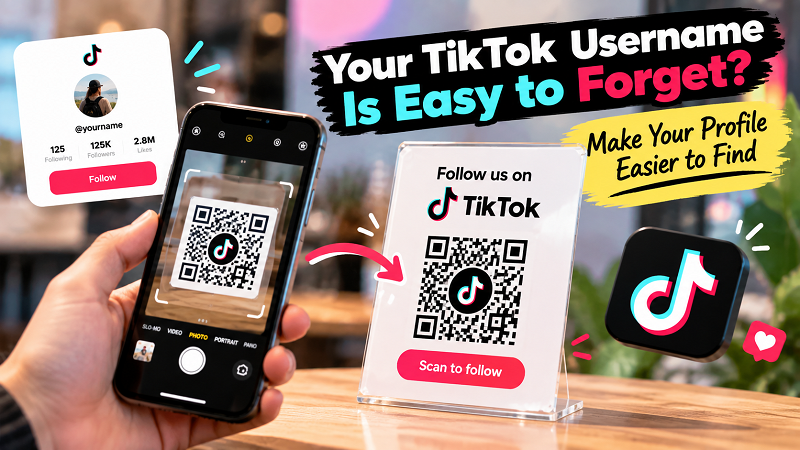
The username is doing too much work
A TikTok username is designed to identify an account. It isn't necessarily designed to be spoken out loud, remembered five seconds later, and typed correctly by someone who has never seen it before.
Consider a username like @johnsmithmedia.
Easy enough, perhaps.
Now add numbers, underscores, abbreviations, or a few creative spelling choices. Suddenly, “Follow me on TikTok” becomes a tiny memory test.
This gets even more awkward when your display name and username are different. Someone might remember your name perfectly and still end up on the wrong account because they searched for the wrong combination of words.
And if you're meeting someone briefly, there may not be a second chance. At an event, trade show, market, networking meetup, or pop-up, the conversation moves on quickly. You don't want the final step to be, “I'll try to find you later.”
The real problem is remembering, not discovering
People already know how to use TikTok's search function. They don't need another explanation of how to type a username into a search box.
What they need is an easier path from “I want to see your TikTok” to “I'm looking at your profile.”
That's an important difference.
If someone has already decided they want to follow you, asking them to remember your exact username creates unnecessary work. A QR code removes that task. Instead of transferring a string of characters from one person to another, you transfer the destination itself.
The interaction becomes much simpler: show the code, scan it, open the profile.
No spelling lesson. No “was that one underscore or two?” No scrolling through accounts with similar names.
Just the profile.
A QR code changes the handoff
Think about meeting a creator at a local event.
They might say, “I'm on TikTok. My username is…” You take out your phone and start searching while the conversation continues around you. Maybe you find the account. Maybe you don't. Either way, the moment has become slightly more complicated than it needed to be.
Now imagine the creator has a small card with a QR code and a simple message: Scan to find me on TikTok.
The process is different because the person doesn't have to remember anything. They don't have to spell anything. They don't even have to ask for the username again.
This is where QR codes work particularly well. They aren't replacing TikTok's search. They're bypassing a step that doesn't add much value when the goal is simply to reach one specific profile.
Profile QR and video QR solve different problems
There is one decision worth making before creating a TikTok QR code: Where do you actually want people to land?
If the goal is to build a following, your profile is usually the logical destination. The person can see your account, browse your content, and decide what they want to do next.
But sometimes the goal is completely different.
Imagine you're promoting one particular TikTok video. Perhaps it's a product demonstration, a recipe, a behind-the-scenes clip, or a campaign video. Sending someone to your general profile means asking them to find that content themselves.
In that situation, a QR code leading directly to the video may create a better experience.
The distinction is simple: profile QR codes are about finding you; content QR codes are about finding something specific.
Neither approach is automatically better. The destination should match the reason you're asking someone to scan.
When a TikTok QR code feels natural
The best use cases aren't necessarily the ones with the most space for a giant QR code. They're the situations where someone already has a reason to connect with you.
A creator at an event can put one on a small display or business card. A seller at a market can place one near the checkout area. A business with an active TikTok presence can include one on packaging or printed inserts. A freelancer can add one to promotional material when their TikTok content demonstrates their work better than a traditional portfolio.
There's also a simple networking advantage. When someone asks for your social profile, you don't need to dictate a username while they're trying to type it. You can let the QR code do the boring part while you keep talking.
That's a small improvement, but small improvements are often what make a digital experience feel effortless.
Don't turn every QR code into a billboard
There's a temptation to make QR codes enormous whenever they're printed. Bigger can help with scanning from a distance, but bigger isn't automatically better.
Context matters.
A small tabletop sign may only need a modest code because people are standing close to it. A poster across a room needs a different size. A business card has completely different constraints.
More importantly, the QR code needs a reason to exist.
A QR code floating by itself doesn't tell anyone what will happen after they scan it. A short instruction can make a big difference:
- Scan to follow us on TikTok.
- Scan to watch our latest video.
- Find us on TikTok.
The wording should match the destination. If the code opens a profile, say so. If it opens a particular video, make that clear. People are more comfortable scanning when the outcome is obvious.
The boring test you absolutely should not skip
Before printing anything, scan your own QR code.
Then scan it again from the actual distance where people will use it.
If it's going on a business card, print the card first and test the printed version. If it's going on a poster, don't assume the digital file tells you everything. If it's going on packaging, test a real sample.
Also check the destination itself. Does it open the intended TikTok profile? Is the username correct? Does the page load properly on a different phone?
This takes a few minutes and can save you from a surprisingly embarrassing situation later.
Imagine handing out 500 cards only to discover that the QR code points to an old account.
That's not a marketing strategy. That's a very expensive scavenger hunt.
Keep the creation process simple
Once you've decided where you want people to go, creating the code shouldn't become a project of its own.
Use the exact TikTok profile URL or content URL you want to share, generate the QR code, scan it yourself, and then decide where it belongs in the real world. A tiktok qr code generator can handle the conversion from your link into a scannable code without requiring people to manually enter your username.
The technical part is easy. The more interesting part is deciding what happens around the QR code.
Where will someone see it? Why would they scan it? What will they expect to find afterward?
Those questions matter more than adding another decorative element to a poster.
Make your TikTok easier to share than your username
Your username is useful. It's how TikTok identifies your account. But it doesn't have to be the thing you rely on every time someone wants to find you.
A QR code gives people another way in.
That becomes especially useful when the interaction happens face-to-face. You may only have a few seconds to turn a conversation into a follow, a profile visit, or a view. Making someone remember a username during those few seconds isn't exactly helping.
The goal isn't to make TikTok more complicated. It's the opposite.
Let people meet you in the real world, scan once, and pick up the conversation on your profile.
Your username can stay exactly as it is.
It just doesn't have to do all the work.