A great YouTube video can explain a product, teach a skill, tell a story, or introduce a brand. But there’s a funny little problem: your audience may encounter the video somewhere that doesn’t have a clickable link.
- Your Video Isn't the Problem. Getting People to It Is.
- The Offline-to-Online Gap Is Everywhere
- 7 Practical Places to Use a YouTube QR Code
- 1. Product Packaging
- 2. Posters and Printed Advertising
- 3. Retail Displays
- 4. Events and Conferences
- 5. Educational Materials
- 6. Business Cards
- 7. Instruction Manuals
- Should the Code Open a Video or Your YouTube Channel?
- Don't Make the QR Code the Main Attraction
- What Can Go Wrong With a YouTube QR Code?
- How to Turn a YouTube Link Into a QR Code
- A Simple Test Before You Publish
- Give Your Offline Content Somewhere to Go
They might be holding your product. Standing in front of a poster. Sitting at an event. Looking at a printed instruction sheet. Walking through a store. None of those situations come with a convenient “Watch Now” button.
You can tell them to search YouTube. You can read out the video title. You can print a long URL. Or you can let them scan a code and go straight there.
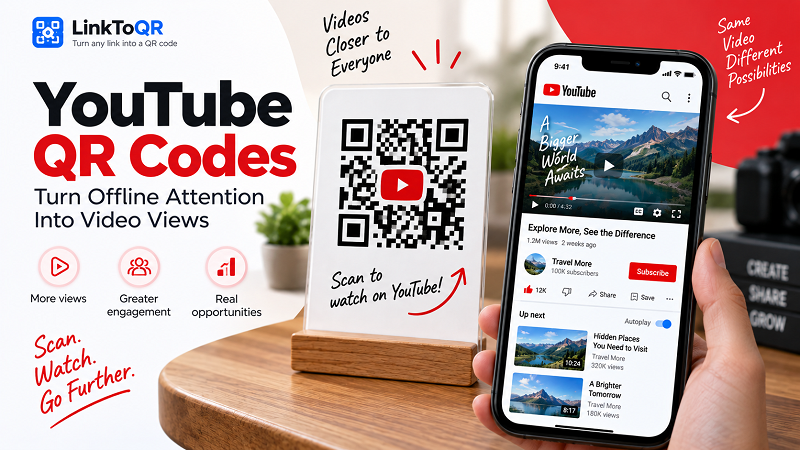
That’s where a YouTube QR code becomes more than a convenient gadget. It creates a direct path from something physical to something digital.
Your Video Isn't the Problem. Getting People to It Is.
People are already comfortable watching videos on their phones. The friction often happens before the video starts.
Imagine a product package with a helpful tutorial on YouTube. The customer sees a message saying, “Watch our installation video.” Great. But then what?
They have to open YouTube, remember the brand name, search for the product, identify the correct video, and hope they haven't landed on an outdated upload.
Every extra step creates another opportunity for the person to give up.
A QR code changes that journey. The physical object becomes the starting point, and the phone becomes the bridge. Scan the code, open the destination, watch the content.
The idea is simple, but the applications go well beyond marketing.
The Offline-to-Online Gap Is Everywhere
The internet is full of clickable links. The physical world isn't.
That's why QR codes are particularly useful when your audience is already looking at something tangible. A poster can promote a video. A product can point to a tutorial. A classroom handout can lead to a lesson. An event badge can connect attendees with a recap.
The QR code doesn't replace the content. It removes the awkward middle step between discovering the content exists and actually consuming it.
That distinction matters.
If someone is already interested enough to scan, you don't want to send them on a scavenger hunt.
7 Practical Places to Use a YouTube QR Code
1. Product Packaging
A product can have plenty of useful information that doesn't fit neatly on its packaging. A short message such as “See how it works” can lead customers directly to a demonstration or tutorial.
This can be especially useful for products that require assembly, setup, maintenance, or a little explanation. Instead of filling the package with instructions, you can use the physical space to introduce a video resource.
2. Posters and Printed Advertising
A poster has limited real estate. You can include a headline, an image, essential information, and a QR code without turning the design into a wall of text.
Someone interested in the campaign can scan the code and continue the experience on YouTube.
The important thing is to make the action obvious. “Scan to watch” tells people much more than placing a mysterious square in the corner of the design.
3. Retail Displays
A product sitting on a shelf has only a few seconds to make an impression. A short video can provide context that a price tag or product description can't.
A display might invite shoppers to scan for a demonstration, comparison, recipe, setup guide, or behind-the-scenes video.
The physical display catches attention. The QR code turns that attention into an actual digital interaction.
4. Events and Conferences
Events generate plenty of physical material: signs, badges, programs, brochures, presentation slides, and promotional cards.
A YouTube QR code can give those materials a second life by connecting attendees with keynote recordings, interviews, highlights, tutorials, or event recaps.
Instead of hoping attendees remember the event's YouTube channel later, you can give them a direct path while the experience is still fresh.
5. Educational Materials
Teachers, trainers, and course creators can use QR codes to connect printed materials with video explanations.
A worksheet might point to a worked example. A textbook supplement could lead to a demonstration. A classroom poster could open a related lesson.
This is particularly useful when the printed material provides the structure while the video provides the visual explanation.
6. Business Cards
Business cards don't have to be limited to names, phone numbers, and email addresses.
A creator could link to an introduction video. A consultant could showcase a presentation. A business owner could introduce the company. A salesperson could provide a product demonstration.
The card remains physical, but the conversation doesn't have to end there.
7. Instruction Manuals
Some instructions are simply easier to understand when someone can see them happening.
A video can demonstrate assembly, installation, troubleshooting, maintenance, or proper usage much more clearly than several paragraphs of text.
Adding a QR code to a manual gives users an optional visual guide without forcing everyone to watch a video.
Should the Code Open a Video or Your YouTube Channel?
This is one of those small decisions that can have a big impact.
If your goal is to answer a specific question, demonstrate a specific product, or explain one particular process, sending people directly to the relevant video usually makes the journey more straightforward.
For example, someone scanning a code labeled “Watch the installation guide” shouldn't have to land on your channel and hunt for the installation guide.
On the other hand, a creator's business card may have a different goal. If the intention is to introduce someone to an entire body of work, linking to the channel can make more sense.
Think about the action behind the scan.
One specific action? Link to the relevant video.
Explore more of our content? Link to the channel.
The best destination isn't necessarily the most important page you own. It's the page that makes the most sense for the person scanning the code at that particular moment.
Don't Make the QR Code the Main Attraction
There's a temptation to make QR codes huge, colorful, and visually dominant. Sometimes that's appropriate, but bigger isn't automatically better.
The QR code has one job: make the next step easy.
Your surrounding design should do the rest.
A short message can explain the benefit:
- Scan to watch the tutorial.
- Scan for the full demonstration.
- Scan to watch the video.
- Scan for setup instructions.
That small piece of context gives the QR code a purpose. Without it, visitors may wonder what they're scanning or where it will take them.
A good design answers that question before the camera does.
What Can Go Wrong With a YouTube QR Code?
The technology may be simple, but the user experience still deserves attention.
One common mistake is linking to the wrong video. It sounds obvious, yet it's easy to copy an old URL, select the wrong upload, or accidentally use a private or unavailable video.
Another problem is sending everyone to a channel when they really need one specific piece of information. A person standing next to a product doesn't want to browse your entire content library just to find a 90-second tutorial.
Physical placement matters too. A code printed too small, surrounded by a busy background, or positioned somewhere difficult to reach with a phone can turn a useful shortcut into a frustrating one.
And don't forget to test the actual printed version. A QR code that works perfectly on your computer screen may behave differently once it's printed, resized, or placed under real-world lighting.
How to Turn a YouTube Link Into a QR Code
Once you've chosen the right destination, the technical process is straightforward.
Open the YouTube video or channel you want to share and copy its URL. Then use a QR generator that accepts web addresses. For example, a URL to QR tool can convert the YouTube link into a scannable code.
Before using it publicly, scan the finished code with a phone and confirm that it opens exactly where you expect. If you're going to print thousands of copies, test the final printed version too.
The goal isn't simply to generate a QR image. The goal is to create a reliable path from the physical material in front of someone to the content you want them to see.
A Simple Test Before You Publish
Before putting a YouTube QR code on packaging, signage, or marketing materials, ask five questions:
- Does it open the right destination? Make sure the link points to the intended video or channel.
- Can people tell what they'll get? Add a short, useful instruction near the code.
- Can phones scan it easily? Check the size, contrast, surrounding design, and placement.
- Does the video make sense for the situation? The content should match the reason someone is scanning.
- Have you tested the real thing? Scan the code from the same distance and environment where your audience will encounter it.
If all five answers are yes, you're probably on solid ground.
Give Your Offline Content Somewhere to Go
A poster can't play a video. A product package can't demonstrate how something works. A business card can't show an entire YouTube channel.
But they can all point toward one.
That's the real strength of using QR codes with YouTube. You're not simply adding another way to share a link. You're connecting two environments that normally don't interact very well: the physical world and the video-first internet.
When the connection is well designed, the experience feels effortless. Someone sees something interesting, scans it, and gets the content they were promised.
No typing. No searching. No guessing which video is the right one.
Just scan, watch, and keep going.