“What's your Facebook?” It sounds like a simple question. Then comes the spelling, the username, the search, the five people with almost the same name, and the inevitable, “Is this you?”
- Why Sharing a Facebook Profile Isn't Always as Easy as It Sounds
- How a Facebook QR Code Changes the Experience
- Where Facebook QR Codes Actually Make Sense
- Should Your QR Code Open a Profile or a Facebook Page?
- 5 Places Where a Facebook QR Code Can Work Well
- Common Facebook QR Code Mistakes to Avoid
- Make the Destination Obvious
- How to Turn a Facebook Link Into a QR Code
- Before You Print: A Quick Checklist
- A Better Way to Share Facebook in the Real World
Sharing a Facebook profile or Page in person can be surprisingly clunky. The problem isn't Facebook itself. It's the handoff between a real-world conversation and a digital destination. A person may be standing right in front of you, ready to connect, but getting them to the right profile can still take several unnecessary steps.
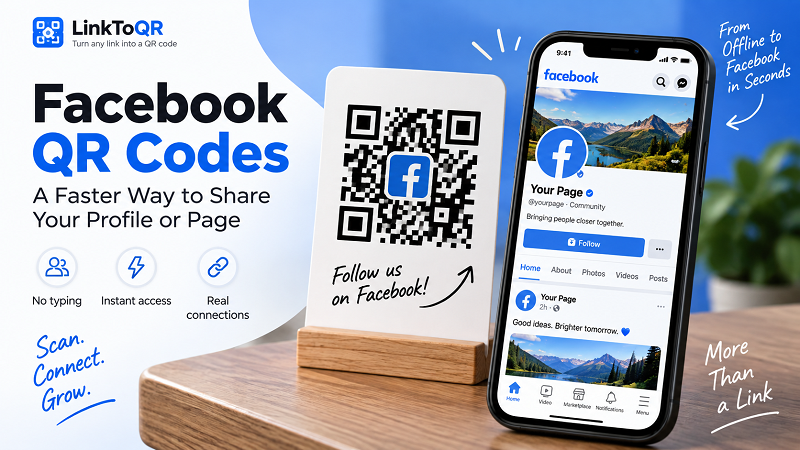
That's where a Facebook QR code becomes useful. Instead of asking someone to remember a name or type a URL, you give them a visual shortcut. They scan it with their phone, and the link opens. Simple, quick, and much harder to mess up.
Why Sharing a Facebook Profile Isn't Always as Easy as It Sounds
Facebook profiles aren't always easy to find through a name search. Common names can produce dozens of results, while businesses may have Pages with similar names in different cities. Even when someone knows exactly what they're looking for, typing a long profile URL on a phone isn't particularly fun.
This becomes even more noticeable in situations where people don't have much time. Imagine meeting someone at a networking event, handing a customer a business card, or talking to a potential client at a store. Saying “Just search for us on Facebook” creates another task they have to remember later. And the more steps involved, the easier it is for the connection to disappear.
A QR code removes much of that friction. The person doesn't need to remember your name, search for the right account, or manually enter a web address. They simply scan the code and follow the link.
How a Facebook QR Code Changes the Experience
Think of a QR code as a shortcut between something physical and something digital.
You can put a Facebook link on a business card, poster, counter display, product package, event sign, or printed flyer. Someone who encounters that material doesn't need to type anything. Their phone camera does the work.
The important part isn't the technology itself. It's the reduction in effort.
A good QR experience feels almost invisible: see the code, scan it, arrive at the intended page. There's no username to memorize and no search results to sort through. For businesses and creators, that small improvement can make a physical interaction much more useful.
If you already have the Facebook URL you want to share, you can create a QR code with a link and turn that address into something people can access with a quick scan.
Where Facebook QR Codes Actually Make Sense
Not every Facebook link needs a QR code. But in the right environment, it can be a genuinely practical addition.
- Business cards are an obvious example. Instead of filling valuable space with a long social media URL, you can give people a direct way to visit your profile or business Page while keeping the card clean.
- Retail stores and local businesses can use a code near the checkout counter, entrance, or promotional display. A short message such as “Follow us on Facebook” gives customers a clear reason to scan rather than leaving them to guess what the code does.
- Events and networking are another natural fit. When you're meeting several people in a short period, exchanging social profiles manually can become tedious. A QR code gives people an easy way to connect without interrupting the conversation.
The same idea works for posters, flyers, packaging, menus, creator merchandise, and promotional materials. Anywhere a physical object needs to send someone to a specific Facebook destination, a scannable link can be useful.
The key is context. Don't put a QR code somewhere just because you can. Put it somewhere people already have a reason to connect with you.
Should Your QR Code Open a Profile or a Facebook Page?
This is an easy detail to overlook, but it matters.
If you're an individual creator, freelancer, salesperson, or professional who wants people to connect with you personally, your Facebook profile may be the appropriate destination.
For a company, restaurant, store, organization, or other brand, a Facebook Page will usually make more sense. The destination should match the action you want the visitor to take.
Ask yourself one simple question:
“What should someone see after they scan this?”
If the answer is your personal presence on Facebook, use your profile link. If the goal is to introduce someone to a business or brand, use the relevant Page.
That decision should happen before you generate or print the code. A beautifully designed QR code that sends people to the wrong destination is still a bad QR code.
5 Places Where a Facebook QR Code Can Work Well
There are plenty of creative possibilities, but five use cases stand out.
- 1. Business cards: Turn a traditional networking tool into a direct connection point. Someone can save your contact information and open your Facebook profile without manually searching for it.
- 2. Store displays: A counter card or small sign can invite customers to follow your business for updates, promotions, new products, or announcements.
- 3. Event materials: Use a code on invitations, badges, posters, or event signage when Facebook is part of the communication strategy.
- 4. Product packaging: A brand can use packaging to connect customers with its Facebook presence after the purchase. This can be especially useful for products that already have an active community around them.
- 5. Printed marketing materials: Flyers and promotional cards don't have to stop working once someone leaves the location. A QR code can give that physical material a digital destination.
The common thread is convenience. The QR code works best when it removes a step that would otherwise be annoying.
Common Facebook QR Code Mistakes to Avoid
Creating the code is only half the job. The other half is making sure people can actually use it.
First, test the destination before publishing or printing anything. Scan the code yourself and make sure it opens the intended Facebook profile or Page. If you're printing hundreds or thousands of copies, this tiny check can save a surprisingly large headache.
Next, pay attention to size and contrast. A QR code squeezed into a tiny corner of a poster may look neat but become difficult to scan. Likewise, placing it over a busy image or using colors with weak contrast can make the code harder for cameras to read.
Don't forget to give people a reason to scan. A QR code sitting by itself doesn't communicate much. A short instruction such as “Scan to follow us on Facebook” or “Scan to visit our Facebook Page” tells people exactly what will happen.
Finally, think about placement. A code on a poster behind glass, at an awkward height, or somewhere people can't comfortably point their phones isn't going to perform as well as one placed within easy reach.
Make the Destination Obvious
There's one small UX detail that can make a surprising difference: tell people where the code leads.
“Scan here” is functional, but “Scan to follow us on Facebook” is much clearer. It removes uncertainty and sets an expectation before the scan.
This becomes especially important when a QR code appears alongside several other codes. If someone sees codes for a website, Instagram, Facebook, and YouTube, labels aren't optional—they're navigation.
A QR code should feel like a shortcut, not a mystery box.
How to Turn a Facebook Link Into a QR Code
The process is straightforward. Start by opening the Facebook profile or Page you want people to visit and copy its URL. Make sure you've selected the exact destination you want to share.
Next, use a QR code generator that accepts a URL. Paste the Facebook link, generate the code, and scan it with your phone to verify that it opens correctly.
That's it. The technical part is simple. The more important decisions are choosing the right destination, placing the code somewhere useful, and giving people a clear reason to scan it.
Before You Print: A Quick Checklist
Before sending a Facebook QR code to the printer, run through a few basics:
- Correct destination: Does it open the intended Facebook profile or Page?
- Working link: Does the URL load normally?
- Easy scanning: Is the code large enough for its intended use?
- Strong contrast: Can the phone camera clearly distinguish the code from its background?
- Clear instruction: Do people know what they'll get by scanning?
- Real-world test: Have you tried scanning it from the actual distance and environment where it will be used?
These details may sound boring compared with generating the QR code itself, but they're what turn a technically functional code into a useful one.
A Better Way to Share Facebook in the Real World
The best QR codes don't demand attention. They simply remove friction.
Someone wants to find your Facebook profile. Instead of remembering a name, opening Facebook, typing, searching, comparing profiles, and hoping they picked the right one, they scan a code and move on.
That's the real value of using QR technology with Facebook. It's not about making a link look futuristic. It's about making a simple interaction simpler.
And when you're using a business card, storefront, poster, package, or event display to connect with people, sometimes that one less step is exactly what makes the difference.