A printed piece of marketing has one obvious limitation: it cannot be clicked.
- Why QR Codes Work So Well on Printed Materials
- Common Places to Use QR Codes
- Business Cards
- Flyers and Posters
- Product Packaging
- Menus and Table Displays
- Event Materials
- Start With the Destination URL
- Make the QR Code Large Enough to Scan
- Keep Strong Contrast
- Don't Remove the Quiet Zone
- Give People a Reason to Scan
- Test Before You Print
- Think About the Material You're Printing On
- Static or Dynamic: Which Makes Sense?
- Avoid Sending Everyone to Your Homepage
- Consider the Life of the Printed Material
- A Simple Pre-Print Checklist
- The Goal Is a Better Offline-to-Online Experience
A flyer can tell someone where to go. A business card can display a website address. A product package can include a promotion URL. But in each case, the reader still has to manually type that address into a browser.
That is where QR codes become useful.
By placing a QR code next to a printed message, you can create a simple bridge between something physical and a digital destination. A customer can scan the code with a phone and go directly to a website, registration page, menu, product page, or other online resource.
But simply putting a QR code on a piece of paper does not guarantee that it will work well. Size, contrast, placement, the destination URL, printing quality, and even the surrounding design can affect the experience.
Here is how to approach QR codes for printed materials properly.
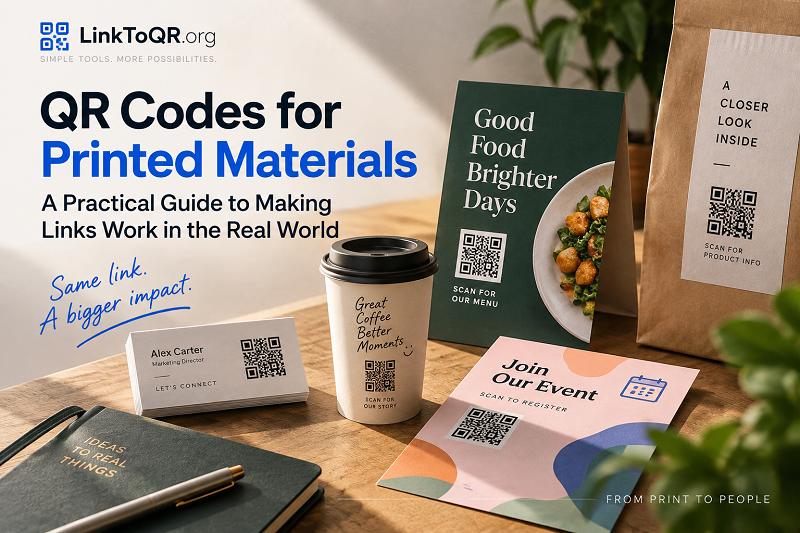
Why QR Codes Work So Well on Printed Materials
Printed materials and smartphones serve very different purposes.
A poster can attract attention from several feet away. A business card can provide contact information that someone keeps in a wallet. Packaging can remain in someone's home for weeks or months.
A smartphone, meanwhile, is where people can actually interact with a website.
A QR code connects those two worlds.
Instead of asking someone to remember a long URL or type it character by character, you can provide a scannable shortcut to the same destination.
For example, a restaurant could place a QR code on a table tent that opens its online menu. A conference organizer could put one on a printed schedule that leads to the event website. A retailer could add one to product packaging and send customers to setup instructions.
The value is not really the QR code itself. The value is reducing the friction between the printed message and the next digital action.
Common Places to Use QR Codes
QR codes can work on almost any physical material where the reader has a reason to continue online.
Business Cards
A traditional business card might contain a website address, phone number, email address, and social profiles.
A QR code can provide another way to reach that information.
Instead of typing the website manually, someone can scan the code and open your website, portfolio, contact page, or booking page.
Keep the destination focused, though. Sending someone to a complicated homepage when they expect contact information creates unnecessary friction.
Flyers and Posters
Flyers and posters are particularly useful because they often have limited space.
Rather than filling the design with a long URL, you can use a short call-to-action such as:
Scan to register
or:
Scan for the full menu
The QR code then handles the transition to the website.
This is especially useful for promotions, events, restaurant menus, workshops, and local businesses.
Product Packaging
Packaging can have a much longer lifespan than a digital advertisement.
A QR code could lead to:
- Product instructions
- Setup guides
- Warranty information
- Tutorials
- Product registration
- Customer support
- Recipes
- Additional product information
The important thing is to consider how long the printed package will remain in circulation. If the destination might change frequently, your QR strategy needs to account for that.
Menus and Table Displays
Restaurants, cafés, hotels, and other hospitality businesses can use QR codes to connect physical spaces with digital information.
A table display could send customers to an online menu, ordering page, reservation form, or special promotion.
The advantage is that the customer does not need to search for the business manually.
Event Materials
QR codes can be particularly useful throughout the event lifecycle.
An invitation might link to registration. A printed ticket might link to event information. A conference badge might connect to a schedule or speaker page.
After the event, another QR code could direct attendees to a feedback form, photo gallery, or follow-up resources.
The same basic technology can therefore support several different stages of an event.
Start With the Destination URL
Before worrying about colors, shapes, or placement, decide exactly where the QR code should take people.
This sounds obvious, but it is one of the easiest parts to overlook.
Imagine printing 5,000 brochures that contain a QR code leading to:
example.com/promotion
A few weeks later, the promotion ends and the page disappears.
The QR code may still scan perfectly, but the user now lands on a broken or irrelevant page.
That is why the destination deserves as much attention as the QR design.
Make sure the URL:
- Loads correctly on mobile devices
- Uses HTTPS
- Leads to the intended page
- Does not require unnecessary steps
- Remains useful for as long as the printed material is in circulation
For a simple website destination, a straightforward url to qr workflow can turn an ordinary web address into something people can access directly from your printed material.
Make the QR Code Large Enough to Scan
One of the most common mistakes is making a QR code too small because the designer wants to save space.
There is no universal minimum size that works for every situation. The appropriate size depends on factors such as scanning distance, printing quality, the amount of data encoded, and the capabilities of the scanning device.
Think about the real-world situation.
A QR code on a business card will normally be scanned from a short distance.
A QR code on a large poster may be viewed and scanned from several feet away.
Those are very different environments.
As the scanning distance increases, the QR code generally needs to become larger.
Design for the actual scanning situation, not just the dimensions of your design file.
Keep Strong Contrast
QR codes need a clear distinction between the code and its background.
The classic black-on-white combination works because the contrast is easy for cameras to recognize.
That does not mean every QR code has to look exactly the same. You can incorporate QR codes into branded designs, but readability should come before decoration.
Be cautious with:
- Very light colors
- Low-contrast backgrounds
- Busy photographs
- Gradients
- Excessive transparency
- Patterns behind the QR code
A QR code that looks beautiful but fails to scan is not a successful design.
Don't Remove the Quiet Zone
Look closely at a QR code and you will notice a clear area surrounding it.
This empty space is known as the quiet zone.
It helps scanning systems distinguish the QR code from the surrounding content.
It can be tempting to place text, borders, graphics, or other design elements immediately around the code. Resist that temptation.
Give the QR code enough breathing room.
Whitespace is not wasted space here. It is part of the design that helps preserve reliable scanning.
Give People a Reason to Scan
A QR code without context can create hesitation.
Someone sees a square pattern and thinks:
What happens if I scan this?
A short call-to-action answers that question.
Instead of displaying only the QR code, consider adding text such as:
- Scan to view the menu
- Scan to register
- Scan for directions
- Scan to see the full collection
- Scan for product instructions
- Scan to claim your offer
The message should tell people what they will get, rather than simply telling them to scan.
That small difference can make the QR code much more understandable.
Test Before You Print
This is the step you really do not want to skip.
Always test the final QR code in the actual format in which people will encounter it.
If it will be printed on a business card, print a sample business card.
If it will appear on a poster, test a poster-sized version.
If it will be printed on packaging, test the actual material if possible.
Then scan it using multiple phones.
Check that:
- The camera recognizes the code quickly.
- The correct URL opens.
- The destination works properly on mobile.
- The page loads without errors.
- The QR code remains readable at the intended distance.
- The surrounding design does not interfere with scanning.
A QR code that works perfectly on your computer screen may behave differently after being printed, resized, compressed, or placed on a textured surface.
Think About the Material You're Printing On
Not all printed surfaces behave the same way.
A clean sheet of matte paper is relatively predictable. Glossy packaging, curved containers, textured paper, fabric, or reflective surfaces can introduce additional problems.
Consider how light interacts with the material.
A strong glare on a glossy surface can make scanning more difficult. A curved package can distort the appearance of the code. A textured surface may reduce the clarity of individual modules.
If your QR code is going onto an unusual material, test it before producing the full run.
Static or Dynamic: Which Makes Sense?
This is an important decision when a QR code will live on printed material for a long time.
With a static QR code, the destination information is encoded directly into the QR code. Once printed, changing the destination generally means creating and printing a new code.
A dynamic QR setup can use an intermediate URL or redirect, allowing the destination to be changed without necessarily replacing the physical QR code.
Neither approach is automatically right for every project.
For something temporary and straightforward, a static QR code may be perfectly adequate.
For a long-lived campaign, packaging, signage, or printed material where the destination may change, having more flexibility can be useful.
The key question is:
How long will this QR code remain in the physical world, and how likely is the destination to change?
Avoid Sending Everyone to Your Homepage
Another common mistake is using the homepage as the destination simply because it is the easiest URL to remember.
A QR code should usually take people as close as possible to the information or action promised by the printed material.
For example:
Printed message:
"Scan for today's menu"
Better destination:
The online menu
Less useful destination:
The restaurant homepage
Likewise:
Printed message:
"Scan to register for the workshop"
Better destination:
The registration form
Less useful destination:
The organization's homepage
Every additional click creates another opportunity for someone to leave.
Consider the Life of the Printed Material
Before creating your QR code, ask how long the material will be around.
A temporary event poster may only need to work for a few weeks.
A business card might remain in someone's wallet for years.
Product packaging could stay in circulation long after a particular marketing campaign ends.
The longer the expected lifespan, the more carefully you should consider the destination URL and how it will be maintained.
A useful QR code is not just one that works today.
It should make sense for the entire useful life of the printed material.
A Simple Pre-Print Checklist
Before sending your design to the printer, run through this checklist:
Destination
- Is the URL correct?
- Does the page work on mobile?
- Does the content match the printed call-to-action?
QR code
- Does it scan reliably?
- Is it large enough for the intended distance?
- Is there enough contrast?
- Is the quiet zone preserved?
Design
- Is the QR code surrounded by enough empty space?
- Is it easy to find?
- Is there a clear reason to scan?
Printing
- Have you tested a physical copy?
- Does the material create glare or distortion?
- Does the QR code remain readable after resizing?
Long-term use
- How long will the printed material remain in circulation?
- Could the destination URL change?
- Will someone still find useful information if they scan it months from now?
The Goal Is a Better Offline-to-Online Experience
A QR code should never be added to printed material simply because the design has an empty corner.
Its real purpose is to remove friction.
Someone sees your flyer, scans the code, and immediately reaches the information they need. Someone receives your business card and opens your website without typing the address. Someone buys a product and scans the package to find the instructions.
That is where QR codes become genuinely useful.
The technology itself is simple. The challenge is designing the experience around it.
Choose the right destination, make the code easy to scan, give people a clear reason to use it, and test the printed result before committing to a large print run.
Do those things well, and a small square on a piece of paper can become a surprisingly effective bridge between the physical and digital worlds.