A link is incredibly convenient when you're already online. Click it, tap it, and you're there. But the moment that same link moves onto a poster, business card, restaurant menu, product package, presentation screen, or printed flyer, things get a little awkward. Nobody wants to type https://example.com/something/something/something into their phone just because a piece of paper told them to.
- A Link Is Easy to Share Online — But Not Always Offline
- What Actually Happens When a Link Becomes a QR Code?
- Three Ways to Turn a Link Into a QR Code
- Use an Online QR Link Generator
- Generate QR Codes as Part of a Design Workflow
- Generate QR Codes Programmatically
- How to Create a QR Code for a Link Without Making It Complicated
- The QR Code Works. But Will People Actually Be Able to Scan It?
- Static QR or Dynamic QR: What Happens to the Link Later?
- What Happens If You Change the Link Later?
- Where a Link-Based QR Code Makes Sense
- Common Mistakes When Creating a QR Code From a Link
- A Simple Pre-Publication Checklist
- The Simple Rule: Build the QR Around the User, Not the Other Way Around
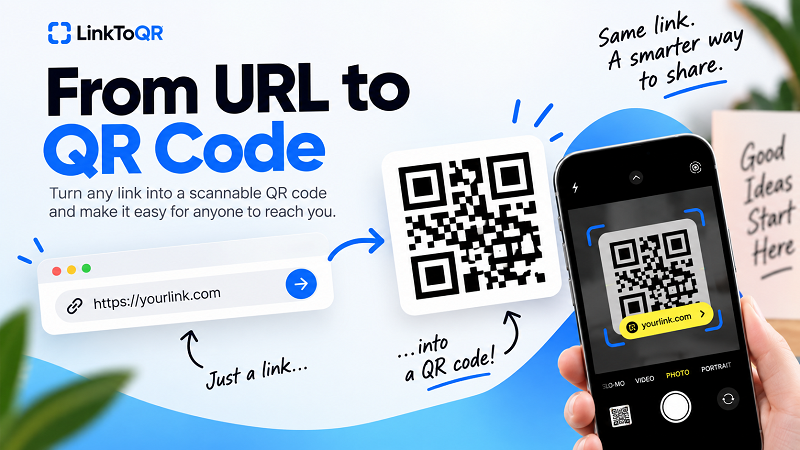
That's where a QR code earns its keep. Instead of asking someone to type or remember a URL, you give them something their phone can simply scan. The idea is straightforward: take a destination URL, encode it into a QR code, and let the camera handle the rest. The interesting part isn't really creating the black-and-white pattern. It's making sure the link is correct, the QR code remains usable, and the final experience works exactly as expected.
A Link Is Easy to Share Online — But Not Always Offline
When you're sending a link through email, messaging apps, social media, or a website, the URL is already sitting in a digital environment. A tap is enough. Offline situations are different. Imagine a customer looking at a restaurant menu, someone holding your business card, a visitor standing beside an event poster, or a shopper examining a product package. They can see your URL, but they can't tap it.
A QR code turns that physical surface into a bridge back to the web. Scan the code and the phone can open the destination URL without requiring the visitor to manually type it. That's why link-based QR codes are useful far beyond marketing campaigns. They can connect printed materials, physical locations, products, events, and even everyday objects to a digital destination.
The key idea is simple: the QR code isn't the destination. The link is. The QR code is simply a convenient way of carrying that link from a physical or visual environment into someone's phone.
What Actually Happens When a Link Becomes a QR Code?
It may look like a complicated pattern of tiny squares, but the basic process is surprisingly straightforward. A URL is converted into encoded data, that data is represented as a QR pattern, and a camera or QR scanner reads the pattern to recover the information.
Think of the process like this:
URL → QR encoding → QR code → camera scan → URL → destination page
For example, suppose your destination is:
https://example.com/menu
The QR generator doesn't take a screenshot of the menu. It encodes the URL itself into the QR symbol. When someone scans it, their phone reads the encoded information and recognizes the web address.
That distinction matters because it explains why the destination URL deserves attention before you create the code. If the URL is wrong, the QR code can be beautifully designed, perfectly printable, and technically scannable — and still send people to the wrong place.
Three Ways to Turn a Link Into a QR Code
There isn't only one way to create a QR code from a URL. The right approach depends on what you're trying to accomplish and how often you need to do it.
Use an Online QR Link Generator
For most people, an online QR link generator is the simplest option. You enter the URL, generate the QR code, check the result, and download the image. There's no reason to install specialized software when your only goal is turning a web address into a scannable code.
This approach works particularly well for everyday use cases such as websites, landing pages, event pages, menus, registration forms, portfolios, and social profiles. It's fast, accessible from almost any device, and doesn't require technical knowledge.
If your goal is simply to make a link a QR code, this is usually the shortest path from “I have a URL” to “I have a QR image.”
Generate QR Codes as Part of a Design Workflow
Sometimes the QR code isn't the final product. It's just one element of a larger design.
A business might be creating a flyer with a QR code pointing to its website. An event organizer might place one on a poster linking to registration. A restaurant might put one directly into a printed menu. A designer could be preparing a business card where the QR code sits alongside contact information.
In these situations, QR generation becomes part of the design workflow. The important thing is to create a clean QR code first and then make sure the design doesn't interfere with its ability to be scanned.
A QR code may look like a decorative element, but it isn't just decoration. Treating it like one can create problems later.
Generate QR Codes Programmatically
For developers, agencies, SaaS platforms, and businesses handling large volumes of links, generating QR codes manually isn't always practical. QR generation can also be integrated into websites, applications, document systems, ticketing platforms, product systems, and automated workflows.
Imagine an event platform automatically generating a unique QR code for every registration, or an ecommerce system creating QR codes for hundreds of product pages. In those cases, automation makes much more sense than manually creating each code.
The underlying principle remains the same: a URL is encoded into QR data. The difference is simply how the process is triggered.
How to Create a QR Code for a Link Without Making It Complicated
The easiest way to avoid QR problems is to start with the destination rather than the QR code itself.
First, open the URL you want people to visit. Check the spelling, domain, path, and any important parameters. Make sure the page actually loads and works properly on a phone. If you're creating a QR code for a registration form, for example, don't just check that the URL exists — open the form and make sure someone can actually complete it.
Once the destination is ready, place the URL into your chosen QR generator and create the code. That's the technical part done. But don't rush straight to downloading it and sending it to the printer.
Give the QR code a real-world test.
Scan it with a phone and confirm that it opens the intended destination. If you're going to print the code, test the final design as well. A QR code that works perfectly on your large desktop monitor might behave differently when reduced to a tiny square on a business card.
This is one of those situations where an extra 20 seconds of testing can save you from a surprisingly expensive mistake.
The QR Code Works. But Will People Actually Be Able to Scan It?
A QR code can be technically valid and still be annoying to scan. That's because successful scanning depends on more than the data encoded inside the pattern.
- Size matters. A QR code intended for a large poster has very different physical requirements from one printed on a business card. The farther away someone needs to scan from, the more important appropriate sizing becomes.
- Contrast matters. The scanner needs to distinguish the QR pattern from its background. A strong visual contrast generally makes scanning easier. A fancy QR with barely distinguishable colors may look stylish in a design mockup and become considerably less impressive in the real world.
- Keep the quiet zone. QR codes need clear space around their edges so scanners can identify the boundaries of the symbol. Don't crowd the code with text, borders, graphics, or other visual elements.
- Consider the surface. A QR printed on flat matte paper is one thing. A QR printed on reflective packaging, curved material, glass, or a surface exposed to glare is another. Physical conditions can affect readability.
- Test the actual use case. If the QR will be printed, test the printed version. If it will appear on a phone screen, test it from another phone. The goal isn't simply to prove that the QR works under perfect conditions. The goal is to make sure a normal person can scan it without performing a tiny technological ritual first.
Static QR or Dynamic QR: What Happens to the Link Later?
This is where things get more interesting.
A static QR code contains the destination information directly. Once generated, the QR itself doesn't need to contact a separate service just to reveal the original URL. That makes static QR codes useful when the destination is stable and you're looking for a straightforward, permanent way to share a link.
Dynamic QR solutions work differently. They commonly use an intermediate URL, allowing the destination or other settings to be managed through a service. Depending on the platform, dynamic systems may also provide features such as analytics or destination management.
Neither concept needs to be mysterious. The important question is simply: Will the destination URL need to change after the QR code is published?
If you're printing thousands of menus, brochures, packages, or business cards, that question becomes especially important. You don't want to discover after printing that the destination needs to change and your existing QR codes weren't designed for that workflow.
What Happens If You Change the Link Later?
This is one of the easiest details to overlook when creating a QR code.
Suppose your QR code contains:
https://example.com/summer-menu
Later, you decide to move the content to:
https://example.com/menu
If the original QR code is a static code containing the first URL, changing your website structure doesn't magically rewrite the QR code that's already sitting on a printed poster. The physical QR still contains the original information.
That's why the destination should be planned before printing long-lived materials.
For temporary digital use, this may not be a big deal. For packaging, signage, business cards, or other materials that could remain in circulation for months or years, it's worth thinking about URL stability before creating the QR.
Where a Link-Based QR Code Makes Sense
The beauty of a URL-based QR code is that you're not locked into one particular type of content. If something has a web address, it can potentially become the destination of a QR code.
For personal use, that could mean a portfolio, personal website, online resume, social profile, or project page. For businesses, QR codes can connect customers to product information, websites, promotional pages, booking systems, digital menus, or contact pages.
Events are another natural fit. A poster can lead to registration, an invitation can point to event details, and signage can direct visitors to schedules or useful information.
Marketing materials can benefit too. A printed advertisement doesn't have to contain every piece of information itself. A QR code can give the reader a quick path to a landing page where the full story lives online.
The common thread is simple: the physical material gets attention, while the URL provides the deeper digital experience.
Common Mistakes When Creating a QR Code From a Link
The most frustrating QR problems are usually avoidable.
One common mistake is starting with the QR generator instead of the destination. People create the code first and only later discover that the URL was incorrect or the page wasn't mobile-friendly. Always validate the destination before generating the code.
Another mistake is making the QR too small. A code that looks perfectly readable on a computer screen may become difficult to scan after being printed at a much smaller size.
Poor contrast is another culprit. You don't necessarily need a plain black QR on a white background, but readability should take priority over visual experimentation.
Then there's the classic “I tested it on my screen, so we're good” mistake. If you're printing the QR, test the printed material. If you're putting it behind glass, test it behind glass. If it's going on packaging, test that packaging. The environment matters.
Finally, don't assume that every QR code works the same way after publication. Understand whether your QR is static or uses a managed/dynamic system, particularly when the printed material is intended to last.
A Simple Pre-Publication Checklist
Before you put a QR code into the wild, run through this quick checklist:
- The destination URL is correct.
- The destination page loads properly.
- The page works well on mobile.
- The QR code scans successfully.
- The QR has enough contrast.
- There is clear space around the code.
- The physical size matches the intended scanning distance.
- The final printed or displayed version has been tested.
- You know whether the QR is static or dynamic.
- You have considered whether the destination URL might change later.
That's it. No elaborate QR ceremony required.
The Simple Rule: Build the QR Around the User, Not the Other Way Around
Creating a QR code from a link is technically easy. The harder part — and the part that actually matters — is creating an experience that doesn't make the person scanning it regret owning a smartphone.
Start with a useful destination. Make sure the URL is correct. Generate the QR using a suitable tool. Give it enough physical space and contrast. Test it in the environment where people will actually encounter it. And if the QR is going onto something permanent, think carefully about whether that destination is going to remain stable.
A good QR code should feel almost invisible to the user. They see it, point their camera at it, and get where they need to go. No typing. No guessing. No friction.
That's ultimately what turning a link into a QR code is about: taking something designed for the digital world and making it effortless to access from the physical one.