- The Feedback Gap: Happy Customers Don't Always Speak Up
- Choose the Right Facebook Destination for the Feedback You Want
- Design the Invitation Before You Design the QR Code
- Where Should the Feedback QR Code Appear?
- A Simple Example: From Purchase to Public Feedback
- What a QR Code Can—and Cannot—Do for Your Reputation
- Turn Feedback Into a Repeatable Customer Experience
A customer finishes a purchase, enjoys the experience, and walks away satisfied. Great! But will they tell anyone about it? Not necessarily. Even happy customers can forget to leave feedback when doing so requires searching for a business, finding the correct Facebook page, and figuring out where to share their thoughts.
That gap between a good customer experience and a public recommendation is where businesses can make a smarter move. A Facebook QR code gives customers a convenient route to your chosen Facebook destination, making it easier to find your business and decide whether to share their experience. It won't manufacture positive feedback, and it certainly can't fix poor service. What it can do is remove unnecessary friction from the process.
The Feedback Gap: Happy Customers Don't Always Speak Up
Customers have plenty of things competing for their attention. They may genuinely appreciate your service, love a product, or enjoy a meal at your restaurant, yet never think to mention it online. By the time they get home, that moment has passed and their attention has moved elsewhere.
Asking customers to find your business on Facebook adds another small hurdle. They need to open the platform, search for the right name, distinguish your official page from similarly named businesses, and locate an appropriate place to respond. None of these steps is especially difficult, but together they create more opportunities for people to give up.
The solution isn't to ask louder or plaster your marketing materials with desperate requests for five-star reviews. It's to make the next step obvious and convenient. A well-placed QR code can connect a real-world interaction with an online destination while the customer still remembers the experience.
Choose the Right Facebook Destination for the Feedback You Want
Before generating a QR code, decide what you actually want customers to do. Do you want them to visit your business page, read a particular post, learn about a promotion, or share their experience in a place where other potential customers can see it? These are different goals, and they don't necessarily require the same destination.
For general brand discovery, your official Facebook Page may be the most practical choice. If you're asking customers to respond to a specific announcement or campaign, a relevant post may make more sense. If your goal is customer recommendations, first verify which feedback features are available on your Page and how visitors can access them. Facebook's interface and Page features can change, so don't assume every business has an identical review or recommendation section.
Here's the key: send people somewhere that supports the action you're asking them to take. A QR code that opens your homepage when the customer expects to leave feedback creates confusion instead of convenience. Test the destination on a phone before printing anything, and check that it opens the correct public-facing page without unnecessary login barriers.
Design the Invitation Before You Design the QR Code
A QR code gets someone through the door. Your call to action tells them why they should walk through it. Without a clear invitation, a code printed on a receipt or displayed beside a checkout counter is just another square that people may ignore.
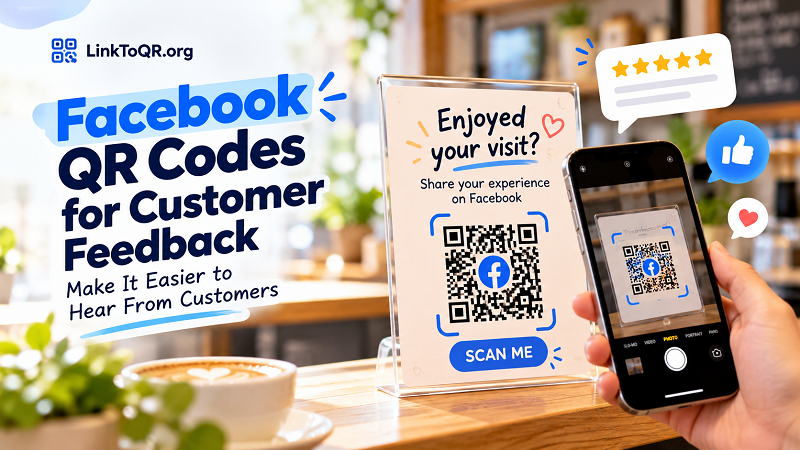
Write a short, specific message that explains the next step. For example, a café might use “Enjoyed your visit? Share your experience on Facebook.” A retail store could say “Your feedback helps us serve you better.” A service business might use “Tell us how we did.” Each message connects the request to the customer's actual experience instead of sounding like a generic marketing command.
You can use a facebook qr generator to turn the selected Facebook URL into a scannable code. Pair it with a readable call to action, sufficient contrast, and enough white space around the code. If the design includes your logo or brand colors, make sure the code remains easy to scan. Visual polish is useful, but not if it comes at the expense of functionality.
Keep the request voluntary. Customers should feel invited to share honest feedback, not pressured to praise your business. Avoid promising rewards in exchange for positive reviews or suggesting that only satisfied customers should respond. The goal is to make feedback easier, not to manipulate what customers say.
Where Should the Feedback QR Code Appear?
Placement matters because the best moment to invite feedback depends on the business and the customer journey. Put the code somewhere customers can notice it without interrupting the experience or creating an awkward interaction.
At a physical store, a small sign near the checkout counter or a QR code on a thank-you card can work well. For a restaurant or café, a discreet placement on the bill folder or takeaway packaging gives customers a chance to respond after their meal. Service businesses can include a code in a follow-up card or printed handout once the work is complete.
Each location comes with trade-offs. A checkout display gets visibility, but customers may be in a hurry. A receipt or thank-you card gives people something to revisit later, but they may never scan it. Packaging can reach customers after they leave, although the request may be less relevant if too much time has passed.
Don't scatter the same code everywhere just because you can. Start with one or two locations that fit your customer journey, then evaluate whether people are using them. If the code is consistently overlooked, consider changing the placement, improving the call to action, or reducing distractions around it.
A Simple Example: From Purchase to Public Feedback
Imagine a neighborhood bakery that wants to hear more from its customers on Facebook. Instead of asking every person at the counter to search for the business online, the bakery places a small feedback sign beside the payment terminal.
The sign reads, “Love what you tried today? Share your experience on Facebook.” Beneath the message is a QR code that opens the bakery's official Facebook Page, where customers can explore the business and use any relevant feedback features available to them.
A customer who wants to respond scans the code, checks the page, and decides what to do next. Another customer may simply ignore the invitation. Both outcomes are perfectly normal. The bakery's job is to provide a clear, convenient option, not to turn every purchase into a request for public praise.
The bakery can improve the process by testing the code on different phones, checking the destination regularly, and asking staff whether customers understand the invitation. If the business later changes its Facebook URL or campaign, it should update the printed code wherever necessary. A smooth experience comes from the entire journey, not the QR code alone.
What a QR Code Can—and Cannot—Do for Your Reputation
It's tempting to treat QR codes as a shortcut to a stronger online reputation. In reality, they are a convenience tool. They can help customers reach the right destination, but they cannot guarantee that anyone will respond, much less that the response will be positive.
Customer feedback still depends on the experience you deliver. Clear communication, reliable service, fair pricing, and thoughtful problem-solving matter far more than the design of a QR code. If customers are unhappy, making it easier to speak up may reveal issues that your business needs to address. That's valuable information, even when the feedback is uncomfortable.
Keep your approach transparent and fair. Don't pressure customers to leave favorable comments, offer incentives conditioned on positive sentiment, or selectively invite only people you expect to praise you. Encourage honest feedback and respond professionally when customers raise concerns. Also, follow the platform's current rules and any applicable advertising or consumer-protection requirements.
Remember that a public comment, a recommendation, and a formal review aren't necessarily the same thing. Be precise in your wording so customers understand where they're going and what they can do there. If Facebook changes its interface, revisit your sign and instructions rather than leaving customers to navigate an outdated process.
Turn Feedback Into a Repeatable Customer Experience
The most effective feedback process is simple enough for customers to understand and consistent enough for your team to maintain. Choose the correct Facebook destination, write a natural invitation, position the QR code at a relevant moment, and test the full experience before rolling it out.
Then pay attention to what happens. Ask staff whether the sign is visible, check whether customers understand the message, and look for recurring themes in the feedback you receive. If you use separate placements or campaign materials, track them independently where practical so you can learn which approach works best. Don't judge success solely by the number of scans; the quality of the experience and the usefulness of the feedback matter too.
A Facebook QR code won't replace excellent service, and it won't make every customer speak up. But it can remove one unnecessary step between a customer's experience and their decision to share it. Make the invitation clear, respect the customer's choice, and use what you learn to make the next visit even better. That's how a small square can support a much bigger customer relationship.