Your resume has a small problem that most people never notice until they are actually looking for a job: it lives in two different worlds.
- Start With the Destination, Not the QR Code
- A QR Code Doesn't Replace a Good Resume
- Where Should the QR Code Go?
- Give People a Reason to Scan
- Keep the Design Boring — Seriously
- Think About the Recruiter Who Never Scans It
- Test the Entire Journey Before You Send the Resume
- When a QR Code Makes Sense — and When It Doesn't
- Make the Shortcut Worth Taking
On a screen, a portfolio URL can be clicked. On a printed resume, that same URL becomes a string of characters someone has to type manually. Even when the address is short, asking a recruiter to open a browser, enter a website, and navigate to your work creates unnecessary friction.
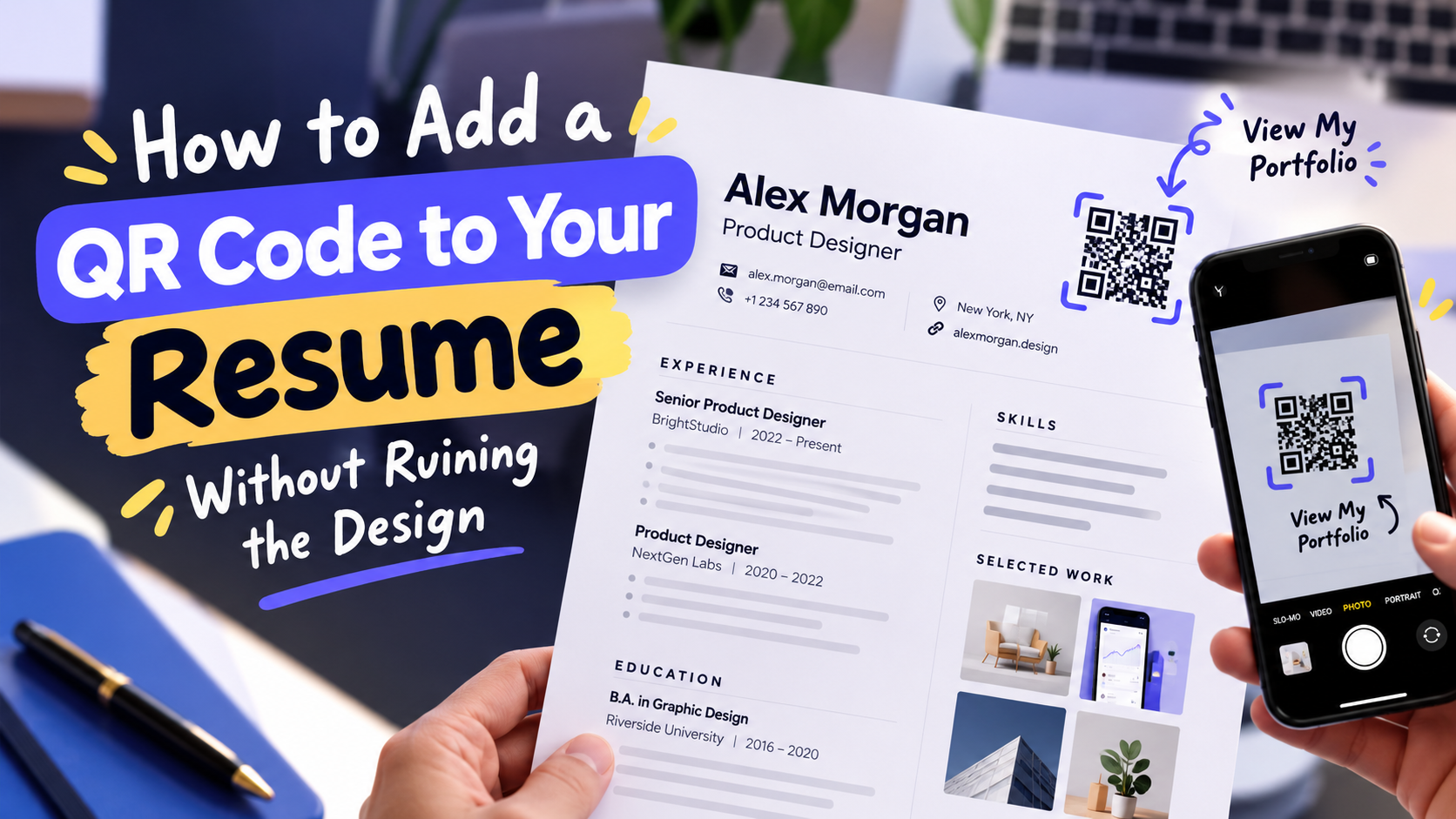
That is where a QR code can make sense. Used carefully, it gives someone an immediate path from your resume to your portfolio, personal website, project gallery, or another relevant page. The trick is making the QR code feel like part of the resume rather than a random black square that was dropped into the corner five minutes before sending it.
Start With the Destination, Not the QR Code
Before generating anything, decide what you actually want the recruiter to see.
A portfolio homepage is an obvious choice, but it is not automatically the best one. A designer might want to showcase selected projects. A developer could link directly to a project page or personal site. A photographer may have a dedicated gallery. A freelancer might prefer a page containing recent work and contact information.
The QR code should lead somewhere that strengthens the application rather than simply proving that you know how to generate a QR code.
There is also a useful rule here: don't make the recruiter hunt for the good stuff. If the destination contains six menus, three pop-ups, and a homepage paragraph explaining who you are, the QR code has not solved much. Ideally, the scan should land the reader close to the work you want them to notice.
A QR Code Doesn't Replace a Good Resume
This part is easy to get wrong.
Adding a QR code will not magically make an ordinary resume more interesting. It is an access point, not a substitute for strong experience, clear writing, or a thoughtful layout.
Think of it as a shortcut.
Your resume tells the reader why your background is relevant. The QR code gives them an optional fast lane to see more. That distinction matters because recruiters may never scan it, and your resume should still make sense without it.
For that reason, don't hide essential information behind the QR code. Your contact details, experience, skills, education, and other important information should remain readable directly on the resume.
Where Should the QR Code Go?
There is no universal perfect position, but there are several places that tend to make more sense than others.
The header is one possibility, particularly if your resume already has a compact personal branding area. A small QR code can sit near your name, website, email address, or other contact information without interrupting the main content.
Another option is a sidebar. This works particularly well with resumes that already use a two-column structure. The QR code can live alongside contact information or a short “Portfolio” label.
You can also place it near a section related to your work. For example, a creative professional with a selected projects section could use a small QR code accompanied by a simple call to action.
The important thing is visual hierarchy. The QR code should be noticeable enough to discover but not so large that it becomes the main character of the page.
Give People a Reason to Scan
A QR code without context creates a tiny guessing game.
“Scan Me” is functional, but it does not tell the reader what happens next. Something more specific is usually more useful: “View Portfolio,” “See Selected Projects,” or “Explore My Work.”
The wording should match the destination. If the QR code opens a portfolio, say so. If it opens a project case study, make that clear.
This tiny piece of text can make a surprisingly big difference because the reader should understand the value of scanning before reaching for their phone.
Keep the Design Boring — Seriously
Your resume can be creative. Your QR code probably doesn't need to be.
A QR code needs enough contrast and enough clear space around it to remain easy to scan. Extremely tiny codes, complicated backgrounds, low-contrast colors, or excessive styling can turn a useful shortcut into a frustrating little puzzle.
That doesn't mean every QR code has to look identical. You can integrate it with the visual language of your resume, but readability comes first.
A good test is simple: print the resume at the size you actually intend to use and scan the QR code with an ordinary smartphone. Don't rely only on the version displayed on your large desktop monitor.
If the code works perfectly at 100% on your screen but struggles when printed, the printed version is the one that matters.
Think About the Recruiter Who Never Scans It
This is one of the best reasons to keep the QR code secondary.
Some recruiters will scan it. Some won't. Some may review your resume on a laptop where clicking your website is easier. Others may receive a printed copy during an interview.
Your design should work for all of them.
Include a normal portfolio URL somewhere appropriate if space allows. That gives people a choice: scan the code, type the URL, click it from a digital copy, or simply move on.
Giving people multiple ways to reach the same destination is more useful than forcing everyone through one interaction.
Test the Entire Journey Before You Send the Resume
Don't stop after scanning the QR code once.
Open the destination on a phone and look at the actual experience. Does the page load quickly? Is the portfolio easy to navigate on a small screen? Are images displayed properly? Does the page require a login? Is the most important work buried three clicks deep?
The QR code can be technically perfect while the destination is terrible.
Also test the final resume file rather than only the original design. Export the PDF, print it, photograph or scan it if relevant, and try the code again. Small changes during export or printing can affect how reliably a code is recognized.
If you are applying to dozens of companies, this little quality check is worth the few extra minutes.
When a QR Code Makes Sense — and When It Doesn't
A QR code is particularly useful when your work is difficult to explain on a single page. Designers, developers, photographers, writers, marketers, architects, consultants, and other portfolio-driven professionals may have plenty of material that simply cannot fit into a traditional resume.
For a resume that is already crowded, however, adding another visual element may create more clutter than value. If there is no meaningful online destination to share, there is little reason to add a QR code just because it looks modern.
The goal is not to make your resume look futuristic. The goal is to remove a small obstacle between the reader and useful evidence of your work.
Make the Shortcut Worth Taking
A well-placed QR code is almost invisible when it works properly. The reader notices it, understands where it leads, scans it if interested, and gets exactly what they expected.
That is a much better outcome than making the QR code huge, decorating it with unnecessary graphics, or treating it as a replacement for the actual content of your resume.
If you already have a portfolio or website ready to share, you can make a qr code for a link and add it to your resume as a simple bridge between the printed page and your online work.
Just remember the real objective: not getting someone to scan a QR code, but making it easier for the right person to discover what you can actually do.