A QR code that opens YouTube is easy to create. The harder part is making sure the person who scans it actually finds something worth watching.
- A QR Code Is Only the Doorway
- Start With the Moment, Not the Video
- Should You Link to a Video, Playlist, or Channel?
- Give People a Reason to Scan
- Make the Printed Experience Match the Digital One
- The Shorter the Journey, the Better
- Use YouTube QR Codes Where Video Adds Something
- How to Create a QR Code for a YouTube Video
- Don't Measure Success by the Scan Alone
- The Best QR Code Is the One That Gets Out of the Way
That distinction matters more than it sounds. You can place a perfectly readable QR code on a product insert, printed guide, event display, brochure, package, or promotional card, yet still lose the viewer a few seconds after the scan. Maybe the video is too long. Maybe it is not the right video. Maybe the visitor expected a quick tutorial and landed on a channel packed with unrelated content.
The QR code did its job. The experience did not.
If you're using YouTube as part of an offline campaign or physical product experience, the goal should not simply be to move someone from paper to a screen. The goal is to remove the friction between “I want to see this” and “Here is exactly what I need.”
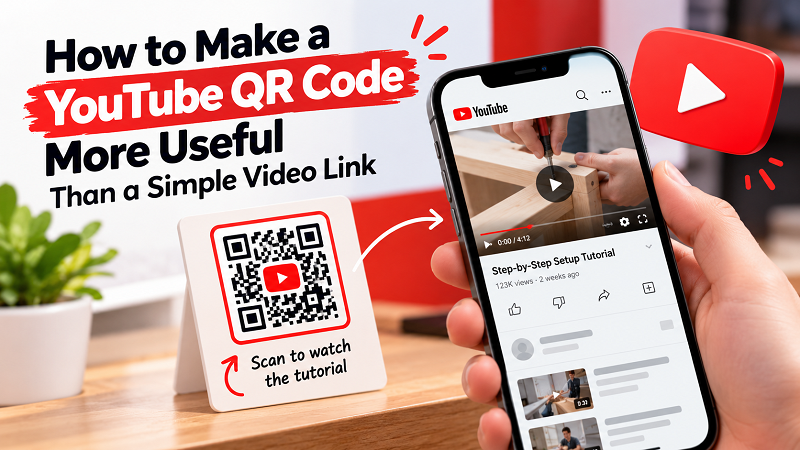
A QR Code Is Only the Doorway
Think of a QR code as an entrance rather than the destination itself. The moment someone scans, expectations have already been created by whatever they saw next to the code.
A product card might promise a quick demonstration. A printed manual might suggest a setup tutorial. A restaurant display could invite customers to watch a recipe. A workshop handout might point attendees toward a specific lesson. In each case, the visitor has a reason for scanning.
That reason should determine where the QR code leads.
Sending everyone to a YouTube channel may seem convenient, but it often creates another decision for the viewer: Which video should I watch? If there are dozens of uploads, the person who just scanned now has to search, read titles, compare thumbnails, and figure out which one matches the original promise.
A direct link to the relevant video can eliminate all of that.
Start With the Moment, Not the Video
One of the easiest mistakes is choosing a YouTube video first and then figuring out where to put its QR code. Flip that process around.
Start by asking: What is the person doing when they encounter this code?
Someone holding a product may want to know how to assemble it. Someone reading an instruction sheet may be stuck on one particular step. Someone standing at an event may want to see a demonstration. A customer looking at a menu could be interested in a preparation video. A student might need a visual explanation of something that was introduced in class.
Those are completely different situations, even though they can all use YouTube.
The strongest QR experiences connect the physical context with a very specific digital answer. The less thinking required after the scan, the smoother the experience feels.
Should You Link to a Video, Playlist, or Channel?
There is no universal destination. The right choice depends on what you want the visitor to do.
- A specific video makes sense when the user needs one clear piece of information. This is usually the most direct option for tutorials, demonstrations, explanations, and product instructions.
- A playlist can work when several videos belong to the same journey. For example, a beginner course could guide viewers through multiple lessons without forcing them to search for the next one.
- A channel makes more sense when discovery itself is the objective. If you're introducing someone to a creator, brand, or media library rather than solving one immediate problem, giving them access to the broader channel can be reasonable.
The mistake is not using one destination over another. The mistake is sending people somewhere that does not match the promise printed beside the QR code.
If your CTA says “Watch the 60-second setup,” don't make the visitor hunt through a channel to find it.
Give People a Reason to Scan
“Scan QR Code” technically tells people what to do. It doesn't tell them why they should care.
A stronger CTA connects the scan with an immediate benefit. Consider phrases such as:
- Scan to watch the tutorial
- See how it works
- Watch the full demonstration
- Scan for the setup guide
- See the recipe in action
- Watch the next lesson
The QR code itself is not particularly interesting. The value behind it is.
This becomes especially important in physical marketing because attention is limited. Someone walking past a display does not want to decode a mystery square. They want to know what happens if they interact with it.
A useful CTA answers that question before the scan.
Make the Printed Experience Match the Digital One
A QR code can be technically functional and still look poorly integrated into the design.
Imagine a beautifully designed product card with a tiny QR code pushed into the corner. There is no explanation, no CTA, and barely enough room to scan it. The code may technically work, but the design is communicating that it is an afterthought.
Give the QR code enough breathing room. Keep strong contrast between the code and its background. Avoid placing important graphics directly around the edges of the code. Most importantly, test the actual printed version rather than assuming that a code that works on your monitor will work equally well on paper.
Testing should happen at the distance people are realistically going to scan from. A QR code on a counter, a poster across a room, and a small product insert have very different physical conditions.
The Shorter the Journey, the Better
Imagine two scenarios.
In the first, someone sees a product card that says “Scan to see how to install it.” They scan and immediately land on the exact installation video.
In the second, the same person scans a code, arrives at a YouTube channel, searches for the product name, finds three similar videos, opens one, realizes it is not the right model, goes back, and tries another.
Both experiences technically use a QR code.
Only one respects the user's time.
This is why destination selection matters so much. Every additional decision between the scan and the desired information introduces another opportunity for the visitor to leave.
A good QR experience feels almost boring in the best possible way: scan, arrive, understand.
Use YouTube QR Codes Where Video Adds Something
Not every piece of information needs a video. A QR code becomes much more useful when video provides something that printed text cannot explain as efficiently.
Assembly is a good example. A complicated sequence of physical movements can be much easier to understand visually.
Demonstrations are another. Instead of describing how a product works with several paragraphs, a short video can show it in action.
Educational material can benefit from the same approach. A printed worksheet can provide the exercise while a linked video gives students a visual explanation or additional context.
Even promotional material can use video effectively when the moving image adds atmosphere, personality, or proof that a static page cannot easily deliver.
The point is not to add video because QR codes exist. Use the QR code because the video genuinely improves the experience.
How to Create a QR Code for a YouTube Video
Once you've chosen the right destination, the actual process is straightforward. Copy the URL of the YouTube content you want people to reach, open a QR code generator, enter the link, generate the code, and download it in a format suitable for your design or printing workflow.
If you're looking specifically for a qr code for youtube video, make sure you test the final code before publishing it. Scan it from the actual printed material, confirm that the correct video opens, and check that the experience makes sense on a mobile screen.
That final test is worth the few seconds it takes. It catches simple problems such as an incorrect URL, a damaged code, insufficient contrast, or a destination that no longer matches the printed CTA.
Don't Measure Success by the Scan Alone
It's tempting to look at a QR code and think the job is finished once someone scans it. But a scan is only the beginning of the interaction.
The more useful question is what happened afterward.
Did the visitor watch the video? Did they find the information they needed? Did they continue to another video? Did the tutorial help them use the product? Did the content answer the question that prompted the scan in the first place?
Those are much closer to the actual purpose of the QR code.
A successful YouTube QR experience should feel like a shortcut, not another navigation task. The person already showed interest by scanning. Don't make them work to turn that interest into an outcome.
The Best QR Code Is the One That Gets Out of the Way
There is nothing inherently impressive about a QR code. It's a small pattern that connects a physical surface to a digital destination.
What makes it valuable is everything surrounding it: the reason someone wants to scan, the clarity of the CTA, the quality of the destination, and how little effort is required to get there.
So before putting a YouTube QR code on your next poster, package, handout, or product card, don't just ask, “Does this code work?”
Ask a better question:
“If I were the person scanning this, would I immediately get what I came here for?”
If the answer is yes, you've created more than a working QR code. You've created a useful bridge between the physical world and the content people actually want to see.