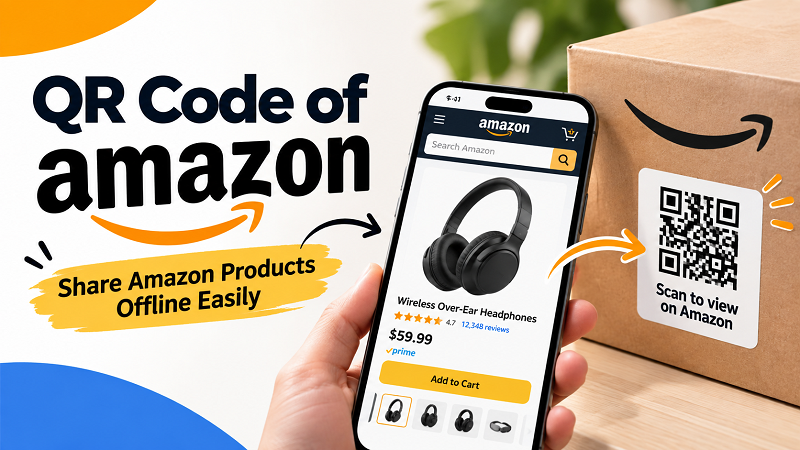
You’ve probably been there: someone recommends a product on Amazon, but instead of sending you the product page, they say, “Just search for it on Amazon.” Sounds easy. Until you actually try it. The product name is too long, several listings look almost identical, or you simply forget the exact name five minutes later. Sharing an Amazon product online is effortless because you can send a link. Offline, however, things get a little messy. A product sitting on a display, flyer, package, catalog, or event booth can’t exactly hand someone a clickable URL. That’s where a QR code becomes useful. It creates a simple bridge between the physical product someone is looking at and the Amazon page they want to visit.
- The Problem With Sharing Amazon Products Offline
- A QR Code Should Feel Like a Shortcut
- Where an Amazon QR Code Makes Sense
- Where Should the QR Code Take People?
- How to Create a QR Code for an Amazon Product
- Give People a Reason to Scan
- Keep the Design Practical
- Test It Like a Customer
- Make the Offline-to-Online Journey Effortless
The Problem With Sharing Amazon Products Offline
The real challenge isn’t getting an Amazon product URL. It’s getting someone from “That looks interesting” to the actual product page without making them do extra work. Imagine a customer standing at a trade show and asking where they can buy a product they just saw. Telling them the product is available on Amazon leaves them with another task: remember the name, open Amazon, type the search term, find the right listing, and hope they picked the correct version. The same friction shows up on printed catalogs, promotional flyers, product packaging, business cards, and physical displays. The customer may already be interested, but every additional step creates another opportunity for that interest to disappear.
A QR Code Should Feel Like a Shortcut
A QR code isn’t the star of the show. The product is. The QR code simply provides a shortcut between the physical world and the digital product page. That distinction matters because QR codes work best when they appear at the exact moment someone has a reason to scan. A random QR code sitting in the corner of a poster doesn’t tell people much. A short message such as “Scan to view this product on Amazon” immediately explains what happens next. There’s no mystery, no guessing, and no need to figure out why that little square is sitting there.
Where an Amazon QR Code Makes Sense
You don’t need a QR code for every Amazon product you share. If you’re texting a friend, just send the link. QR codes become much more useful when the product is being promoted or displayed offline. Product packaging is one obvious example. A customer can scan the code to visit the Amazon listing without having to search for the product manually. Printed catalogs and flyers can use QR codes to connect individual products with their online listings without filling the page with long URLs. Trade shows, pop-up events, retail displays, product samples, and promotional materials can benefit from the same approach. The common thread is simple: someone sees the product first, then needs an easy way to access more information.
Where Should the QR Code Take People?
This sounds obvious, but it’s worth getting right. The QR code should take people exactly where the surrounding message says it will. If you’re promoting one specific product, sending visitors directly to that product page usually makes the most sense. If you’re promoting an entire collection, a broader Amazon destination may be more appropriate. The important thing is to avoid creating another search problem after the scan. If your callout says “Scan to view this product,” don’t send the customer somewhere they have to search for the product again. Before printing anything, open the URL on a phone, check that the correct listing appears, and make sure the page works properly on mobile.
How to Create a QR Code for an Amazon Product
The actual process is refreshingly simple. Open the Amazon product page you want to share, copy its URL, paste that URL into a QR code generator, and create the code. Then scan it with your phone to make sure it opens the intended product page. If you’re looking for a simple way to create a QR code of Amazon, LinkToQR can turn the product URL into a scannable QR code. If the code is going on packaging, signage, or printed marketing material, don’t stop after generating it. The final test matters just as much as the creation process.
Give People a Reason to Scan
One of the easiest QR mistakes is assuming people will automatically understand what the code does. They won’t. A QR code without context can easily become part of the background. Instead of displaying only the code, add a short, useful instruction such as “Scan to view this product on Amazon,” “See product details,” or “Shop this product on Amazon.” The wording doesn’t need to be clever. It simply needs to answer one question: What will I get if I scan this? When the benefit is obvious, the QR code becomes part of the customer experience rather than another random graphic element.
Keep the Design Practical
There’s nothing wrong with making a QR code fit your brand, but don’t sacrifice scanability for aesthetics. Strong contrast, enough white space, and a reasonable size matter more than making the code look ultra-custom. Be especially careful with busy backgrounds, tiny QR codes, glossy packaging, and designs that place graphic elements too close to the code. A QR code that looks fantastic in a design file but fails when printed isn’t doing its job. In the real world, boring and reliable beats beautiful and useless every time.
Test It Like a Customer
Before sending a design to print, test the actual experience. If the QR code will appear on a flyer, print a sample. If it will be placed on packaging, test it at the expected size. If it will sit on a display, scan it from the distance where customers are likely to stand. Try more than one phone if possible. Check whether the camera recognizes the code quickly, whether the correct Amazon product opens, and whether the page loads properly on a mobile connection. It only takes a few minutes, but that small test can save you from discovering a problem after hundreds or thousands of copies have already been printed.
Make the Offline-to-Online Journey Effortless
The real value of an Amazon QR code isn’t the QR pattern itself. It’s the friction it removes. Someone sees a product, becomes interested, scans the code, and lands on the product page. No memorizing a long product name. No typing a complicated URL. No scrolling through a pile of similar search results. No “I’ll look it up later” moment that never actually happens.
That’s why QR codes can be so effective when Amazon products appear in the physical world. Whether you’re adding one to packaging, a catalog, a trade show display, a product card, or a promotional flyer, think less about the QR code itself and more about the journey you’re creating. If the customer wants to see the product on Amazon, make that next step ridiculously easy. Sometimes, one scan is all it takes.