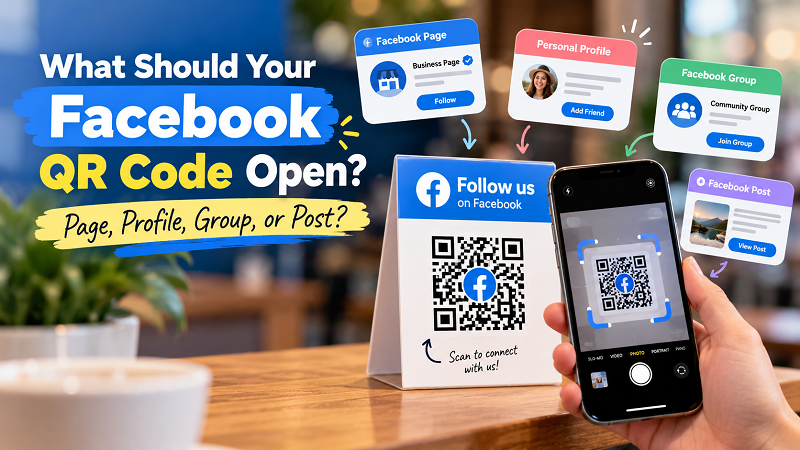
Creating a QR code for Facebook sounds simple enough. Find a Facebook URL, turn it into a QR code, print it on a flyer, put it on a counter, and you're done. Except there's a small problem: which Facebook URL should you actually use? Facebook isn't one destination. A business might have a Page, a personal profile, several Groups, individual posts, event pages, or promotional content. Sending people to the wrong place can make an otherwise perfectly functional QR code feel pointless.
- Your Facebook Page Is Usually the Business Front Door
- A Personal Profile Is a Different Kind of Destination
- Groups Are Better When the Goal Is Community
- Sometimes a Single Post Is the Right Choice
- Match the Destination to the Reason for the Scan
- Don't Forget What Happens After the Scan
- The Smallest Decision Can Prevent a Big Mistake
The better approach is to decide where you want the customer to go before creating the QR code. That sounds obvious, but it's an easy step to skip when you're focused on getting the code ready for printing. Your audience doesn't care that the QR code works. They care about what happens after they scan it.
Your Facebook Page Is Usually the Business Front Door
If the goal is introducing people to a business on Facebook, a Facebook Page is often the most straightforward destination. It gives visitors a place to see the business name, posts, photos, contact information, reviews or recommendations where available, and other details that help them decide whether they want to follow or interact with the brand.
This makes a Page particularly useful for physical businesses. A restaurant can put a QR code near the checkout counter, a retail store can add one to packaging, and a local service provider can include one on printed marketing materials. Someone who scans doesn't have to understand the campaign behind the code. They simply arrive at the business's Facebook presence and can decide what to do next.
The important thing is to check that the Page actually represents what you want people to see. If the page has outdated information, an old cover image, inactive posts, or a confusing name, the QR code isn't going to solve those problems. In fact, it may send even more people directly into them.
A Personal Profile Is a Different Kind of Destination
There are situations where a personal Facebook profile makes sense, but it's not interchangeable with a business Page. A creator, freelancer, consultant, community organizer, or individual seller may intentionally want people to connect with a person rather than a company.
The question is really about the relationship you're trying to build. If someone is supposed to recognize a person, follow their updates, or connect with them personally, a profile may make sense. If the audience is supposed to interact with a business as a brand, a Page is generally a more natural destination.
This distinction becomes especially important when a QR code appears on something permanent, such as business cards, product packaging, signage, or printed brochures. Before printing, ask yourself whether the destination will still make sense six months from now. A QR code may be technically permanent, but the Facebook profile behind it can change.
Groups Are Better When the Goal Is Community
A Facebook Group changes the experience again. Instead of simply introducing someone to a business or person, you're inviting them into a community.
That can work particularly well for businesses with an existing customer base or a strong interest-based audience. A fitness business might use a Group for members to exchange tips and updates. A local brand could build a customer community around new products and promotions. An educator or creator could use a Group to provide discussion and additional resources.
But there is a catch: joining a Group can require more effort than visiting a Page. Some Groups are private, some require approval, and visitors may have to answer questions before they can participate. If your printed QR code simply says “Follow us on Facebook” but actually opens a private Group, people may be confused about what they're supposed to do.
The destination and the call to action should match. If you want people to join a community, say so. Don't make them scan a mysterious code and figure out the rest themselves.
Sometimes a Single Post Is the Right Choice
Sending someone to an entire Facebook presence isn't always necessary. If you're promoting one specific piece of content, linking directly to that post can make more sense.
Imagine a restaurant launching a weekend special and publishing the details in a Facebook post. A QR code displayed inside the restaurant could take customers straight to that announcement. A local store running a giveaway could place a QR code on a promotional card that opens the giveaway post. In these situations, the individual post is the thing people actually want to see.
The downside is longevity. Posts can become outdated quickly. A promotion ends, an event passes, or the information changes. That's why a post-based QR code needs more maintenance than one pointing to a general business destination.
If you're printing thousands of physical materials, think carefully about whether the content will still be relevant when someone scans the code weeks or months later. A QR code that leads to an expired promotion is technically working, but from the customer's perspective, it isn't doing its job.
Match the Destination to the Reason for the Scan
Here's a simple way to make the decision: forget about Facebook for a moment and think about the person holding the flyer, receipt, product, or sign.
What did you promise them?
If the message says “Follow our latest updates,” a Page or relevant public profile may make sense. If it says “Join our customer community,” a Group is more logical. If the message says “See this week's special offer,” a specific post could be the better destination. If you're introducing a person behind a business, a personal profile may be more appropriate.
In other words, don't start with the QR code. Start with the customer's expectation.
Once you've chosen the right Facebook destination, the technical part is fairly straightforward. You can generate facebook qr code from the selected URL and then test it on an actual phone. What matters most is that the QR code and its surrounding message make the same promise.
Don't Forget What Happens After the Scan
There's another small detail that can make a surprising difference: the experience after the QR code opens Facebook. Don't assume that because someone has arrived at the correct URL, the job is finished.
Look at the destination as if you've never seen the business before. Is it immediately obvious whose Page or profile you're looking at? Is the information current? Does the page explain what the business does? If you've sent people to a specific post, is the post still relevant? If it's a Group, can a new visitor understand why they should join?
This is particularly important for offline QR codes because the physical material may stay in circulation for a long time. A flyer can sit on a counter for weeks. Packaging can remain in someone's home for months. A sign might stay on a wall far longer than the original campaign.
The QR code should therefore be treated as part of a larger customer journey, not as a standalone graphic.
The Smallest Decision Can Prevent a Big Mistake
There's nothing inherently complicated about using Facebook with QR codes. The confusing part is having too many possible destinations and assuming they are all equally useful.
They're not.
A Page, Profile, Group, and individual post each create a different experience. The right choice depends on what you're asking the customer to do and how long the printed material is expected to remain relevant. Once that decision is clear, creating the QR code becomes the easy part.
So before you put a Facebook QR code on your next poster, receipt, product card, or business card, pause for a few seconds and open the destination yourself. Ask one simple question: “If I were the customer, is this exactly where I'd expect to land?”
If the answer is yes, you're probably on the right track. If the answer is “well... sort of,” fix the destination before printing. Your QR code only gets one first impression.