You have a good conversation at a conference. You exchange names, talk about what you do, maybe even say, “Let’s connect on LinkedIn.”
- The Networking Problem Nobody Talks About
- The Few Seconds That Decide Whether a Connection Happens
- Put Your LinkedIn Profile One Scan Away
- Where This Actually Makes Sense
- Conference badges
- Business cards
- Speaker profiles and presentations
- Resumes and portfolios
- Networking events
- Make the QR Code Part of Your Identity, Not an Eyesore
- Test the Whole Experience Before You Print
- The QR Code Should Start the Conversation, Not Replace It
- A Better Follow-Up Starts Before the Meeting Ends
Then everyone goes home.
A few days later, nobody has connected.
It’s easy to assume the other person wasn’t interested. Sometimes that’s true. But quite often, the problem is much less dramatic: the follow-up simply requires too much effort.
They remember meeting you, but maybe they don’t remember your exact name. Maybe there are twenty people with similar names on LinkedIn. Maybe they open the app later, get distracted, and never finish the search.
The networking opportunity disappears without anyone actually deciding to make it disappear.
That’s where removing a few unnecessary steps can make a surprisingly big difference.
The Networking Problem Nobody Talks About
Networking advice tends to focus on the conversation itself: make a good impression, ask interesting questions, exchange contact details, follow up quickly.
But there’s an awkward gap between “Nice to meet you” and “We’re connected.”
Consider what someone has to do after meeting you:
They need to remember your name, open LinkedIn, search for you, recognize the right profile, check whether it’s actually you, open the profile, and finally send the connection request.
None of these steps is particularly difficult.
Together, however, they create friction.
And friction matters because people are busy. The person you met at 3 PM might genuinely intend to connect with you at 8 PM. By then, they may have 40 new emails, three unanswered messages, and a dinner reservation to worry about.
Your LinkedIn profile probably isn't losing because it's bad. It may simply be too many clicks away.
The Few Seconds That Decide Whether a Connection Happens
Think about the moment immediately after a conversation.
You say, “Here’s my LinkedIn.”
There are two very different experiences that can follow.
In the first, you tell the person your name and they promise to search for you later. The responsibility is now sitting entirely on their shoulders.
In the second, you give them a direct way to open your profile immediately.
That tiny difference changes the interaction from “remember to find me later” to “here I am.”
This is the same reason people prefer a clickable link to manually typing a long URL. The technology isn't particularly exciting. The reduction in effort is.
A good networking tool doesn't need to make the conversation more complicated. It should make the next step almost boringly easy.
Put Your LinkedIn Profile One Scan Away
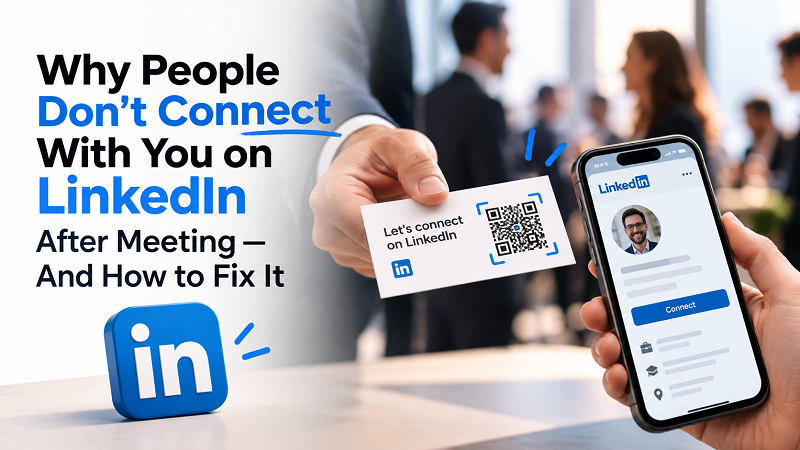
A QR code can turn your LinkedIn profile into something people can access without remembering your name or typing anything.
Using a linkedin qr code generator, you can convert your profile URL into a scannable code and place it wherever your professional identity appears.
That might be a business card, conference badge, presentation slide, portfolio, resume, or even a small sign on your desk.
The interesting part isn't really the QR code itself.
It's what happens to the user's journey.
Instead of:
Meet → remember name → search LinkedIn → find profile → connect
you can create something closer to:
Meet → scan → view profile → connect
That's a much cleaner handoff.
And unlike asking someone to install another app or manually enter contact information, scanning a QR code is already a familiar behavior for most smartphone users.
Where This Actually Makes Sense
You don't need to plaster a QR code across every piece of marketing material you own. In fact, doing that can make it feel like visual noise.
The better question is: Where does someone already have a reason to connect with you?
Conference badges
A conference is a perfect example. You may meet dozens of people in a single day, and remembering everyone's name afterward is nearly impossible.
A QR code on your badge gives people a quick way to revisit your profile while the conversation is still fresh.
Business cards
Business cards have survived for a reason, but they don't have to be limited to a phone number and email address.
A small QR code can provide an additional digital layer without turning the card into a miniature website.
Speaker profiles and presentations
If you're speaking at an event, people may want to learn more about you after the presentation.
Your final slide could include a simple invitation to connect, along with a QR code that leads directly to your LinkedIn profile.
The audience doesn't have to write down your name while you're talking. They can simply scan it when they're ready.
Resumes and portfolios
For freelancers, consultants, designers, developers, and other professionals, a LinkedIn profile can provide context that a traditional resume doesn't.
Adding a QR code gives someone another path into your professional network without forcing them to type a URL.
Networking events
This may be the most obvious use case, but there's an important detail: the QR code should support the conversation, not interrupt it.
Don't stop talking to someone just to perform a five-step QR ceremony.
Keep it casual.
“Want to connect? You can scan this.”
That's enough.
Make the QR Code Part of Your Identity, Not an Eyesore
A QR code doesn't need to dominate your business card or presentation.
Actually, it shouldn't.
The goal is to make it discoverable when someone wants it while keeping the rest of the design clean.
A few simple rules help:
- Give it breathing room. QR codes need a clear area around them so scanners can distinguish the code from surrounding graphics.
- Keep sufficient contrast. A beautiful QR code that refuses to scan isn't particularly useful.
- Don't make it microscopic. If someone needs to squint at your business card, you've already lost.
- Add context. A small label such as “Connect on LinkedIn” tells people exactly what they're getting when they scan.
That last point is easy to underestimate.
A random square sitting next to your name doesn't necessarily invite action. A QR code with a clear purpose does.
Test the Whole Experience Before You Print
Here's a mistake that's surprisingly easy to make: testing the QR code once on your own phone and assuming everything is fine.
Don't.
Test the actual experience from the perspective of someone who has never seen it before.
Scan it from the printed business card. Try it from a presentation screen. Test it under ordinary lighting. Use another phone if possible.
Then ask:
- Does it open the correct LinkedIn profile?
- Is the profile immediately recognizable?
- Does the page load properly on mobile?
- Is the QR code large enough to scan comfortably?
- Does the person understand what they are supposed to do next?
The final question is especially important.
A technically perfect QR code can still be a weak networking tool if nobody understands why they should scan it.
The QR Code Should Start the Conversation, Not Replace It
There's a temptation to treat QR codes as some kind of shortcut around networking.
They're not.
A QR code can't make someone interested in you. It can't create chemistry during a conversation. It can't replace a thoughtful follow-up message or a genuinely useful professional relationship.
What it can do is remove an unnecessary obstacle.
That's valuable because networking is already full of friction.
You don't need to make someone remember your exact name, search through dozens of profiles, and wonder whether they've found the right person. If there's a natural opportunity to make the connection easier, why add another hurdle?
Think of the QR code as the bridge between two moments: meeting someone in the real world and continuing that relationship online.
The conversation still matters. Your profile still matters. What you do after connecting still matters.
The QR code simply makes sure the door is easy to find.
A Better Follow-Up Starts Before the Meeting Ends
The strongest networking opportunities aren't always created by saying something clever.
Sometimes they're created by making the next step obvious.
If someone genuinely wants to stay in touch, don't make them remember your name three hours later. Give them a simple path while the conversation is still fresh.
That could be a business card, a presentation slide, a conference badge, or another piece of professional material they already have in their hands.
Because ultimately, the goal isn't to get someone to scan a QR code.
The goal is to make it easier for the right people to find you, remember you, and continue the conversation.
And in networking, removing one small piece of friction can be the difference between “We should definitely stay in touch” and actually staying in touch.